

Deckary
Deckary · Productivity
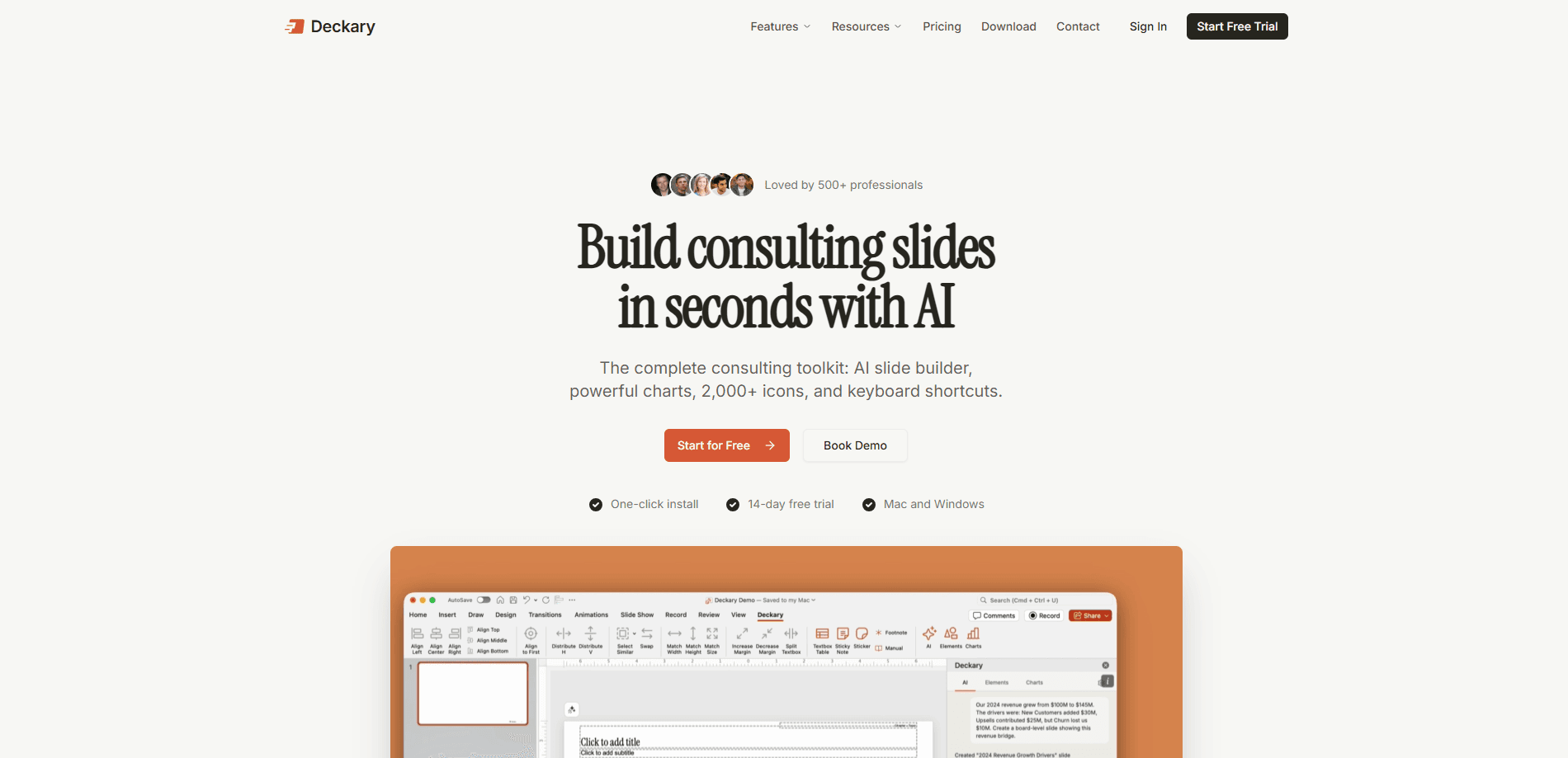
Deckary is an AI PowerPoint add-in and browser deck builder that helps business professionals turn a brief, a data dump, or a rough outline into a polished, editable presentation. It mixes an AI slide agent with consulting-grade charts, 2,000+ icons, and keyboard shortcuts, so you can draft slides in seconds and then refine every element by hand. The deck stays in native PowerPoint shapes, which matters if you need to hand it off or keep editing later.
About Deckary
What Is Deckary
Deckary is built for people who make decks for a living: consultants, finance teams, and operators who need a clean chart more than they need a clever headline. Instead of exporting a flat image from a chatbot, you get slides that live inside PowerPoint, Excel, and Word as real shapes you can click and adjust. Editable. That's the whole pitch.
The product solves one specific headache. Most AI presentation tools give you a pretty first draft that falls apart the moment your manager asks for a font change or a corrected number. Deckary keeps the deck editable and keeps charts linked to your data, so a last-minute revision doesn't mean rebuilding from scratch. That's the part people pay for.
The catch is that this isn't aimed at casual users. It's tuned for business slides, so if you want something playful for a birthday slideshow, the consulting vocabulary and chart-first approach will feel like overkill. Pricing for solo users also sits above free consumer tools. Know that going in.
Getting Started
- Sign up at deckary.com and start the 14-day trial, which doesn't require a credit card.
- Install the Office add-in through Microsoft AppSource, or work in the browser editor if you'd rather not touch PowerPoint yet.
- Describe your business problem, paste your data, or upload your sources to generate the first slides.
- Select any slide and tell the AI what to change, or open the chart and timeline tools to build bars, waterfalls, and Gantt views.
- Run /consistency to audit fonts, colors, and spacing, then export or share the finished deck.
Product Information
A quick look at Deckary's pricing, supported platforms, and performance.
Best for
The users, tasks, and scenarios where this tool fits best.
Users
- Consultants
- Finance and strategy teams
- Small firms rolling out tooling
Tasks
- Building a slide from a brief
- Reformatting an existing deck
- Drafting a financial model
- Laying out a project timeline
Scenarios
- The night before a client review when the data changed and the chart needs rebuilding.
- Standardizing decks across a team so every consultant's slides share the same fonts and colors.
- Mapping a multi-workstream rollout where tasks, owners, and deadlines need to be visible on one slide.
Key features
AI Slide Agent Inside PowerPoint
This is the core of the tool. You describe a business problem or paste data, and Deckary builds a complete slide with charts, icons, and structure already in place. Because it runs inside PowerPoint, the new slides adopt your presentation's fonts, colors, and layouts. No foreign block to fix afterward.
Consulting-Grade Charts
Deckary builds editable waterfall, bar, and Mekko charts. Each one links to Excel, so a corrected number flows through instead of forcing a manual redraw. You can refine the data, formatting, and annotations with the AI or by hand. Ever rebuilt the same waterfall three times in one afternoon? That link is the real selling point.
Editable Gantt Charts in PowerPoint
The timeline builder handles tasks, milestones, dependencies, and swimlanes. That covers most project plans without leaving your deck. You can import from Excel or MS Project, switch between day, week, month, or quarter scales, and drag bars to adjust dates. The result uses native PowerPoint shapes, so a colleague can edit it without owning Deckary.
One-Click Brand Consistency
Running /consistency audits fonts, colors, and spacing across the whole deck and flags what's off. It saves a genuinely annoying chore. Big difference on a 60-slide deck stitched together from several people.
AI Excel and Word Agents
The Excel agent scaffolds financial models with assumption cells and linked formulas directly inside Excel, and a matching Word agent handles documents. That means the model, the write-up, and the deck can all be drafted in the same workflow instead of three separate ones. One install adds Deckary ribbons to PowerPoint, Excel, and Word.
Browser Editor and Agent Access
You don't have to start in Office. Deckary also works in the browser and with your preferred AI agent, so a draft can begin wherever your sources already live. The browser path is handy for quick turnarounds, while the add-in path suits anyone who wants the deck to stay native from the start.
2,000+ Icons and Productivity Shortcuts
A library of over 2,000 icons, flags, and indicators plus static templates covers the small visual pieces that make a business slide read clearly. Keyboard shortcuts cut the repetitive clicking. Nothing here is flashy. It's the difference between a functional slide and a finished one.
Pros and cons
Pros
- Output stays as native PowerPoint shapes, so you keep editing after the AI is done.
- Charts link to Excel, which removes the manual redraw every time data changes.
- Gantt charts and consulting charts arrive in the same tool as the slides, avoiding export-import juggling.
- The 14-day trial needs no credit card, so you can test the workflow before committing.
- Team rollout is documented for IT, with a security brief and 5-seat minimum.
Cons
- No free plan. Solo pricing starts at $15/month, so light users pay for capability they may not need.
- It's tuned for business presentations, so casual or creative decks will feel like using a sledgehammer on a thumbtack.
- Public API availability isn't documented, which limits anyone hoping to wire Deckary into an existing pipeline.
Frequently asked questions
Deckary builds and edits business presentations, mainly PowerPoint decks with charts, timelines, and data-driven slides. It suits people who need a polished deck quickly and still want to keep editing it afterward.
Related content
Explore related tools, skills, and articles for Deckary.
Deckary Alternatives

Base Code
Base44 (Wix) · Coding · ProductivityBase Code is a shared cloud development environment from Base44. Teammates describe changes to an existing GitHub codebase in chat, preview them live and send them back as pull requests.

Knocket
Knocket (Tencent RTC team) · Productivity · Business · ChatbotKnocket is a free live chat and contact page tool that lets visitors message you from your website, app, or a shareable link, with every reply handled from Telegram or one inbox.

FloorGen
Vinit Kumar (FloorGen) · Productivity · China AIFloorGen is a browser-based floor plan maker that turns a sentence or a sketch into an editable 2D plan and a 3D walkthrough. Export to PDF, DXF or video, and draw without an account.