

Deckster
Deckster (Latvia) · Productivity · Leaning
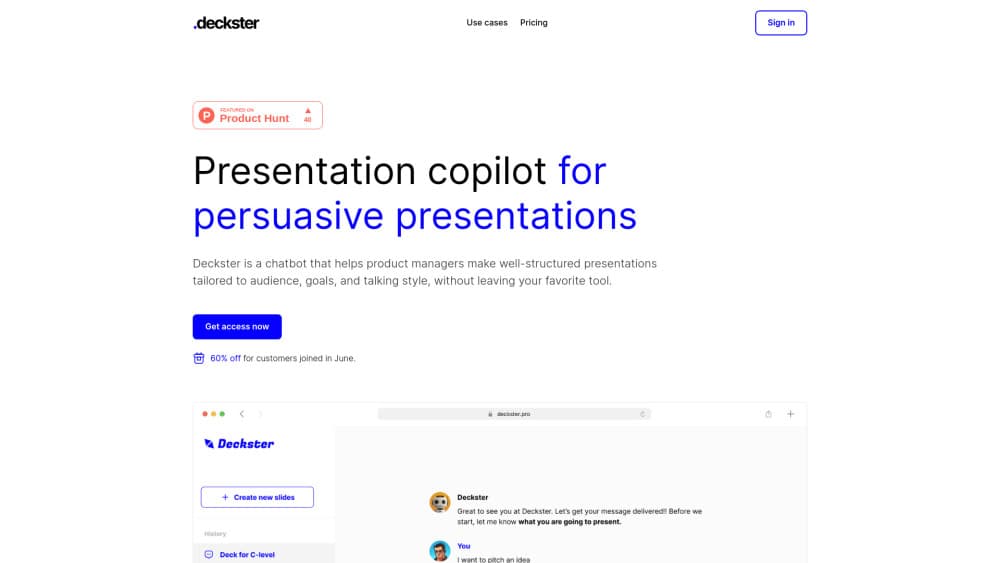
Deckster is a free AI presentation maker that turns notes, files, and prompts into audience-tailored decks, then exports them as editable PowerPoint or Google Slides files.
About Deckster
What Is Deckster
Most AI deck tools start with a prompt and rush straight to slides. Deckster starts one step earlier, with the context behind the deck: who you're talking to, what you want them to do, and which evidence supports the argument. It's a browser-based presentation maker built by a two-person team in Latvia.
The product splits the work into three stages. First it shapes your raw notes into a presentation foundation, meaning the core idea, the language, and the key message for that specific audience. Then it lays that foundation out as slides with consistent layouts, charts, and visual hierarchy. Finally you export a native file or present from the app.
That order matters when the deck has to persuade someone. A generic template can look fine and still say nothing. Deckster's output is only as sharp as the context you feed it, so short one-line prompts tend to produce shallow decks. The free tier also runs on standard-quality generation, and Pro costs €20 per month for the stronger model and tighter writing.
Getting Started
- Create a free account on deckster.pro. No card is needed.
- Describe the situation: the audience, your goal, the argument, and any constraints. Paste notes or upload CSV, XLSX, and text files if you have them.
- Review the presentation foundation before slides are built, and correct the message if it drifted.
- Edit slides in the built-in editor, then export to PowerPoint or Google Slides, or present directly from Deckster.
Product Information
A quick look at Deckster's pricing, supported platforms, and performance.
Best for
The users, tasks, and scenarios where this tool fits best.
Users
- Consultants and agency strategists
- Product managers
- Founders and sales teams
Tasks
- Building a client pitch deck from scattered notes
- Turning a business case into slides
- Charting your own data
- Rewriting an existing deck for a new audience
Scenarios
- A meeting lands tomorrow and the deck doesn't exist yet
- Two audiences, one set of facts
- Workshop output that needs to circulate
Key features
Context Capture Before Generation
Deckster asks for the audience, the goal, and the supporting evidence before it writes a single slide. That extra input is the whole point. It gives the model something to reason about, so the deck argues a position rather than listing generic bullets.
Presentation Foundation Review
Before slides appear, you get a foundation: core idea, key message, tone, and the logic that connects them. You can fix the thinking at this stage, which is much cheaper than rearranging twenty slides after the fact.
Bounded Slide Editor
The editor limits layout choices on purpose. You can change text, swap visual treatments, and reorder sections without the layout drifting apart. Compared with a typical AI slide generator, it trades freedom for stability, and that's a good deal when a deck is due tomorrow.
Charts From Your Own Files
Upload CSV, XLSX, or text files and Deckster builds charts from the actual data. Charts stay editable in the export, so a colleague can update a number later without redrawing anything.
Editable PowerPoint and Google Slides Export
Exports keep layouts, structure, and charts intact. Download a PPTX file or send the deck to Google Slides, then keep working in the tool your team already uses. Nothing is locked to Deckster.
Brand Themes and Consistent Layouts
Automatic brand themes keep colors and type consistent across a long deck. Pro adds more layout variety and visual storytelling options, which shows most in decks above twenty slides.
Pros and cons
Pros
- Free tier includes unlimited presentations and PPTX export, with no credit limits or pay-per-export fees.
- The context-first workflow produces decks with an actual argument, not just tidy slides.
- Exported files stay editable, including charts built from your spreadsheets.
- The bounded editor prevents the layout breakage that plagues most AI slide tools.
- Pro is a flat €20 per month, which is cheap next to per-seat presentation software.
Cons
- Short prompts produce weak decks, so the tool rewards users who write a serious brief of roughly 600 to 900 words.
- Standard-quality generation on the free plan is noticeably less polished than Pro output.
- There's no mobile app, so building or editing a deck means opening a browser.
- No public API means teams can't wire Deckster into an automated reporting pipeline.
Frequently asked questions
Yes. The free plan covers unlimited presentations, standard-quality AI generation, automatic brand themes, charts from your files, and fully editable PPTX export. Pro costs €20 per month and adds best-quality generation plus stronger narrative and layout work.
Related content
Explore related tools, skills, and articles for Deckster.
Deckster Alternatives

Base Code
Base44 (Wix) · Coding · ProductivityBase Code is a shared cloud development environment from Base44. Teammates describe changes to an existing GitHub codebase in chat, preview them live and send them back as pull requests.

Knocket
Knocket (Tencent RTC team) · Productivity · Business · ChatbotKnocket is a free live chat and contact page tool that lets visitors message you from your website, app, or a shareable link, with every reply handled from Telegram or one inbox.

FloorGen
Vinit Kumar (FloorGen) · Productivity · China AIFloorGen is a browser-based floor plan maker that turns a sentence or a sketch into an editable 2D plan and a 3D walkthrough. Export to PDF, DXF or video, and draw without an account.