

Decktopus AI
Decktopus · Productivity
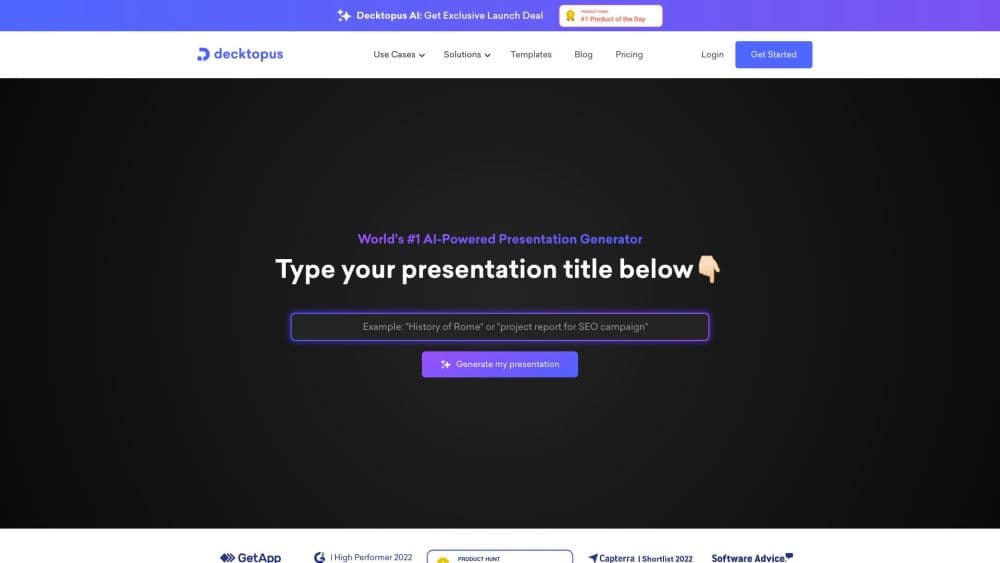
Decktopus AI is an AI presentation maker that turns a topic, file, or rough notes into a complete, ready-to-present deck with auto branding and a delivery coach.
About Decktopus AI
What Is Decktopus AI
Decktopus AI is a presentation software platform built for people who have to present but don't want to fight slide design. You describe your topic or upload a file, and this AI deck builder generates a full presentation with structure, content, and layout already in place. It does not start from a template that thousands of others have used. Each deck is generated fresh from your input.
The tool aims at a specific audience: consultancies, agencies, advisors, coaches, founders, and small teams. These are people who send pitches, proposals, client reports, and lead magnets, and who need every document to look like a design team made it. On the pricing page, Decktopus lists 4M+ users worldwide and claims the top spot among AI presentation platforms.
The main limitation is that Decktopus AI has no free plan. New users get free credits at signup, enough for a 3 slide presentation, then pay per credit or subscribe. Everything runs on credits: each slide costs 5 credits, so heavy slide counts burn through a monthly balance fast. It also leans on English-first output; the interface and generated content support English, French, German, Portuguese, Spanish, Turkish, and Arabic, but some advanced features arrive first for English users.
Getting Started
- Sign in with Google or email and land in the dashboard.
- Describe your topic, or upload a file, and let the AI build an outline and full deck.
- Paste your website URL so it pulls your logo, colors, and fonts automatically.
- Refine any slide by typing a prompt, or edit text directly.
- Present, share a live link, or export to PDF, PPT, or PNG.
Product Information
A quick look at Decktopus AI's pricing, supported platforms, and performance.
Best for
The users, tasks, and scenarios where this tool fits best.
Users
- Consultants and agencies
- Founders and sales teams
- Coaches and educators
Tasks
- Turning a topic into a deck
- Beautifying an existing file
- Rehearsing a delivery
Scenarios
- A proposal that needs to close
- A high-stakes pitch
- A weekly content push
Key features
AI deck generation from a prompt or file
Type a topic, paste rough notes, or upload a document and this AI presentation generator builds the whole presentation, structure and design included. Every deck comes out fresh rather than pooling from a fixed template library, so two presentations on the same subject won't look identical. For anyone who wants to create slides with AI instead of assembling them by hand, this is the feature they come for first.
Auto branding from your website URL
Paste your site address and the platform pulls your logo, primary colors, and fonts into the deck. For teams on a Business plan, a shared brand kit keeps every deck on-brand without a manual review pass. You set the rules once and new presentations follow them.
Prompt-based editing
You change a slide by describing what you want, not by dragging boxes around. The Edit with AI option rewrites or restructures a slide from a plain-language instruction, while Edit Text handles direct copy changes. Neither path asks you to learn a design tool.
Loop, the AI delivery coach
Loop is a set of four AI agents that prepare you to actually present. One gathers context about your audience and goals, one builds the narrative arc and speaking notes, one plays the audience and fires hard questions, and one measures pacing and filler words as you rehearse live. It remembers context across sessions, so each rehearsal builds on the last.
Live links with viewer analytics
Instead of emailing a static PDF, you share one link that always shows the current version. Analytics show who opened the deck, how long they stayed, and which slide they stalled on, so you know when to follow up. An email gate can turn a free resource deck into a lead list.
Export and multi-platform access
Decks export to PDF, PPT, and PNG in standard or compressed quality, so they travel into tools your team already uses. The same account works on web and mobile, and it reaches into ChatGPT, Claude, and any MCP-ready assistant through a published MCP server, letting you generate a deck without leaving the chat window.
Pros and cons
Pros
- Generation starts from your topic, so output doesn't look like a stock template.
- Brand kit and auto branding keep team decks consistent without design review.
- Loop adds delivery coaching that most slide tools skip entirely.
- Live links and viewer analytics turn a deck into a trackable asset.
- Credits are flexible: buy packs anytime, no subscription required to top up.
Cons
- No free plan beyond a 3 slide trial, so you commit money before a real test.
- Credits drain fast at 5 credits per slide, which hurts long decks.
- Team template sharing isn't available yet, only duplicated decks.
- SOC 2 Type II compliance is still in progress, which matters for strict procurement.
Frequently asked questions
No. There's no free plan, but new users get free credits at signup to build a 3 slide presentation and try the platform.
Related content
Explore related tools, skills, and articles for Decktopus AI.
Decktopus AI Alternatives

Base Code
Base44 (Wix) · Coding · ProductivityBase Code is a shared cloud development environment from Base44. Teammates describe changes to an existing GitHub codebase in chat, preview them live and send them back as pull requests.

Knocket
Knocket (Tencent RTC team) · Productivity · Business · ChatbotKnocket is a free live chat and contact page tool that lets visitors message you from your website, app, or a shareable link, with every reply handled from Telegram or one inbox.

FloorGen
Vinit Kumar (FloorGen) · Productivity · China AIFloorGen is a browser-based floor plan maker that turns a sentence or a sketch into an editable 2D plan and a 3D walkthrough. Export to PDF, DXF or video, and draw without an account.