

Deep Dream Generator
Deep Dream Generator (Sofia, Bulgaria) · Image
Deep Dream Generator is a web-based AI art platform that turns text prompts and photos into images, video, and music using 30+ models. It has run since 2015 and starts free with no signup.
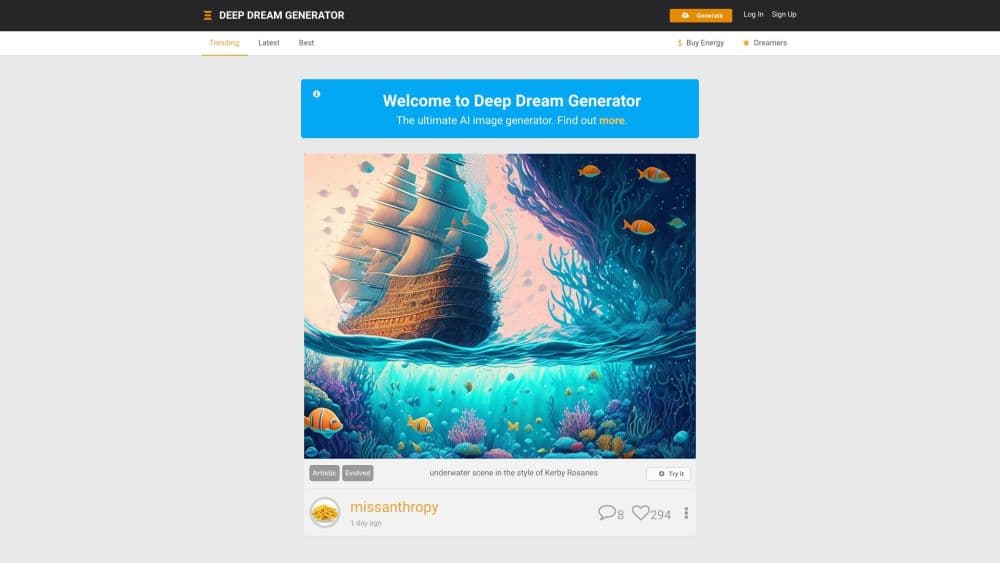
About Deep Dream Generator
What Is Deep Dream Generator
Deep Dream Generator, often shortened to DDG, is one of the oldest AI art platforms still online, launched in 2015 by a team in Sofia, Bulgaria. It began by putting Google's DeepDream neural network behind a simple web page, letting anyone make surreal, dreamlike images without any coding.
The platform has grown into a full creative studio. Today it covers text-to-image generation, image-to-image editing, short video, music, and an upscaler, all behind one account. The company reports more than five million creators and over fifty million images and videos made on the site.
Its draw is range plus a low barrier. As a free AI art generator it lets you create without paying, and the site keeps an active community gallery with daily challenges. The trade-off is that heavy use burns energy credits, and the best models sit behind paid tiers.
Getting Started
- Open deepdreamgenerator.com in a browser. You can try the main generators without an account.
- Sign up with Google or email if you want to save dreams, buy energy, and publish to your gallery.
- Pick a tool: AI Image, AI Video, AI Music, or the AI Upscaler.
- Type a prompt, choose a model and settings, then generate.
- Save, share, or publish your result to the community feed.
Product Information
A quick look at Deep Dream Generator's pricing, supported platforms, and performance.
Best for
The users, tasks, and scenarios where this tool fits best.
Users
- Digital artists and hobbyists
- Marketers and content creators
- Developers and small teams
Tasks
- Turning prompts into art
- Restyling photos
- Upscaling and cleaning images
Scenarios
- Browsing for inspiration
- Building a visual series
- Making music or video for a project
Key features
30+ AI models in one place
Deep Dream Generator packs over 30 image, video, and editing models behind a single login, from Nano Banana 2 and Ideogram v4 to ChatGPT 2 and FluX. You compare and swap models without separate subscriptions, which suits people who like to test looks. The site even publishes its own scored comparison of the top models.
Text-to-image and image-to-image
You can start from a written prompt or upload a base image and let the model build on it. Dream depth goes deeper with each pass, and rare deep dreams push the surreal effect further. Style controls and modifiers let you steer the result without rewriting everything.
AI Upscaler up to 120MP
The upscaler lifts small or flawed images to higher resolution. Precise mode gives clean output up to 4K, while Creative mode reaches 120MP and adds artistic detail. It also repairs artifacts in AI output, which helps when a generation comes back slightly soft.
AI video generation
The video tool animates a still image or builds a short clip from a prompt. You can start from one of your own images and reuse its prompt, which speeds up turning a finished picture into movement. It suits quick social clips rather than long edits.
AI music generator
The music tool composes instrumental tracks from a text prompt or a reference image, with controls for tempo, key, mood, and instruments. Models include Google DeepMind's Lyria line, and output is cleared for personal and commercial use. Length runs up to about three minutes.
Community and daily challenges
The site is also a social gallery. You can publish dreams, follow creators, like work, and enter challenges, and the sidebar surfaces trending and best videos. It gives beginners a place to study what strong prompts look like.
API access
An upscaler API token lets developers call the enhancement model from their own code, with a webhook for completed jobs. It covers upscaling and detail repair, so a build can offer image enhancement without any model training.
Pros and cons
Pros
- Free to start with no signup needed for the core generators.
- More than 30 models cover image, video, music, and upscaling under one account.
- The upscaler reaches 4K in Precise mode and 120MP in Creative mode.
- An active gallery and daily challenges give constant reference material.
- Music output is cleared for commercial use.
Cons
- Heavy use burns energy fast, so you must buy packs or a subscription.
- The strongest models sit behind paid tiers, which slows free experimentation.
- Buy-as-you-go pricing makes the real cost hard to predict upfront.
- Video output is short-form, so it can't replace a full editing suite.
Frequently asked questions
Yes. You can generate images and try the main tools without paying or signing up. Free use draws on an energy allowance, and you can top it up later with packs or a subscription.
Related content
Explore related tools, skills, and articles for Deep Dream Generator.
Deep Dream Generator Alternatives

Google EmbeddingGemma 2
Google DeepMind · Writing · Image · CodingGoogle EmbeddingGemma 2 is a 740M-parameter open model that turns text, code, images, audio, and video frames into vectors in one 768-dimension space, running on phones and laptops.

Tractionwave
TractionWave · Image · MarketingTractionWave is an AI attention heatmap tool for static ads. Upload a PNG or JPG and it returns predicted attention, ranked hotspots, and fixes before you spend budget.

Imejis.io
Imejis.io · Image · MarketingImejis.io is an AI design studio for agents and marketing teams. Describe an image in plain words, and it writes the copy, builds the layout, reflows it to every size, then exports a finished file.