

Deep Face Swap
Deep Face Swap · Image
Deep Face Swap is a browser-based AI face swap platform for photos and videos, with Avatar AI, Magic Editor, and Companion AI built in. It runs on free daily credits and adds no watermarks.
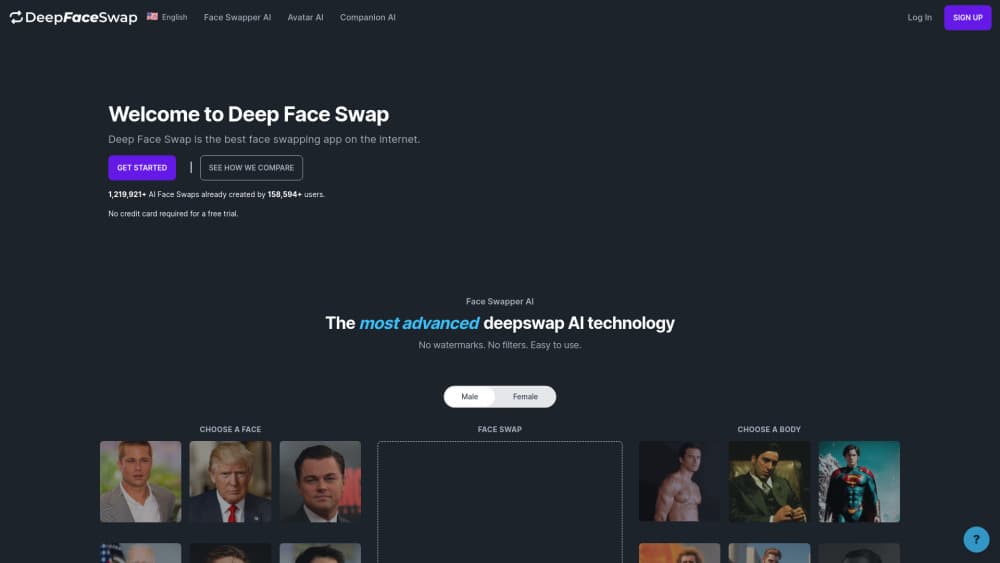
About Deep Face Swap
What Is Deep Face Swap
Deep Face Swap is an online face swapping service that runs in a web browser. You upload a face and a target photo or video, and the platform blends the two into a single image or clip. No install is needed, and the output arrives without a watermark.
The platform goes past simple swapping. Avatar AI turns a face plus a written description into a new scene, Magic Editor changes one part of an image from a text prompt, and Companion AI builds a chatbot you can talk to. The company says more than 240,000 people have used the service and created over 2.3 million face swaps.
The limits matter too. The free tier gives 3 credits per day, which covers light testing but not a full content calendar. Uploaded files are deleted after two weeks, so you need to download results promptly. The service is web only, with no desktop or mobile app.
Getting Started
- Open deepfaceswap.ai in a browser and sign up with an email address. No credit card is required for the free plan.
- Pick a tool: Face Swapper AI for a swap, Avatar AI for a new scene, or Magic Editor for a targeted edit.
- Upload a clear, front-facing photo of the face you want to use, then add the target photo or video.
- Run the job, review the result, and download it before the two-week storage window closes.
Product Information
A quick look at Deep Face Swap's pricing, supported platforms, and performance.
Best for
The users, tasks, and scenarios where this tool fits best.
Users
- Social media creators
- Curious beginners
- Meme and fan communities
Tasks
- Photo face swap
- Video face swap
- AI avatar generator work
- Targeted retouching
Scenarios
- Testing an idea before committing
- Quick content for a personal account
- Group gifting and pranks
Key features
Face Swapper AI
The core tool takes one face and one target image, then merges them into a single frame. Skin tone, light direction, and head angle are matched automatically. You can swap faces in photos and in video clips from the same dashboard, which saves jumping between tools.
Video Face Swap
Video support turns a still likeness into moving footage. Upload a clip, choose the face, and the platform processes the frames for you. Rendering takes longer than a photo, and each run costs more credits, so short clips are the practical choice.
Avatar AI
Avatar AI works from a face plus a text description. Describe a scene, an outfit, or an action, and the model generates a new image of that person in it. It is the fastest route to themed portraits, and it needs a sharp source photo to keep the likeness recognizable.
Magic Editor
Magic Editor works as a lightweight AI photo editor. Select the area you want to change, type what should be there instead, and the model rebuilds only that region. Background clutter, stray objects, and small expression fixes are its sweet spot. Whole-scene changes are better handled by Avatar AI.
Companion AI
Companion AI creates a chatbot with a persona you define. You can shape its tone and background, then hold a conversation with it. It sits apart from the image tools, and it is the feature most people try once rather than use daily.
No Watermarks or Filters
Every plan, including the free one, exports without a watermark or a content filter applied by the platform. That matters for anyone posting to a public feed, since a logo in the corner usually kills a clip's reach. The tradeoff is that the platform relies on users to follow consent and copyright rules.
Pros and cons
Pros
- Free tier with 3 credits per day and no card required, which makes a photo face swap easy to test.
- No watermarks on free or paid output, so clips look clean without extra editing.
- All five tools sit in one browser tab, covering swaps, avatars, edits, and chat.
- Credit packs replace subscriptions, so light users are not locked into a monthly bill.
- Uploaded files are deleted after two weeks, which limits how long personal photos sit on the server.
Cons
- 3 daily credits run out fast on video work, and a single clip can eat a full day's allowance.
- The two-week deletion window means unsaved results disappear, which hurts anyone who edits slowly.
- There is no mobile app or desktop client, so every job needs a browser session.
- The API status is not documented publicly, which blocks teams that want to automate swaps.
Frequently asked questions
Yes. The free plan gives 3 credits per day and does not ask for a credit card. Extra usage runs on one-time credit packs rather than a monthly subscription.
Related content
Explore related tools, skills, and articles for Deep Face Swap.
Deep Face Swap Alternatives

Google EmbeddingGemma 2
Google DeepMind · Writing · Image · CodingGoogle EmbeddingGemma 2 is a 740M-parameter open model that turns text, code, images, audio, and video frames into vectors in one 768-dimension space, running on phones and laptops.

Tractionwave
TractionWave · Image · MarketingTractionWave is an AI attention heatmap tool for static ads. Upload a PNG or JPG and it returns predicted attention, ranked hotspots, and fixes before you spend budget.

Imejis.io
Imejis.io · Image · MarketingImejis.io is an AI design studio for agents and marketing teams. Describe an image in plain words, and it writes the copy, builds the layout, reflows it to every size, then exports a finished file.