
Deep Live Cam
hacksider · Image · Video
Deep Live Cam is a free, open source face swap tool that replaces a face in a live webcam feed or a recorded video using a single photo, and it runs on your own computer instead of a cloud server.
About Deep Live Cam
What Is Deep Live Cam
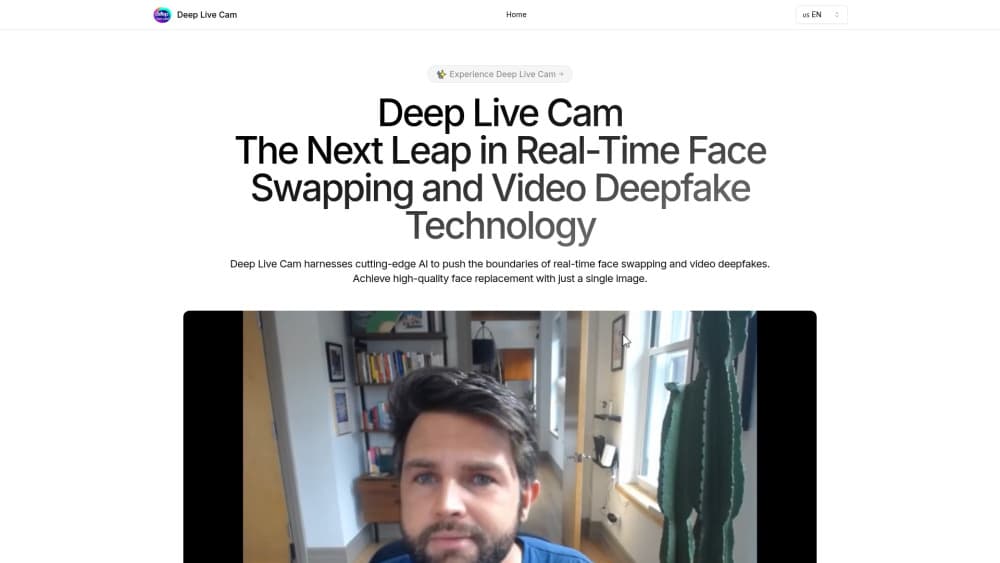
Deep Live Cam is an AI face swap app built by the open source project hacksider. You load one photo of the face you want, point it at a webcam or a video file, and the software paints that face over the person on camera, frame by frame, as the footage plays.
The appeal is speed and price. Most face swap apps ask you to upload footage, wait in a queue, and pay per render. Deep Live Cam does the work on your own GPU, so a real-time face swap session costs nothing past the hardware you already own.
The catch is setup. There's no installer wizard in the free build, and the official README says plainly that manual installation isn't for beginners. You need Python, ffmpeg, two model files, and some patience with drivers. There's also the obvious ethical side: this is open source deepfake software, and the developers ask users to get consent and label output before posting.
Getting Started
- Install the prebuilt build for your platform, or clone the repository and set up Python with ffmpeg.
- Download the two model files, gfpgan and inswapper, into the models folder.
- Run the app, pick a source photo, then choose a webcam or a target video.
- Press Live for a real-time session or Start to render a file, and capture the window with OBS if you plan to stream.
Product Information
A quick look at Deep Live Cam's pricing, supported platforms, and performance.
Best for
The users, tasks, and scenarios where this tool fits best.
Users
- Streamers and VTubers
- Video editors and meme makers
- Developers and tinkerers
Tasks
- Swapping a face in a recorded clip
- Running a live character camera
- Putting different faces on several people at once
Scenarios
- Streaming as a character you generated elsewhere
- Making reaction content for social feeds
- Testing how a scene looks with another actor
Key features
One-Photo Face Swap
The whole tool runs on a single source image. You don't train a model or upload a dataset, which is why a face swap tool this small can work at all on a laptop.
Real-Time Webcam Mode
Live mode pipes your camera feed through the swapper and shows the result in a preview window. The first frame takes a few seconds to appear, then the window updates as you move, and OBS or a similar capture tool can pick it up for streaming.
Face Mapping For Multiple People
Face mapping lets you assign a different source face to each person the camera sees, so two or three people in one shot can wear separate identities at the same time. It's the feature behind most of the group clips people share.
Mouth Mask
Mouth mask keeps your real mouth movement while the rest of the face is replaced. Without it, a swapped face tends to look flat when you talk, because the model has no idea what your lips are doing.
Face Enhancer
The enhancer pass sharpens the swapped region with GFPGAN before the frame is written out. It helps most on low-resolution sources and older webcams, and it costs extra processing time per frame.
Hardware Acceleration Options
The same code runs on Nvidia CUDA, Apple CoreML, Windows DirectML, Intel OpenVINO, or plain CPU. Picking the right execution provider is the difference between a smooth real-time face swap and a slideshow, so check the README flags before you blame the model.
Pros and cons
Pros
- Free and local: nothing leaves your machine, and there's no per-render fee or credit pack.
- Fast on real hardware: a mid-range Nvidia card handles a live session without visible lag, and Apple Silicon Macs now get a CoreML path.
- One image is enough: no training run, no photo set, no account.
- Open source: the code, models, and issue tracker are public, so you can check what the software actually does.
Cons
- Install friction: the free build needs Python, ffmpeg, model downloads, and the right driver, which is a real barrier if you've never touched a terminal.
- Visible seams on hard angles: profile shots, fast head turns, and hands crossing the face still break the illusion.
- No API or hosted service: everything runs through the desktop app or CLI flags, so there's no way to call it from your own product, and support comes from GitHub issues and Discord.
Frequently asked questions
It replaces a face in live camera footage or in a video file with a face taken from a single photo. The output plays in real time in the preview window or gets written to a new video file.
Related content
Explore related tools, skills, and articles for Deep Live Cam.
Deep Live Cam Alternatives

Google EmbeddingGemma 2
Google DeepMind · Writing · Image · CodingGoogle EmbeddingGemma 2 is a 740M-parameter open model that turns text, code, images, audio, and video frames into vectors in one 768-dimension space, running on phones and laptops.

Tractionwave
TractionWave · Image · MarketingTractionWave is an AI attention heatmap tool for static ads. Upload a PNG or JPG and it returns predicted attention, ranked hotspots, and fixes before you spend budget.

Imejis.io
Imejis.io · Image · MarketingImejis.io is an AI design studio for agents and marketing teams. Describe an image in plain words, and it writes the copy, builds the layout, reflows it to every size, then exports a finished file.