

DeepAI: AI Chat, Image & Video
DeepAI · Image · Video
DeepAI is a browser-based creative AI platform that bundles chat, image generation, video, music, photo editing, and voice chat in one place. It runs free without an account, and DeepAI Pro unlocks higher limits for $9.99 per month.
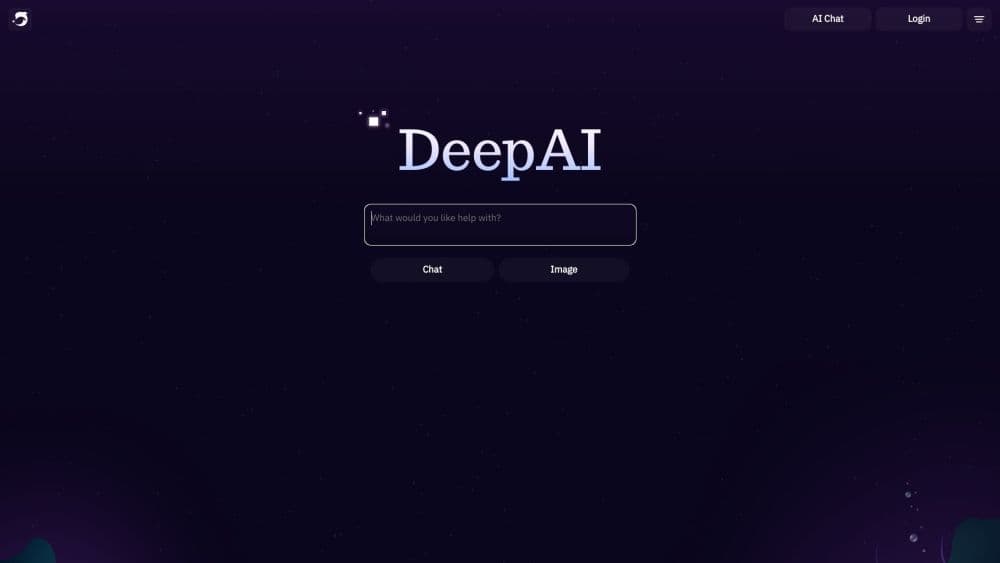
About DeepAI: AI Chat, Image & Video
What Is DeepAI
DeepAI is an all-in-one creative AI platform that has been running since late 2016, when it launched one of the first browser-based text-to-image generators. Today the same site covers image generation, photo editing, chat, short video, music, and voice conversations.
The pitch is accessibility. You can open DeepAI in any browser and start creating without installing anything or even signing up. Paid users get bigger monthly allowances, private generations, and an ad-free view.
DeepAI Pro pricing sits at $9.99 per month, or $7.50 per month if you pay for a year up front. The free tier stays genuinely usable for light work, which sets the platform apart from many free AI tools that gate almost everything.
The main trade-off is depth. DeepAI spreads across many tools rather than going deep on one, so specialists may prefer a dedicated app for a single job. Everything routes through the same account, which keeps switching between tasks simple.
Getting Started
- Open deepai.org in a browser. You can try the core tools right away with no account.
- Sign up with Google, Apple, or email if you want to save history, unlock more models, and keep your creations.
- Pick a tool from the left menu, such as AI Chat, Image Generator, or Video Generator.
- Type a prompt, adjust the model or style, and hit generate.
- Upgrade to DeepAI Pro when the free limits start to slow you down.
Product Information
A quick look at DeepAI: AI Chat, Image & Video's pricing, supported platforms, and performance.
Best for
The users, tasks, and scenarios where this tool fits best.
Users
- Hobbyists and casual creators
- Professional artists and marketers
- Developers
Tasks
- Generating quick visuals
- Editing photos without software
- Chatting with live web access
Scenarios
- Testing an idea before paying
- Batch creative work
- Prototyping a product feature
Key features
All-in-one creative toolkit
DeepAI gathers image generation, photo editing, chat, video, music, and voice chat under one login. You move between them without juggling separate subscriptions or accounts. That range is the product's biggest draw for people who want a single place to create.
AI Image Generator with multiple modes
The image tool runs in three tiers: HD, Genius, and Super Genius. Genius images follow prompts more closely and carry more artistic detail, while Super Genius pushes resolution up to 2K and 4K. Over 100 styles, from photorealistic to anime, let you steer the look without rewriting your prompt.
AI Chat with browsing and memory
AI Chat answers questions, writes text, and creates code across a menu of standard and premium models. Pro members get live web browsing and memory, so the assistant can check current facts and recall earlier chats. Uploads let you attach up to 10 images per message for context.
AI Photo Editor and utilities
Beyond generating from scratch, DeepAI cleans up existing images. Background removal, colorizing, super resolution, and image replace handle the common editing chores. There's also an image detector and a humanizer for people checking whether content was AI-made.
AI Video, Music, and Voice
Short video clips, original songs, and spoken conversations round out the suite. Hollywood Mode, a Pro video option, produces 8-second 2K clips, while the AI music generator writes original tracks from a description. Voice Chat lets you talk to the assistant out loud instead of typing.
Developer APIs
DeepAI publishes APIs for image generation, video, background removal, colorizing, super resolution, and image replace. A developer can call them to add AI features to their own product without training a model. This makes DeepAI useful well beyond its consumer site.
Pros and cons
Pros
- Free to use with no account needed, which lowers the barrier to trying every tool.
- One subscription covers chat, image, video, music, photo editing, and voice.
- Pro pricing at $9.99 per month undercuts many single-purpose AI tools.
- Public APIs let developers plug DeepAI models into their own apps.
- Full ownership of everything you create, including for commercial use.
Cons
- Free tier limits are tight, so heavy users hit caps quickly and must pay or wait.
- Premium models like GPT-6 Astra and Claude Opus are locked behind Pro.
- Spreading across many tools means none get the depth of a specialist app.
- Image quality trails dedicated generators on complex, detailed prompts.
Frequently asked questions
Yes. You can use the core tools in your browser without creating an account. Free access comes with limited HD images, capped standard chat messages, and a daily limit of 200 Theos in DeepAI Code.
Related content
Explore related tools, skills, and articles for DeepAI: AI Chat, Image & Video.
DeepAI: AI Chat, Image & Video Alternatives

Google EmbeddingGemma 2
Google DeepMind · Writing · Image · CodingGoogle EmbeddingGemma 2 is a 740M-parameter open model that turns text, code, images, audio, and video frames into vectors in one 768-dimension space, running on phones and laptops.

Tractionwave
TractionWave · Image · MarketingTractionWave is an AI attention heatmap tool for static ads. Upload a PNG or JPG and it returns predicted attention, ranked hotspots, and fixes before you spend budget.

Imejis.io
Imejis.io · Image · MarketingImejis.io is an AI design studio for agents and marketing teams. Describe an image in plain words, and it writes the copy, builds the layout, reflows it to every size, then exports a finished file.