

DeepArtEffects AI Photo Editor
Deep Art AI GmbH · Image
DeepArtEffects AI Photo Editor is an AI art filter app that turns photos and selfies into paintings in the style of Van Gogh, Monet or Picasso. It ships 40+ art styles and a custom style tool.
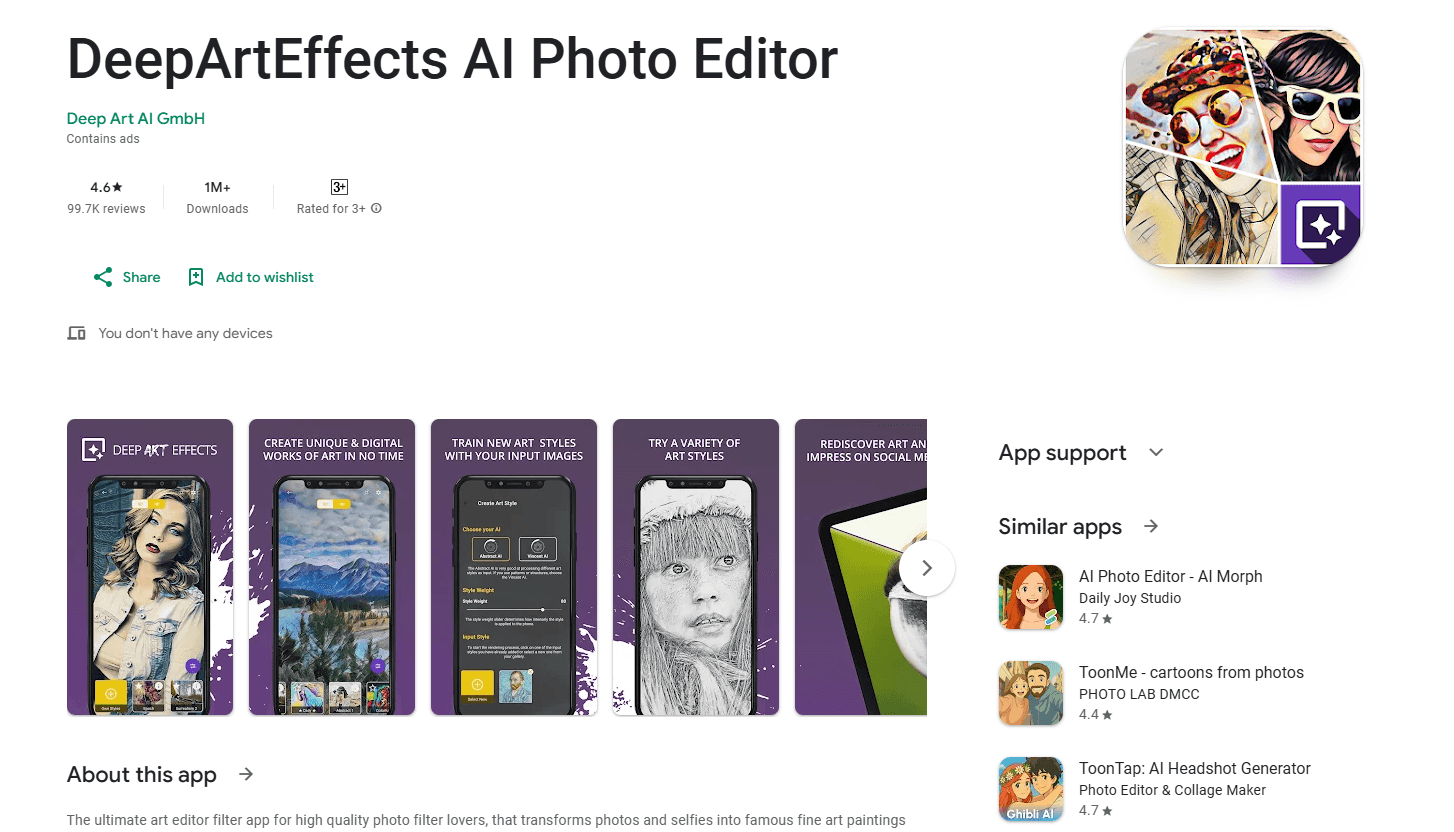
About DeepArtEffects AI Photo Editor
What Is DeepArtEffects AI Photo Editor
DeepArtEffects AI Photo Editor, better known as Deep Art Effects, is a mobile and desktop app built by Deep Art AI GmbH that applies art styles to your photos with neural style transfer. Pick a picture, pick a filter, and the app redraws it as if a famous painter had done it by hand. The company behind it has focused on image and video style transfer since it launched in 2016.
The appeal is speed and simplicity. You don't need layers, masks or brushes. The app processes most images in seconds, and the result keeps your subject intact while borrowing the brushwork and color of the source painting. More than 40 styles are bundled, drawing on names like Van Gogh, Monet, Leonardo da Vinci, Michelangelo, Picasso, Raphael, Rembrandt and Dali.
The custom style feature is what separates it from a plain filter pack. You upload any artwork, pattern or texture, and the AI learns the style and paints it onto your photo. Two different AI models handle that job. The trade-off is resolution. The free tier caps artwork at HD (1080px), and the premium tier raises it to Full HD (1920px) while removing the watermark. Ultra HD prints up to 3840px cost extra.
Getting Started
- Download DeepArtEffects AI Photo Editor from the App Store, Google Play or the Amazon App Store, or grab the desktop build from the official site
- Choose a photo from your gallery or take a new one in the app
- Pick an art style from the library, or upload your own image to create a custom style
- Adjust the style intensity slider until the mix of photo and painting looks right
- Save your artwork or share it to social media, and sign in if you want to manage past pieces in the cloud
Product Information
A quick look at DeepArtEffects AI Photo Editor's pricing, supported platforms, and performance.
Best for
The users, tasks, and scenarios where this tool fits best.
Users
- Casual photo hobbyists
- Selfie and portrait fans
- Digital artists and designers
- Print buyers
Tasks
- Photo to painting conversion
- Custom style transfer
- Style intensity tuning
- Social sharing
- Cloud artwork management
Scenarios
- A birthday photo that looks flat
- A travel shot of a landmark
- A designer building a campaign
- A social post that needs a scroll-stopper
Key features
Style Transfer From Famous Artists
The core of the app is neural style transfer. It analyzes the brushwork and color of a reference painting and repaints your photo with those traits while keeping your subject recognizable. The library covers more than 40 styles, from Van Gogh and Monet to Picasso and Dali. Each one runs in seconds, so you can try several before you settle on a look.
Custom Art Style Creation
The Add Style feature lets you build your own filters instead of relying on the built-in set. You upload an artwork, a pattern or a texture, and the app studies it to learn a style it can then apply to any photo. Two separate AI models power this, which gives you a choice between faster drafts and cleaner results. It's the feature that keeps the output from looking like everyone else's.
Style Intensity Control
Every style comes with an intensity slider. Pull it back and the photo stays close to the original, with just a hint of the painting. Push it forward and the artwork goes fully abstract. That control matters for portraits, where a heavy effect can smear a face, and for landscapes, where a strong one adds drama.
Fast, Near-Real-Time Processing
Most images come back in a few seconds. The app handles the heavy computation on its own servers, so a mid-range phone can produce a high-resolution result without a long wait. For desktop users, the offline build runs the style transfer on your own machine, which keeps your files local.
Privacy and Data Handling
Deep Art AI states that its servers sit in Europe and that guest uploads aren't stored. Transfers are encrypted, and the image rights stay with you, with artworks not passed to third parties. If you sign in, your pieces are saved to your account so you can manage them in the cloud.
Prints and Cross-Platform Access
The same account spans the mobile app and the desktop software for Windows, macOS and Linux. You can order a print of any artwork in Ultra HD (3840px) with no watermark, which turns a phone photo into wall art. A developer API is also available for teams that want to fold style transfer into their own web, desktop or mobile products.
Pros and cons
Pros
- Turns a photo into a painting in seconds, no editing skill required
- More than 40 built-in styles plus a custom style tool that learns from any image you upload
- Free tier produces HD artwork, and paid tiers remove the watermark and lift output to Full HD
- European servers, encrypted transfers and no storage of guest uploads address common privacy worries
- Same account works across iOS, Android, Amazon, Windows, macOS and Linux, with prints available
Cons
- The free tier caps output at 1080px, so large prints need the paid upgrade or an Ultra HD purchase
- Custom style results depend on the quality of the reference image you upload, and a weak source leads to a muddy look
- Heavy style intensity can distort faces and fine detail, which limits how far you can push a portrait
- Mobile results rely on the company's servers, so you need a connection unless you use the offline desktop build
Frequently asked questions
DeepArtEffects AI Photo Editor is an AI art filter app that repaints your photos and selfies in the style of famous artists using neural style transfer. You pick a photo, choose a style like Van Gogh or Monet, and the app returns a finished artwork in seconds.
Related content
Explore related tools, skills, and articles for DeepArtEffects AI Photo Editor.
DeepArtEffects AI Photo Editor Alternatives

Google EmbeddingGemma 2
Google DeepMind · Writing · Image · CodingGoogle EmbeddingGemma 2 is a 740M-parameter open model that turns text, code, images, audio, and video frames into vectors in one 768-dimension space, running on phones and laptops.

Tractionwave
TractionWave · Image · MarketingTractionWave is an AI attention heatmap tool for static ads. Upload a PNG or JPG and it returns predicted attention, ranked hotspots, and fixes before you spend budget.

Imejis.io
Imejis.io · Image · MarketingImejis.io is an AI design studio for agents and marketing teams. Describe an image in plain words, and it writes the copy, builds the layout, reflows it to every size, then exports a finished file.