

Face Swap Video AI Maker : DFW
Deepfakes · Image · Video
Face Swap Video AI Maker, also known as DFW or Deepfakes Web, is a cloud deepfake generator that swaps a face into any video in minutes, for creators who want 4K face swap video without installing software.
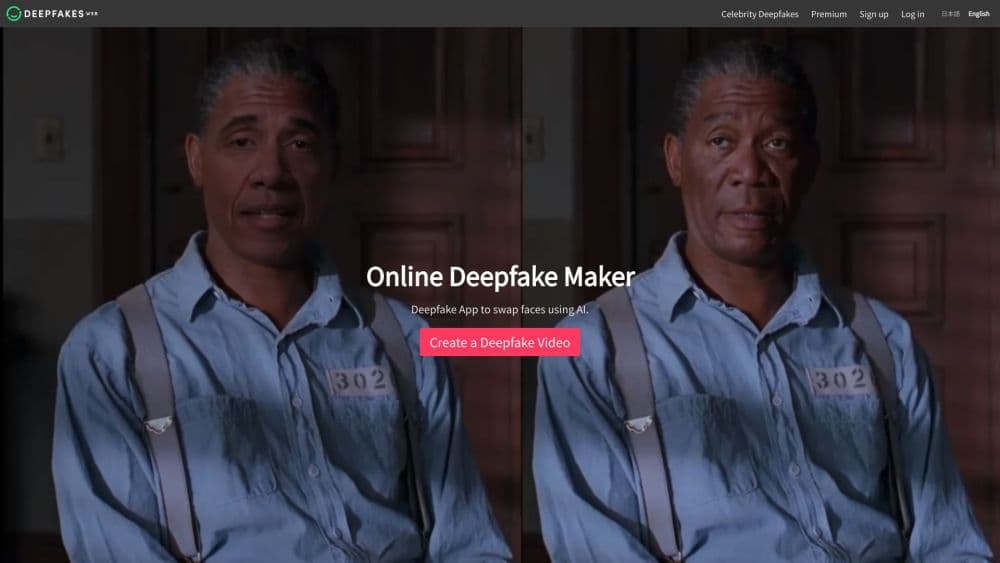
About Face Swap Video AI Maker : DFW
What Is Face Swap Video AI Maker
Face Swap Video AI Maker is the product name for Deepfakes Web, an online deepfake generator run by the team behind the original deepfakes project. It works in the browser: you upload a face image plus an MP4 video, the AI learns the faces, then it extracts, swaps, and reassembles the clip. The result is a face swap video you preview in up to 4K.
The tool answers a narrow, practical need. Making a deepfake used to mean training a model on your own GPU for hours and debugging Python. This app moves that work to the cloud, so an image and a video are enough to start.
The clearest limit is realism on purpose. The team embeds invisible digital watermarks and says it does not push the technology to its limits, so a clip stays enjoyable while still being identifiable as fake. Video length and file size also have caps, and the web app takes crypto payments only, so the cheaper card-based app is the practical entry point for most people.
Getting Started
- Open deepfakesweb.com or install the Face Swap Video AI Maker app on iOS or Android for a no-sign-up start.
- Upload a clear face image and an MP4 video, up to 200MB.
- Start the job and let the AI learn the faces, then extract and render the swap.
- Preview the finished deepfake in 4K once the render completes.
- Download the clip, or pay only for the videos you actually produce, with no subscription.
Product Information
A quick look at Face Swap Video AI Maker : DFW's pricing, supported platforms, and performance.
Best for
The users, tasks, and scenarios where this tool fits best.
Users
- Casual creators and meme makers
- Social media and trend chasers
- Small marketing and ad teams
- Streamers and gaming creators
Tasks
- Swapping your face into a movie scene
- Making a short deepfake for TikTok or Reels
- Producing a quick gag for a group chat or event
- Testing deepfake tech for research or education
Scenarios
- A fast turnaround where a clip has to ship the same day
- A one-off joke instead of a recurring project
- A project on a phone with no desktop
Key features
Image and Video Face Swap in the Browser
Upload a face image and an MP4 video, and the engine does the rest: face extraction, swapping, and video assembly. The workflow needs no install and no model training on your side, which is the part that stops most people from trying deepfakes at all. You bring two files and get a finished clip.
Cloud Rendering with 4K Preview
The heavy work runs on the provider's servers, not your machine, so a laptop or a phone is enough. Once the job finishes, the output is previewed in up to 4K, which makes it easy to check the swap before you download. Speed is the main selling point here, since a model that would take hours locally returns in minutes.
Pay Per Video Pricing
There is no subscription and no monthly fee. Deepfakes Web charges $10 per video and takes crypto only, while the DeepFake App starts at $1 per video and accepts cards, which the team markets as about 90 percent cheaper. For anyone making a clip now and then, paying per render beats carrying a plan they barely use. That split pricing is the clearest part of the value.
No Account Required
The mobile app skips sign-up entirely, so you open it and start swapping. That lowers the friction for a first-time user who just wants one clip to test the idea. The web app also keeps your data private, and the team says it never shares or publishes your videos.
Digital Watermarks and Responsible Defaults
Every output carries an invisible watermark so common tools can flag it as fake, and the team says it deliberately holds back on realism. This matters if you plan to share deepfakes publicly, because the clip is meant to read as entertainment, not as a forgery. It steers the tool toward memes, satire, and culture rather than deceptive use.
Mobile Apps for iOS and Android
Face Swap Video AI Maker ships as a native app, so the same face swap online runs on a phone with card or in-app payment. That removes the crypto step that limits the web version and puts the tool where most short-form clips get made. For creators who live on their phone, this is the practical way in.
Pros and cons
Pros
- Turns a face image and a video into a finished face swap video in minutes, with no local setup or GPU.
- Output can be previewed and downloaded in up to 4K, which suits social clips and quick memes.
- Pay per video pricing with no subscription, so a one-off clip costs far less than a monthly plan.
- The mobile app needs no account and takes card payments, which many alternatives gate behind crypto.
- Invisible watermarks and a stated realism limit make public sharing of deepfake video less risky.
Cons
- The web app accepts crypto only, so card users have to use the mobile app to pay.
- Uploads are capped at 200MB and clips run to a few minutes, which rules out long-form edits.
- Realism is intentionally held back, so results will not match a hand-trained model for a polished look.
- The product lists no public API, so developers cannot automate a face swap at scale.
Frequently asked questions
It creates face swap video by placing a face from one image onto the person in another video. People use it for memes, TikTok and Reels clips, film scene role-play, ads, and gaming highlights.
Related content
Explore related tools, skills, and articles for Face Swap Video AI Maker : DFW.
Face Swap Video AI Maker : DFW Alternatives

Google EmbeddingGemma 2
Google DeepMind · Writing · Image · CodingGoogle EmbeddingGemma 2 is a 740M-parameter open model that turns text, code, images, audio, and video frames into vectors in one 768-dimension space, running on phones and laptops.

Tractionwave
TractionWave · Image · MarketingTractionWave is an AI attention heatmap tool for static ads. Upload a PNG or JPG and it returns predicted attention, ranked hotspots, and fixes before you spend budget.

Imejis.io
Imejis.io · Image · MarketingImejis.io is an AI design studio for agents and marketing teams. Describe an image in plain words, and it writes the copy, builds the layout, reflows it to every size, then exports a finished file.