

Deleo IO
Deleo · Image
Deleo IO was a browser based AI image generator that turned short text prompts into artwork, from photo-style images to painted looks. The original site no longer serves the tool.
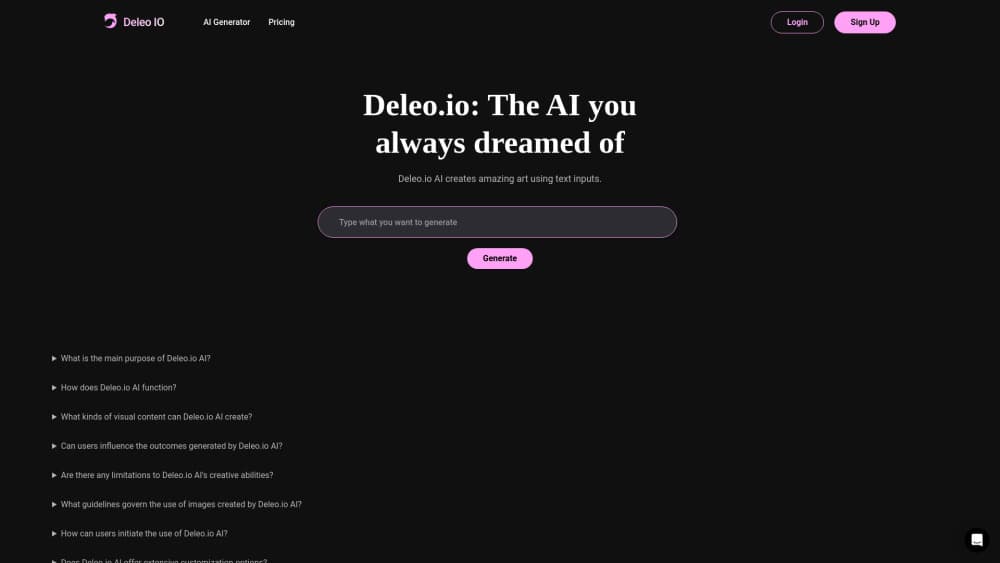
About Deleo IO
What Is Deleo IO
Deleo IO was a web app for turning written descriptions into pictures. You typed a prompt, the service ran it through an image model, and images came back in the browser. Tool directories filed it under AI art generation and text to image, and that classification is about all the public record says.
It sat in the busy corner of the market where a single prompt box and no install is the entire pitch. No plugin, no local graphics card, no account juggling beyond a sign-up. You described the picture you wanted, and the AI image generator did the drawing.
The honest limit is documentation. Deleo AI never published much beyond its landing page, and none of it survives. No feature list, no model names, no pricing table, no changelog. So treat this page as a record of what the tool was, not a live review.
There's a second limit worth stating plainly. As of October 2026, deleo.io redirects to an unrelated site. The product isn't usable today, and anyone landing here looking for a working text to image tool should pick from services that are still maintained.
Getting Started
- Open deleo.io in a browser. The whole product lived on one page, so there was nothing to install or configure first.
- Create an account so your generations had somewhere to live. This was standard for hosted image tools of its generation.
- Type a description of the image you wanted. Concrete nouns and a stated style worked better than abstract moods, as with any prompt to image system.
- Generate, then review. Output arrived as a set of images rather than a single locked result, which left room to pick a direction and iterate.
- Download what you kept. Files came back as standard image formats you could drop into a post, a slide, or a mock-up.
Product Information
A quick look at Deleo IO's pricing, supported platforms, and performance.
Best for
The users, tasks, and scenarios where this tool fits best.
Users
- Hobbyists with a picture in their head and no drawing skill
- Writers and social media managers who needed a quick illustration
- Designers exploring a direction before committing
Tasks
- Concept visualization
- Style exploration
- Draft artwork for posts and pages
Scenarios
- Early mood boarding
- Filling a content calendar on a deadline
- Testing whether an idea reads visually
Key features
Prompt to Image Generation in the Browser
The core loop was one field and one button. You described the image, submitted it, and got results back on the same page. No node graph, no layer stack, no model download. That simplicity is the reason tools like this get used for a first draft rather than a final asset.
Style Range from Photographs to Painted Art
Deleo AI's own description claimed output ranging from photographic images to artistic renditions. In practice that meant the model could be pushed toward a realistic look or a clearly illustrated one by how you worded the prompt. One tool covering both ends saved switching between services.
Abstract Concept Visualization
The service was pitched at making abstract ideas visible, which is a narrower job than it sounds. Explaining "compound interest" or "cognitive load" in words is slow. Generating an image of it gives you something to point at, and that's often enough to settle a discussion or unblock a draft.
Nothing to Install
Because everything ran server-side, the tool worked on a laptop, a tablet, or a borrowed machine with no setup. No GPU, no driver, no disk space. The trade-off is the usual one: your output depends on someone else's uptime, and when the service goes away, the tool goes with it.
Download and Reuse of Outputs
Finished images came back as standard files you could download and use elsewhere. That matters more than it sounds for AI art generators, since artwork you can't export is artwork you can't use in a deck, a post, or a client mock-up.
Pros and cons
Pros
- Zero setup: a browser and a prompt were the whole requirement, so a first image took minutes rather than an afternoon of installs.
- Wide style range in one place, covering both photo-style output and clearly painted looks.
- Cheap way to test whether a visual idea works before spending money on a designer or a stock license.
- Low learning curve, because the interface exposed almost nothing to learn.
Cons
- The product is gone. deleo.io now redirects elsewhere, so nobody can generate an image with it today.
- No surviving documentation means no way to check model versions, licensing terms, or output resolution, which makes it impossible to judge how its images could be used commercially.
- With no published API, the workflow never fit into automated pipelines, and that gap is permanent now.
Frequently asked questions
Deleo IO was a web-based AI image generator that converted text prompts into images, including photo-style and painted results. It appeared in AI tool directories in mid-2024 and was classified as an AI art generator.
Related content
Explore related tools, skills, and articles for Deleo IO.
Deleo IO Alternatives

Google EmbeddingGemma 2
Google DeepMind · Writing · Image · CodingGoogle EmbeddingGemma 2 is a 740M-parameter open model that turns text, code, images, audio, and video frames into vectors in one 768-dimension space, running on phones and laptops.

Tractionwave
TractionWave · Image · MarketingTractionWave is an AI attention heatmap tool for static ads. Upload a PNG or JPG and it returns predicted attention, ranked hotspots, and fixes before you spend budget.

Imejis.io
Imejis.io · Image · MarketingImejis.io is an AI design studio for agents and marketing teams. Describe an image in plain words, and it writes the copy, builds the layout, reflows it to every size, then exports a finished file.