

DemoDazzle
DemoDazzle · Productivity
DemoDazzle turns product screens and recordings into AI-guided interactive demos, with avatars that answer buyer questions and analytics on every drop-off.
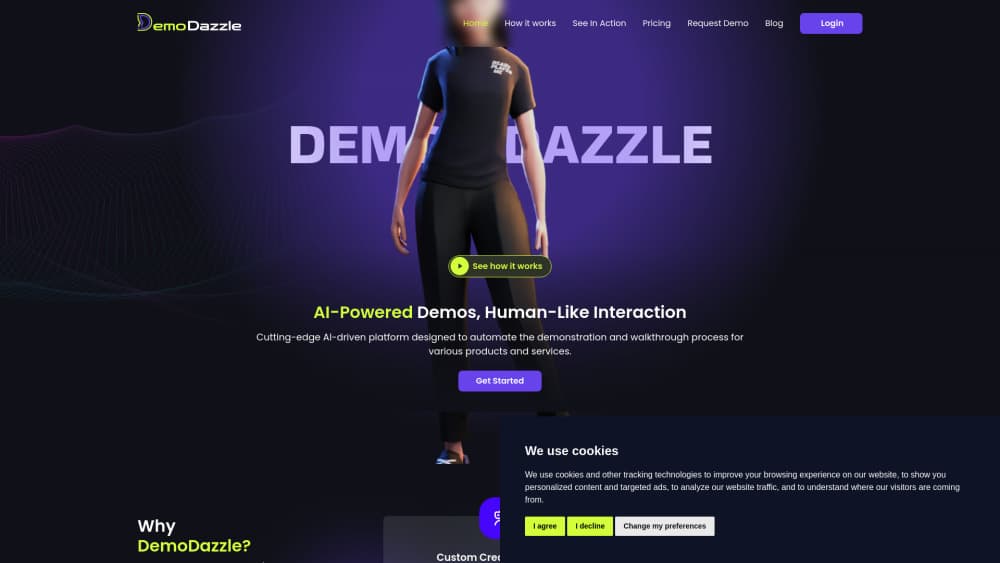
About DemoDazzle
What Is DemoDazzle
DemoDazzle is a web platform for building interactive product demos that run without a sales rep on the call. You capture a product flow once, pair it with an AI assistant, and send buyers a link they open in a browser. The assistant walks them through the screens and answers questions in the same window, so a prospect can explore at 11 p.m. without booking time with your team.
The product is aimed at SaaS presales, where the same 30 minute walkthrough gets repeated for every account. DemoDazzle's answer is to record the click path once, then let sales demo automation handle the repetition. Compared with heavier AI demo software, the setup stays inside a browser tab. Each flow can be personalized with a prospect's name, role, or pricing numbers, which matters when one demo has to serve a support lead and a CFO in the same week.
The trade-off is scope. DemoDazzle works on top of screens you can capture in a browser, not inside a native mobile app, and the AI assistant only knows what you feed it through flow bundles and FAQs. Teams that skip that setup work get a good looking tour with shallow answers. Pricing runs on tokens, so you also need a rough idea of how many demos and questions a month your team will burn through.
Getting Started
- Create an account on demodazzle.com. The free sign-up gets you into the dashboard, and token packs are bought separately when you need to publish.
- Install the Chrome extension and record the product flow you want to show. PDFs, images, and video uploads work as inputs too.
- Edit each segment so the sequence reads clearly, then build an assistant with the avatar style, voice, and tone you want.
- Group flows into a bundle, add the FAQs and training notes the assistant should use, and launch a shared or embedded session.
- Share the link, then read the engagement report to see where viewers stopped and what they asked.
Product Information
A quick look at DemoDazzle's pricing, supported platforms, and performance.
Best for
The users, tasks, and scenarios where this tool fits best.
Users
- Presales and solution engineers
- Customer success managers
- Founder-led sales teams
Tasks
- Repeating the same product walkthrough
- Onboarding new users
- Training new hires and partners
- Qualifying inbound leads
Scenarios
- A product release moves menus and buttons
- An enterprise buyer wants a version for their own team
- A trade show follow-up goes cold
Key features
Guided Capture in the Browser
The Chrome extension records clicks as you move through your own product, and DemoDazzle sequences those captures into a guide. You can also upload PDFs, images, or screen recordings when a flow lives outside a web app. Editing happens on the segment level, so a renamed menu only costs you one fix.
AI Assistants With a Face and a Voice
Each demo can include an assistant in a static, 3D, or realistic avatar style, with a voice that reads the narration. Viewers type or ask questions during the session and get an answer inside the walkthrough. For teams that want a familiar face on the demo, this AI avatar demo approach feels closer to a recorded call than to a slide deck.
Flow Bundles That Keep Answers on Script
A flow bundle groups related walkthroughs, then adds the training material and FAQs the assistant is allowed to use. That structure is what keeps answers narrow. If a buyer asks about SSO and the bundle has no SSO note, the assistant should hand off rather than invent a policy.
Prospect-Level Variable Injection
Names, roles, plan rates, and chart values can be bound to a session, so the same master flow renders differently for each account. Sales teams use it to show a buyer their own numbers instead of a generic sample. It saves the manual edit that usually turns a reusable demo into a one-off deck.
Sessions Without an Install
Viewers open a link and the walkthrough runs in the browser. There's no desktop plugin, no sandbox credentials, and no download step, which removes the most common reason a prospect never sees the demo. Sessions can be sent one at a time, in bulk, with approval, or embedded through an iFrame on your site.
Drop-Off Analytics That Name the Moment
The report tracks scroll duration, click locations, question submissions, and the exact point where someone left. That turns demo analytics into a coaching tool: you can see whether buyers quit at the pricing screen or after the integrations section. DemoDazzle says teams get 9x deeper engagement than with static screenshots, a vendor claim worth testing against your own baseline.
Pros and cons
Pros
- The no-code demo builder keeps setup inside a browser, so a presales rep can ship a flow without waiting on engineering.
- Personalization goes beyond a name field, with roles and pricing values bound to each session.
- The AI assistant stays tied to bundle content and FAQs, which gives you a place to review what it can say.
- Sharing works through a plain link or an iFrame embed, so the demo fits email, landing pages, and sales sequences.
- Engagement reports name the drop-off point and the questions asked, which is more useful than a single view count.
Cons
- Tokens are consumed by flows, sessions, and questions, so a busy month can cost more than the $10 entry pack suggests.
- Capture depends on a Chrome extension, which leaves Firefox and Safari users without the recording workflow.
- The demo runs on captured screens, so a native mobile app can't be reproduced with real touch behavior.
- A thin bundle produces a shallow assistant, and there's no way to make the AI answer well without writing the FAQ content first.
Frequently asked questions
DemoDazzle builds interactive product demos that buyers can open on their own. You record a flow, attach an AI assistant, and send a link that walks a prospect through the product while answering questions.
Related content
Explore related tools, skills, and articles for DemoDazzle.
DemoDazzle Alternatives

Base Code
Base44 (Wix) · Coding · ProductivityBase Code is a shared cloud development environment from Base44. Teammates describe changes to an existing GitHub codebase in chat, preview them live and send them back as pull requests.

Knocket
Knocket (Tencent RTC team) · Productivity · Business · ChatbotKnocket is a free live chat and contact page tool that lets visitors message you from your website, app, or a shareable link, with every reply handled from Telegram or one inbox.

FloorGen
Vinit Kumar (FloorGen) · Productivity · China AIFloorGen is a browser-based floor plan maker that turns a sentence or a sketch into an editable 2D plan and a 3D walkthrough. Export to PDF, DXF or video, and draw without an account.