

Diagramming AI
Diagramming AI · Productivity
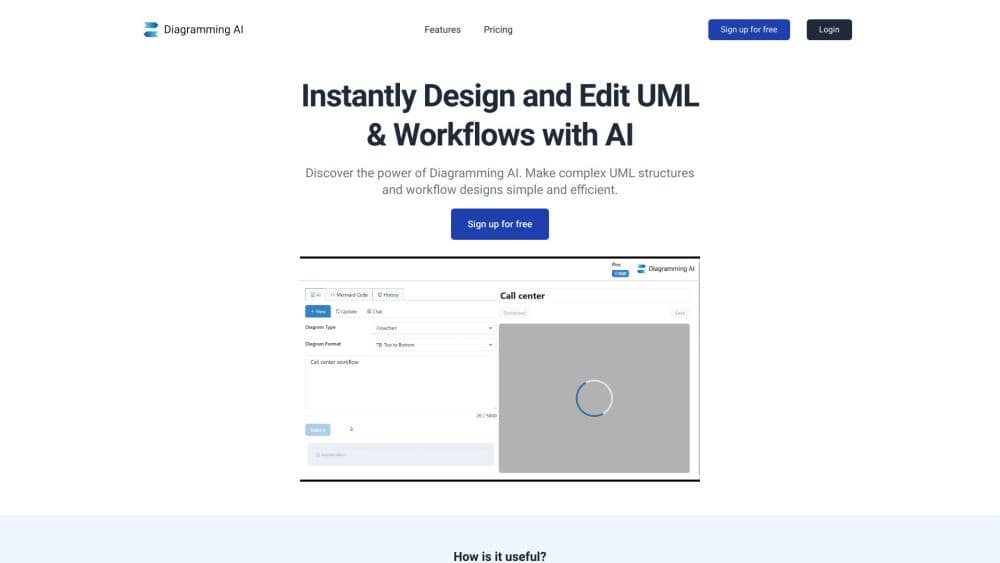
Diagramming AI turns plain English into Mermaid, PlantUML, GraphViz, D2 or Excalidraw diagrams. Chat edits, error fixes and export run in one browser workspace.
About Diagramming AI
What Is Diagramming AI
Diagramming AI is a browser based AI diagram generator built around five text and canvas formats: Mermaid, PlantUML, GraphViz, D2 and Excalidraw. The pitch is simple. You describe a process or paste meeting notes, the model writes the diagram code, and a live preview shows the result while you keep typing. That text to diagram loop is the whole product in one sentence.
The product is smaller than it looks at first glance. AI generation is the headline, yet the same workspace ships free editors for every format, so you can hand-write Mermaid or drag shapes on an Excalidraw canvas without touching the AI at all. Each diagram lives inside a project, alongside notes and saved versions.
Where it stops matters too. There's no mobile app and no desktop client, nothing installs locally, and the AI part runs on a credit balance. Free accounts get 10 credits and two projects; anything heavier needs a paid plan. For developers and technical writers who already think in diagram code, that trade is easy to accept. For a design team expecting a Figma-like canvas with collaboration, the fit is worse.
Getting Started
- Open diagrammingai.com and pick a format from the left panel: Mermaid, PlantUML, GraphViz, D2 or Excalidraw.
- Type a prompt such as "checkout flow with retry on payment failure", or paste existing diagram code straight into the editor.
- Open AI Chat to refine. Discussion mode talks through the diagram, Update mode applies an instruction and rewrites it in place.
- Save the diagram into a project, then copy the code, download SVG or PNG, or send a read-only link for review.
Product Information
A quick look at Diagramming AI's pricing, supported platforms, and performance.
Best for
The users, tasks, and scenarios where this tool fits best.
Users
- Software developers
- Technical writers and documentation leads
- Project managers and analysts
- Students and self-learners
Tasks
- Turning meeting notes into a flowchart
- Drafting diagrams from an image or a URL
- Repairing broken diagram code
- Restyling a finished diagram
- Keeping versions of a diagram in a project
Scenarios
- A system design discussion on a whiteboard
- A sprint where the architecture keeps moving
- Documentation for a client handover
- A quick read on an unfamiliar site
- Turning a process into a poster
Key features
Multi-Engine Diagram Support
The editor handles Mermaid, PlantUML, GraphViz, D2 and Excalidraw in the same workspace. Switching formats doesn't mean opening another product or re-drawing the content, which matters when one project needs a sequence diagram in Mermaid and a system map in GraphViz side by side.
AI Chat With Discussion and Update Modes
Two modes split thinking from doing. Discussion mode asks the model to comment on structure, missing steps and ways to improve the diagram. Update mode takes a direct instruction such as "add a failure path after the payment step" and rewrites the code for you. Anyone who has fought an unhelpful autocomplete will appreciate the separation.
Automatic Error Resolution
Mermaid, PlantUML, GraphViz and D2 all break when syntax drifts. When a render fails, the AI reads the error and applies a fix to the code. A broken paste that used to mean a trip to the docs becomes a one click repair, and the diagram renders again without you hunting through brackets.
Excalidraw Visual Editor
The V-Edit button converts a text diagram into an Excalidraw canvas, so flowcharts, sequence diagrams, class diagrams, ER diagrams, Gantt charts, state diagrams and mind maps become draggable shapes. You get text accuracy first and pixel-level control second, instead of choosing one at the start.
Forty-Eight Excalidraw Color Themes
Six theme families, from a soft pastel palette to a dark canvas, apply a unified color scheme to the whole scene in a single click. Layout and node positions stay where they are. It's restyling, not regeneration, and an undo puts the original colors back.
URL to Diagram and Image to Diagram
Paste a URL and the app turns the page structure into a diagram, handy for skimming an unfamiliar site. Upload an image, a screenshot or a file, and it reads the content and rebuilds it as editable code. Both features belong to the Starter and Pro plans, not the free one.
Project Storage With Version History
Each project holds multiple diagrams across all five formats, with notes attached to individual charts. Saved versions can be reopened and refined later, and a read-only public link makes review easy without handing over editing rights. The free plan caps this at two projects with three diagrams each.
Remote MCP and WebMCP Integration
A beta connection lets ChatGPT, Claude or another MCP-capable assistant send a diagram request and save the result straight into your account. Remote MCP starts with Mermaid previews and saves, and WebMCP lets a supported browser work with the app in the same session. It's early, and access depends on the assistant and plan.
Pros and cons
Pros
- Five diagram formats live in one workspace, so one subscription replaces a Mermaid editor, a PlantUML tool and a whiteboard canvas.
- The free plan includes every editor and hand drawing, which is unusual when most AI tools paywall the entire product.
- Chat edits act on the underlying code, so a change you ask for stays consistent after you export or paste the diagram elsewhere.
- Error resolution covers four of the five formats, saving the syntax hunt that usually eats a working session.
- Starter at $6 per month undercuts most diagramming subscriptions, and Pro at $14 still lands below typical team pricing.
Cons
- AI generation runs on credits, and 10 credits on the free plan run out after a handful of diagrams, so any real use needs a paid plan.
- URL to Diagram and Image to Diagram are locked to the Starter and Pro plans, which leaves the free tier without the headline conversion features.
- Generated code for unusual domains can come back with the wrong order or missing branches, and correcting it means editing code or dragging nodes by hand.
- There's no mobile app and no offline mode. A browser tab is the whole product, so diagramming on a train or a plane isn't an option.
Frequently asked questions
It generates and edits diagrams from text, images and URLs. You describe a process or paste notes, and the app writes Mermaid, PlantUML, GraphViz, D2 or Excalidraw code and renders it in a live preview, which you can then refine through chat.
Related content
Explore related tools, skills, and articles for Diagramming AI.
Diagramming AI Alternatives

Base Code
Base44 (Wix) · Coding · ProductivityBase Code is a shared cloud development environment from Base44. Teammates describe changes to an existing GitHub codebase in chat, preview them live and send them back as pull requests.

Knocket
Knocket (Tencent RTC team) · Productivity · Business · ChatbotKnocket is a free live chat and contact page tool that lets visitors message you from your website, app, or a shareable link, with every reply handled from Telegram or one inbox.

FloorGen
Vinit Kumar (FloorGen) · Productivity · China AIFloorGen is a browser-based floor plan maker that turns a sentence or a sketch into an editable 2D plan and a 3D walkthrough. Export to PDF, DXF or video, and draw without an account.