

Discovery Outcomes - AI Powered ProductOS
Discovery Outcomes · Productivity
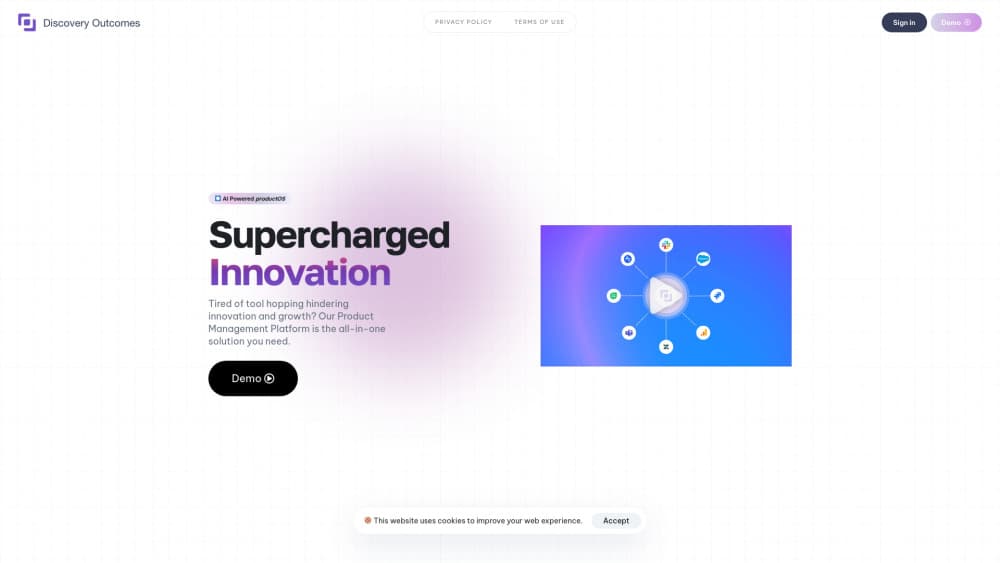
Discovery Outcomes is an AI productOS for B2B teams. It reads your whole market, researches the companies most likely to buy, and books meetings once a rep approves.
About Discovery Outcomes - AI Powered ProductOS
What Is Discovery Outcomes
Discovery Outcomes learns how a company sells, then reads every business in its market to find the few with a reason to buy right now. You feed it your products, your buyers, your competitors, the industries you sell into, and your won and lost deals. It turns that into a filter, judges each company against it, and hands your rep a full account plan for the ones that pass.
The output is not a lead list. Lists tell you who fits. This tells you what changed at a company, who owns the budget, what to ask first, and when the window closes. Every line of a plan links back to the source it came from, which matters when a rep has to defend a claim on a call.
Two things worth knowing before you read the rest. First, the label and the product have drifted apart. Directories still describe Discovery Outcomes as an AI product management platform, an AI product operating system for product teams that turns feedback into roadmaps and drafts PRDs. What the company sells now is B2B pipeline research: an autonomous AI GTM co-pilot for revenue teams. Second, the fit is narrow by design. If your market is small enough for the team to cover by hand, the company says so on the first call and turns you down.
Getting Started
- Start with the free research. Submit your market and get full research on 20 companies. The batch also covers the accounts Discovery Outcomes would skip and the reasoning behind that call.
- Walk through the business intake. Products and use cases, who buys, who decides, competitors, target industries, wins and losses, and the rules that disqualify an account. You check each line before any company is researched.
- Review the first 20 plans with your rep. Compare the calls against what your best seller would say. If they disagree on most of them, do not buy.
- Approve outreach. Messages go out on email and LinkedIn in the rep's voice, and nothing sends until a person approves it.
- Let sending get set up and warmed in your name, then watch results land in Salesforce or HubSpot, with alerts in Slack or Teams.
Product Information
A quick look at Discovery Outcomes - AI Powered ProductOS's pricing, supported platforms, and performance.
Best for
The users, tasks, and scenarios where this tool fits best.
Users
- Revenue leaders at B2B software companies
- Account executives carrying more than 200 accounts
- Sales operations and RevOps
Tasks
- Deciding who to contact this week
- Writing a first touch that gets a reply
- Mapping the buying group
- Keeping a good-fit account warm
Scenarios
- A market far larger than the sales team
- Planning next quarter's pipeline
- Proving the tool before paying
Key features
Business Intake You Approve Line by Line
Everything starts with a written model of how you win: products, use cases, buyer profile, budget owner, competitors, disqualifiers, and patterns pulled from closed deals. You read it before any research runs. That step matters because the whole system judges companies against this document, and a vague intake produces vague verdicts.
Four Checks Before a Company Reaches a Rep
Each account has to clear four tests: the problem you solve, a change that makes it urgent, the person who controls the budget, and a reason for that person to reply. Fail one and the company stays out. Passing all four earns a plan. The discipline is the product here, not the automation.
Account Plans With Sources
A plan covers what is happening, what changed and when, the problem in your terms, the tool they already own and will defend, who to reach in order, a first question for each contact, and a realistic effort and cycle estimate. Every claim carries a link to where it came from, and anything the system could not confirm gets flagged as a guess rather than smoothed over.
Three Verdicts Instead of a Score
Act now means problem plus timing, so the rep gets a full plan. Watch means a real fit with nothing changed yet, and the account gets re-read until a trigger shows up. Exclude means not a buyer, with the reason stated, and nobody contacts them. Sorting accounts this way removes the 60-point lead score that tells a rep nothing.
Outreach in Your Rep's Voice
Drafts go out on email and LinkedIn, written from the rep's perspective, and each one carries a reason specific to that person. Outreach stops when they reply. The reason gets checked again before a message leaves, so a plan that went stale doesn't turn into an embarrassing email.
Managed Sending on Separate Domains
Discovery Outcomes sets up and warms sending domains and mailboxes in your name, checks inbox placement before a campaign runs, and never pushes volume from your main domain. For a small team without a dedicated outbound infrastructure person, this removes the part of cold email that damages a brand when it goes wrong.
Reporting That Stops at the Meeting
The numbers that matter are companies that became ready, companies that were reached, and qualified meetings recorded in your CRM. Alerts land in Slack or Teams, and plans open as a link so nobody needs a login. If your team hates new tools, this is the feature that decides whether the thing gets used.
Pros and cons
Pros
- Every claim in a plan links to a source, so a rep can check the reasoning in about a minute instead of trusting a black box. That transparency is rare in AI sales research.
- The three-verdict model keeps good-fit accounts alive under Watch, which is closer to how real buying cycles work than a weekly list refresh.
- No seats and no credits. The whole team can use it, and there's no meter to top up or run out of mid-quarter.
- Billing is judged on qualified meetings that land in your CRM, and what counts as qualified gets agreed before sending starts.
- The 20-company free research is a real sample of the output, not a demo with fake data.
Cons
- The fit is genuinely narrow. Without an outbound team, Salesforce or HubSpot, and deals worth $5,000 a year or more, the product has little to work with.
- Standard starts at $2,000 a month after the $500 first month, and 200 ready companies a month may not stretch far for a team of five reps.
- Judgment depends on your inputs. Thin win and loss data leaves the model guessing about what a real buyer looks like.
- There's no documented public API, so pushing verdicts into a custom stack means going through the CRM.
Frequently asked questions
It finds companies in your market that are ready to buy now, explains why, and books meetings with them. A rep approves each message before it sends, and every meeting gets recorded in Salesforce or HubSpot.
Related content
Explore related tools, skills, and articles for Discovery Outcomes - AI Powered ProductOS.
Discovery Outcomes - AI Powered ProductOS Alternatives

Base Code
Base44 (Wix) · Coding · ProductivityBase Code is a shared cloud development environment from Base44. Teammates describe changes to an existing GitHub codebase in chat, preview them live and send them back as pull requests.

Knocket
Knocket (Tencent RTC team) · Productivity · Business · ChatbotKnocket is a free live chat and contact page tool that lets visitors message you from your website, app, or a shareable link, with every reply handled from Telegram or one inbox.

FloorGen
Vinit Kumar (FloorGen) · Productivity · China AIFloorGen is a browser-based floor plan maker that turns a sentence or a sketch into an editable 2D plan and a 3D walkthrough. Export to PDF, DXF or video, and draw without an account.