
Disney AI Poster
Disney AI Poster · Image
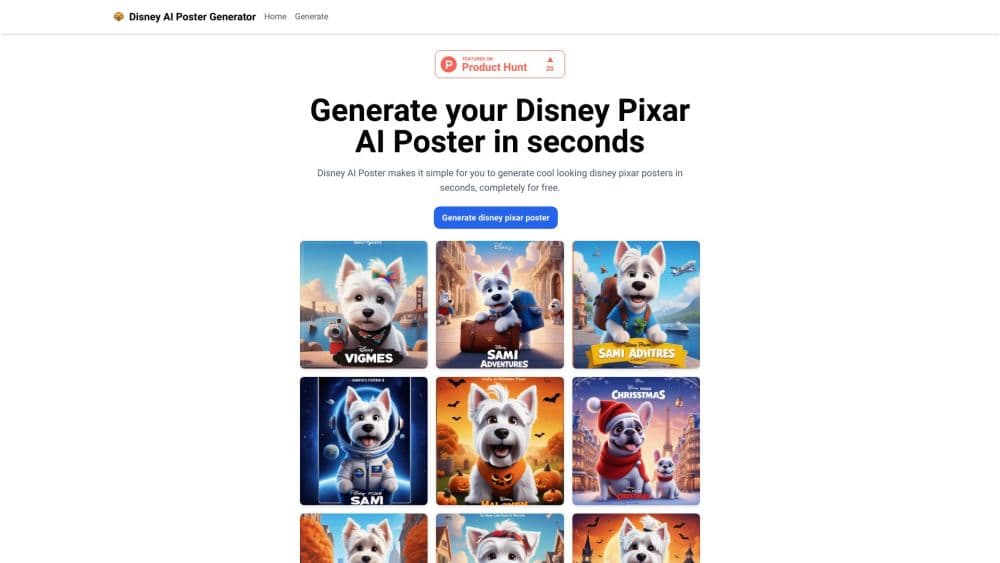
Disney AI Poster is a web tool that turns your photos or text prompts into Disney and Pixar style movie posters and artwork, with no design skills needed.
About Disney AI Poster
What Is Disney AI Poster
Disney AI Poster is an online platform for generating movie posters and artwork in a Disney and Pixar visual style. You upload a photo or type a text prompt, and the tool renders a finished image with the polished, painterly look people associate with animated family films. It doubles as an AI artwork generator for anyone who wants that Disney Pixar style art without opening a design suite. It runs in a browser, so there's nothing to install.
The product targets a simple need. Making a poster that looks like it came from a studio takes hours in design software and a fair amount of skill. Disney AI Poster removes both: you describe what you want or hand over a picture, and the AI handles the rendering. According to the developer, this Disney AI image generator draws on models like Stable Diffusion XL that were trained on millions of images.
The limits matter as much as the features. There are no free credits, so you pay before your first useful image. All payments go through Stripe, and the maker states it doesn't refund completed work because of processing costs. Results also vary with your prompt, so a vague request gives a vague poster. Plan for a few attempts before you land on a keeper.
Getting Started
- Open the site in your browser and create an account, since generation is tied to paid credits.
- Upload a picture you want to transform, or type a text prompt describing the poster you have in mind.
- Add a negative prompt if there are elements you want the AI to leave out.
- Pick an image size, then open the advanced options if you want finer control.
- Generate the image, review the result in the output area, and download it to your computer.
Product Information
A quick look at Disney AI Poster's pricing, supported platforms, and performance.
Best for
The users, tasks, and scenarios where this tool fits best.
Users
- Hobbyists and fans
- Social media creators
- Parents making keepsakes
- Gift and print sellers
Tasks
- Turning a photo into a Disney style character
- Building a text to Disney poster from a written prompt
- Trying the Face To Many filter
- Generating a themed scene for an event
- Exploring prompt ideas
Scenarios
- A fan building a personal collection on a weekend
- A parent prepping a kid's birthday
- A creator testing a viral trend
- An artist sketching a concept
Key features
Image Based AI Generation
You upload your own photo, and the engine restyles it into Disney or Pixar style artwork. Your subject stays recognizable while the look around it shifts to the polished, animated feel people expect from a family film. It's the feature that makes the output personal rather than generic.
Prompt Based AI Generation
Instead of a photo, you describe the effect you want in text, and the AI builds the image from that description. You control the subject, the setting, and the mood through words alone, so you can create scenes that don't exist in any photo you own. This is where the tool flexes for anyone who can write a clear sentence.
Stable Diffusion XL Engine
According to the developer, Disney AI Poster relies on advanced models such as Stable Diffusion XL, which were trained on millions of images and pick up on patterns, shapes, and textures. In practice, that training is what gives the posters their detail and their consistent style, and why a single request can return a finished looking piece.
Face To Many Filter
The Face To Many tool replicates the popular PS2, 3D, emoji, and pixel art filters. You feed in one face, and the tool returns a grid of the same face across different styles, which is the format that took over short video feeds. One click gets it done, so it's a low effort way to join the trend.
Negative Prompt Control
A dedicated field lets you name what you want the AI to avoid in the final image. That matters when the engine keeps adding an element you don't want, like a cluttered background or a color that clashes with your idea. Spelling out the exclusions is often faster than regenerating and hoping.
Image Size and Advanced Options
You choose the output size, and a set of advanced settings gives experienced users finer control over the result. The size option alone matters for printing, since a poster meant for a wall needs more resolution than one made for a phone screen. The advanced panel is there for people who want to steer the render more precisely.
Prompt Inspiration Library
The site collects sample Disney AI Poster prompts with full text you can copy and adapt. Seeing a working prompt, like a detailed Pixar style scene with lighting and color notes, teaches you the shape of a good request. It turns a blank text box into a starting point, which shortens the trial and error for newcomers.
Pros and cons
Pros
- As an AI movie poster generator, it produces a Disney and Pixar look that's hard to reach by hand, and a photo or a short prompt is the only input required.
- Both image based and prompt based generation are built in, so you can restyle an existing picture or build a scene from scratch.
- The Face To Many filter covers the PS2, 3D, emoji, and pixel art styles that drive the current trend, all from one upload.
- A negative prompt field and advanced options give you real control when a first result misses the mark.
- Sample prompts on the site show you what works, which lowers the learning curve for anyone new to AI image tools.
- Downloads are yours to keep and share, so the output moves to social media or a printer without extra steps.
Cons
- There are no free credits, so you pay before you see a single usable image, which rules out casual browsing.
- The maker states it doesn't offer refunds, because image processing is resource heavy, so an unsatisfactory batch still costs you.
- Output quality tracks your input. A thin prompt or a blurry photo returns a weak poster, and the tool won't rescue either.
- Web only means no desktop or mobile app, so every session depends on a browser and a steady connection.
Frequently asked questions
Disney AI Poster creates movie posters and artwork in a Disney and Pixar style. You use it to restyle a photo or to build a scene from a text prompt, then download the finished image. It's aimed at people who want that animated movie look without design skills.
Related content
Explore related tools, skills, and articles for Disney AI Poster.
Disney AI Poster Alternatives

Google EmbeddingGemma 2
Google DeepMind · Writing · Image · CodingGoogle EmbeddingGemma 2 is a 740M-parameter open model that turns text, code, images, audio, and video frames into vectors in one 768-dimension space, running on phones and laptops.

Tractionwave
TractionWave · Image · MarketingTractionWave is an AI attention heatmap tool for static ads. Upload a PNG or JPG and it returns predicted attention, ranked hotspots, and fixes before you spend budget.

Imejis.io
Imejis.io · Image · MarketingImejis.io is an AI design studio for agents and marketing teams. Describe an image in plain words, and it writes the copy, builds the layout, reflows it to every size, then exports a finished file.