

Doco
Vatsal Upadhyay · Productivity · AI Assistant
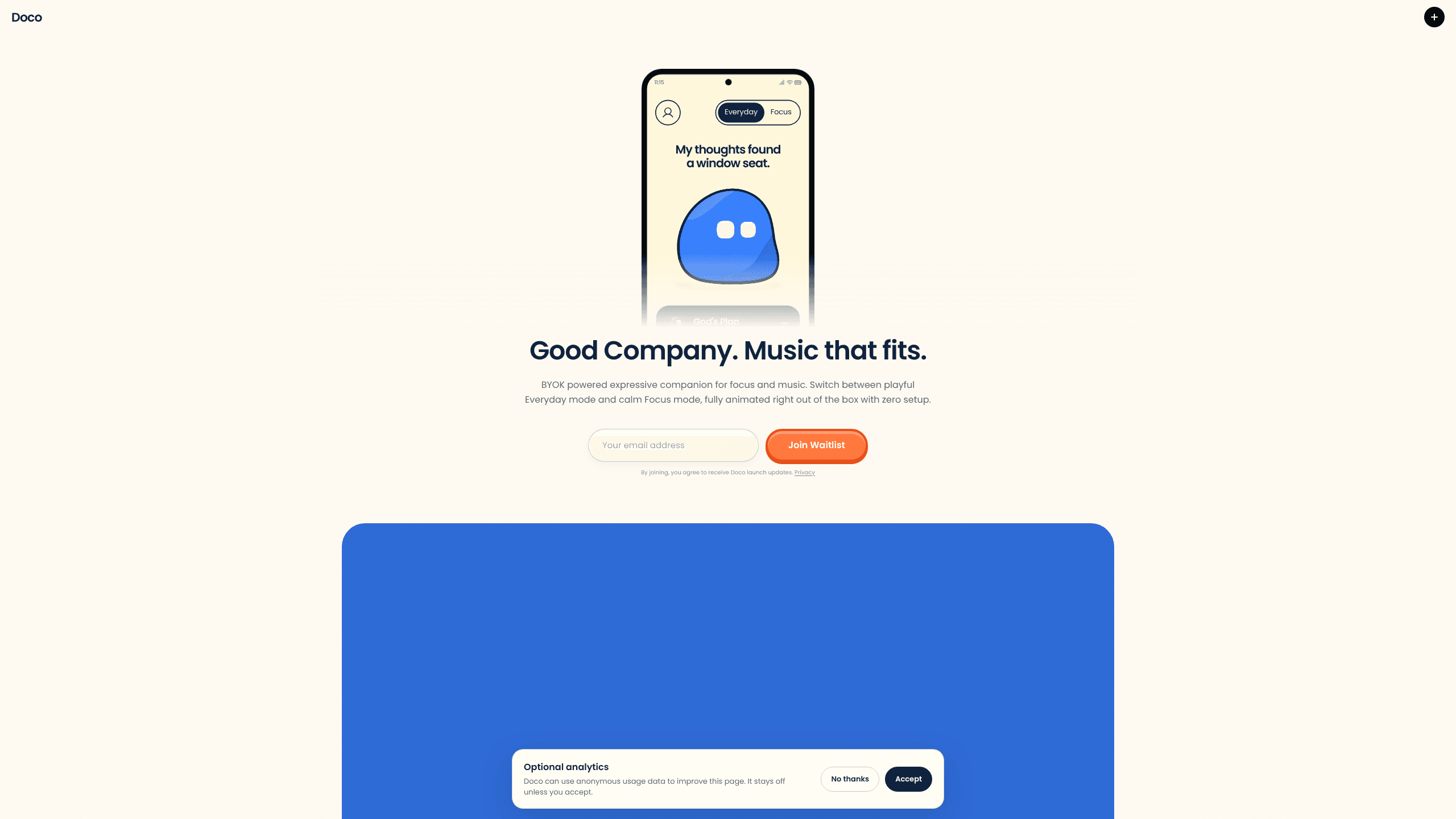
Doco is a free animated companion for Android and Windows that sits with you while you work, swaps between playful Everyday and quieter Focus modes, and plays music that follows your Spotify taste.
About Doco
What Is Doco
Doco is an AI companion app in the loosest sense: a small animated character that lives on your phone and, with the desktop client installed, on your Windows computer too. It doesn't block apps or run a countdown. The job is company: something on screen that reacts, talks back a little, and makes a long work session feel less empty.
Two modes set the tone. Everyday is playful and warm, with color and reaction to whatever you're doing. Focus mode calms the character down, cuts the noise, and adds what the site calls friendly sarcasm, which is its way of nudging you back to the task. You switch by hand, so the mode you get depends on how you read the room.
Music is the other half of the product. Connect Spotify and Doco suggests tracks close to your listening history, with room for something new instead of the same loop. No Spotify account is fine too. The character keeps its built-in expressions and prompts either way, so the core experience works without any music at all.
The AI part is optional and runs on your own key. Doco ships animated out of the box with zero setup. Add a Google Gemini API key and it can react to your camera and write AI captions. Skip the key and nothing breaks, you just lose the camera reactions.
Two limits matter before you download anything. Doco is built for Android and Windows, so iPhone and Mac users are out for now. As of November 2026 the app is still collecting a waitlist, which means you can read the site today and install later.
Getting Started
- Join the waitlist on getdoco.app with your email address. That list is also how launch updates reach you.
- Install the Android app, or the Windows client if you want Doco on your desk, then sign in with your Google account.
- Pick Everyday or Focus mode on the main screen and watch a few of the built-in expressions.
- Connect Spotify from the settings if you want song suggestions pulled from your listening history.
- Optional: paste a Gemini API key for camera-based reactions and AI captions, then enable visits on both devices if you want Doco to follow you between phone and computer.
Product Information
A quick look at Doco's pricing, supported platforms, and performance.
Best for
The users, tasks, and scenarios where this tool fits best.
Users
- Students who study alone
- Remote workers with long solo stretches
- People who hate timer apps
Tasks
- Two hour writing or coding blocks
- Building a listening routine
- Repetitive admin work
Scenarios
- Late night coding at home
- Study sessions in a dorm
- Winding down after work
Key features
Two modes that set a different tone
Everyday mode is the playful one: color, reaction, a character that hangs around your screen and makes small moments warmer. Focus mode strips that back into a calmer presence with a sharper sense of humor, and its job is to point you back at the work. Switching is manual, so you decide when the day changes gear.
Music picked from your Spotify history
Connecting Spotify lets Doco suggest songs based on what you already listen to, then slip in something unfamiliar now and then. The aim is music that fits the moment without you opening a search box. Rhythm and mood stay close to your habits, which is the part that matters when you don't want to think about playback.
Camera reactions with your own Gemini key
Add a Google Gemini API key and Doco can look through the camera and respond to what it sees, plus write AI captions for the moment. It's bring your own key: you pay Google directly for what the model uses, and Doco never asks you to buy credits from it.
Works with zero setup and no key
The character is fully animated the moment you open the app. Expressions, prompts, and both modes are there without a Gemini key or a Spotify login. That makes the free download usable on day one and keeps the AI features an upgrade rather than a requirement.
Visits between phone and computer
Install the Windows client, sign in with the same Google account, and turn on visits on both devices. Doco can then show up on your desktop while you work, so the companion isn't stranded in a pocket when your attention moves to a bigger screen.
Built-in prompts for breaks and focus
Small lines and reactions cover the moments between tasks: a nudge when you've been still too long, a comment when you come back. They run on the app's own logic, so they keep working offline and without any model call.
Pros and cons
Pros
- Free to join and free to use, with no credits or subscription attached to the core companion.
- The optional Gemini key keeps AI costs transparent, since you pay Google for your own usage.
- Spotify suggestions follow your listening history instead of a generic focus playlist.
- Runs on Android and Windows with a Google sign-in that carries the same character across both.
- Two modes cover both a playful mood and a quiet work block, and switching is one tap.
Cons
- The app is still on a waitlist as of November 2026, so you can't install it today.
- No iOS or macOS build, which rules out iPhone, iPad, and Mac users entirely.
- Camera reactions and AI captions need a Gemini key, and that means a Google Cloud account and API billing to set up.
- Focus mode offers company, not enforcement: there is no app blocking, no site filter, and no time report to check later.
Frequently asked questions
Doco is a small animated companion app for Android and Windows. It stays on your screen while you work or relax, reacts to what you're doing, and can play music matched to your Spotify listening. The site describes it as company rather than a productivity tool.
Related content
Explore related tools, skills, and articles for Doco.
Doco Alternatives

Base Code
Base44 (Wix) · Coding · ProductivityBase Code is a shared cloud development environment from Base44. Teammates describe changes to an existing GitHub codebase in chat, preview them live and send them back as pull requests.

Knocket
Knocket (Tencent RTC team) · Productivity · Business · ChatbotKnocket is a free live chat and contact page tool that lets visitors message you from your website, app, or a shareable link, with every reply handled from Telegram or one inbox.

FloorGen
Vinit Kumar (FloorGen) · Productivity · China AIFloorGen is a browser-based floor plan maker that turns a sentence or a sketch into an editable 2D plan and a 3D walkthrough. Export to PDF, DXF or video, and draw without an account.