

Docswrite
Docswrite · Productivity
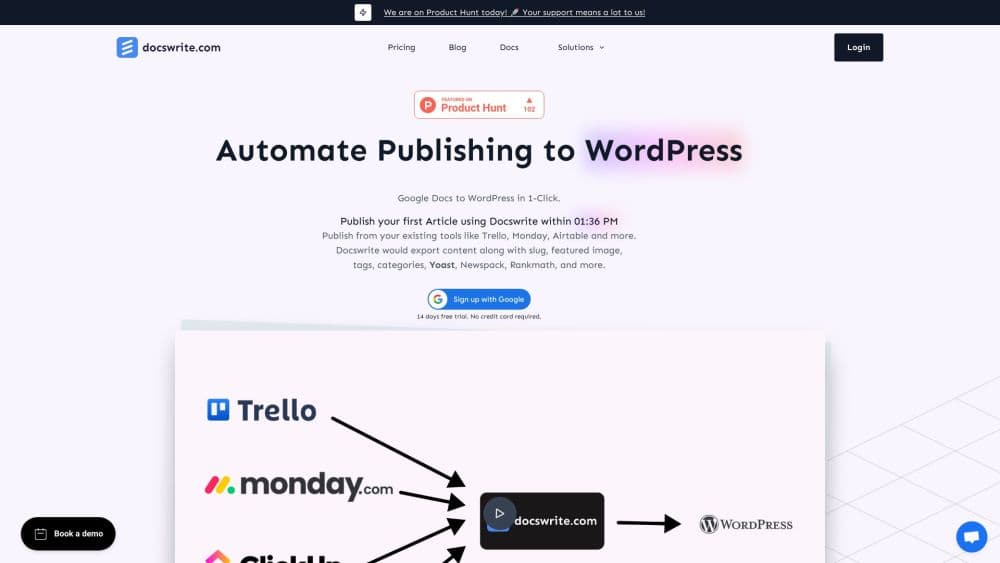
Docswrite is a publishing hub that turns Google Docs, Drive folders and Sheets into formatted posts on WordPress, Shopify, Ghost and eight other destinations, with SEO fields and images kept intact.
About Docswrite
What Is Docswrite
Docswrite is a content publishing platform that sits between the place you write and the place you publish. You draft in Google Docs as usual, then send that doc to one blog or a dozen at once. Headings, lists, tables, links and inline images arrive in each destination's own format: HTML for WordPress and Ghost, Markdown for GitHub and Dev.to, mapped rich text for Webflow and Contentful.
The problem it removes is the copy-paste job. Moving a finished draft into a CMS usually means re-adding every heading, re-uploading every image, then filling in the slug, tags, meta description and social preview by hand. Docswrite reads those from the doc itself and pushes them through, so the published post matches the draft without a cleanup pass.
Two limits shape who it suits. It's built around Google Workspace, so teams writing in Notion or Word need a different pipeline. And it publishes content, it does not host a full editorial suite: no built-in plagiarism checks, no long-form AI writer as the main product, no media library beyond what your destination already has.
Getting Started
- Sign up at docswrite.com with a Google account. The free tier gives you 5 exports with no card required.
- Connect a destination. For WordPress you can use the WordPress publishing plugin or the REST API, and the same connect flow covers Shopify, Webflow, Ghost, Contentful, Medium, Dev.to, Hashnode, GitHub, X and LinkedIn.
- Open a Google Doc and fill the metadata block at the top: title, slug, tags, categories, featured image, author and the SEO fields your plugin expects.
- Pick the doc, a batch of docs, or an entire Drive folder, then tick the destinations it should reach.
- Publish now, schedule it for later, or save as a draft. Docswrite returns a link to each live post.
Product Information
A quick look at Docswrite's pricing, supported platforms, and performance.
Best for
The users, tasks, and scenarios where this tool fits best.
Users
- Content teams at small publishers
- Solo bloggers and newsletter writers
- Agencies running several client sites
Tasks
- Publishing a finished article to WordPress
- Running programmatic SEO pages
- Republishing one piece across channels
- Scheduling a week of posts in advance
Scenarios
- A newsroom publishing a daily file
- Migrating an archive
- Letting an AI agent publish
Key features
One Doc to Many Destinations
A single publish action for Google Docs to WordPress, Google Docs to Shopify or any other pairing can hit WordPress, Shopify, Webflow, Contentful, Ghost, Medium, Dev.to, Hashnode, GitHub, X and LinkedIn at the same time. Each destination gets the format it expects, so you don't maintain separate exports. Connections are capped by plan, and social accounts never count toward that cap.
Formatting That Survives the Trip
Headings, nested lists, tables, blockquotes, links and inline images convert into the destination's native markup rather than a flattened blob. This is the part most copy-paste workflows break on, especially tables and nested lists in WordPress block editor. Images upload to the destination's media library instead of being hot-linked, which keeps your CDN and backup setup intact.
SEO Fields Written in the Doc
You fill slug, meta title, meta description, tags, categories, author and featured image in a metadata block at the top of the doc. Docswrite maps them into Yoast, Rank Math or Newspack on WordPress, and into the equivalent fields on other platforms. Editors review the metadata in the same place they review the copy.
Programmatic SEO Publishing from Google Sheets
One row in a Sheet becomes one post. You define the template and the column mapping, then generate pages at scale for location pages, comparison pages or product listings. The Start-Up plan caps this at 75 posts a month, while Business and Enterprise remove the cap.
REST API, MCP Server and Zapier
The API exposes a POST /api/posts endpoint for custom pipelines. The MCP server lets Claude Code, Cursor or any MCP client publish, schedule or draft a doc with a workspace key. Zapier covers the no-code path from Trello, Notion, Airtable or Monday, which is how most teams trigger a publish when a card moves to Done.
Bulk Import and Team Seats
You can import many Google Docs at once, which is the practical route for a backlog or a migration. Seats run 3 on Start-Up, 5 on Business and unlimited on Enterprise, and Google Team Drive support arrives from the Business tier up.
Pros and cons
Pros
- Formatting, images and SEO fields carry over in one step, which removes the usual 10 to 20 minutes of cleanup per post.
- Eleven destinations from one doc means syndication costs no extra work.
- The free tier gives 5 real exports, enough to test your own theme and plugins before committing.
- API, MCP server and Zapier cover developers, AI agents and non-technical editors with the same account.
- Publishing from inside Google Docs keeps writers out of the CMS, which cuts the chance of someone breaking a layout.
Cons
- Pricing starts at $29/mo for 75 docs, so a low-volume blog pays more per post than a hosted CMS would charge.
- Google Workspace is a hard dependency. Teams drafting in Notion, Word or Obsidian can't use the core workflow.
- The Start-Up plan blocks REST API access and Zapier automation, which rules out custom pipelines until you move to Business.
- Complex layouts built with page builders or custom shortcodes don't always survive conversion, so those posts still need a manual check.
Frequently asked questions
It takes a Google Doc and publishes it as a post on your blog, store or social account, keeping the formatting, images and SEO metadata you set in the doc.
Related content
Explore related tools, skills, and articles for Docswrite.
Docswrite Alternatives

Udon
Udon · Coding · ProductivityUdon turns an Apple Silicon Mac into a home server you run from a browser, with container controls, file shares, and an optional AI sysadmin.

offstage
offstage cloud · Coding · Productivityoffstage gives AI coding agents and CI jobs a real Mac: a fresh macOS account on Apple silicon, driven over an API and billed by the second.

BotBus
Chengdu Tuyang Tusen Technology Co., Ltd. · Coding · ProductivityBotBus lets you control AI coding agents from your phone and watch: approve commands, start tasks and read results while the code stays on your desktop.