

Docubot
Docubot · Productivity · Leaning
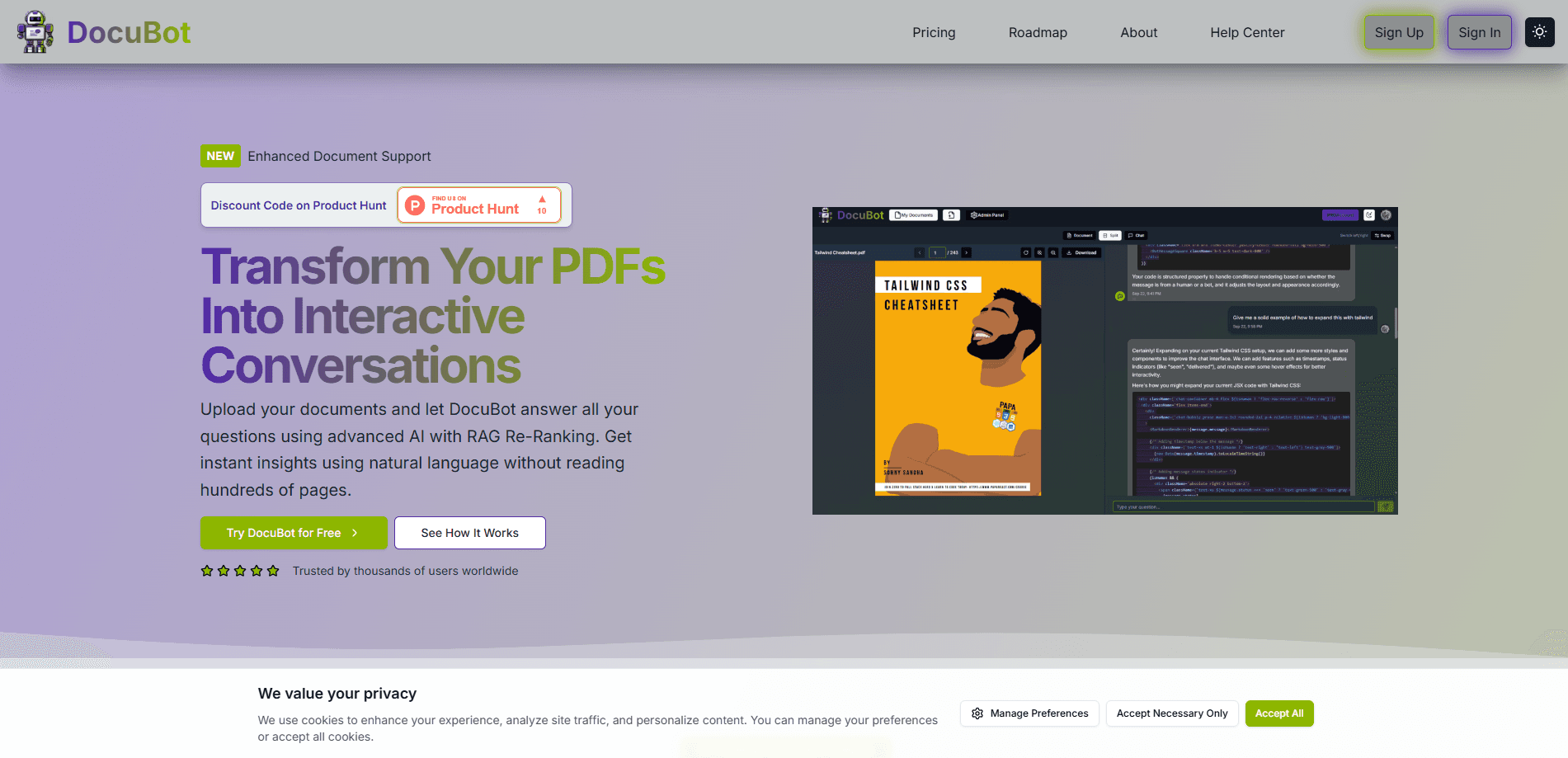
Docubot is an AI document chat tool that reads your PDFs, Word files, and spreadsheets, then answers questions about them with citations. You upload files, ask in plain language, and get sourced answers in seconds.
About Docubot
What Is Docubot
Docubot is a web app that turns static documents into something you can talk to. Instead of scrolling through a 40-page contract hunting for a clause, you type the question and let the AI find the passage and quote it back.
The pitch is narrow and clear. Upload your files, then ask anything, from "What are the payment terms?" to "Summarize section 3." Answers come with citations pointing to the source text, so you can check the AI's work before you trust it.
The catch is scale. The free tier caps you at 5 uploads and 100 AI questions a month, so heavy document work runs into a paywall fast. It's built for people who read a lot of documents, not for teams wanting shared, permissioned workspaces.
Getting Started
- Create a free account on docu-bot.com with your email.
- Upload your first document by dragging it into the library. PDFs, Word docs, and spreadsheets are supported.
- Wait a few seconds while Docubot processes the file and indexes its contents.
- Open the chat panel and ask a question about the document.
- Read the answer, then click the citation to jump to the source passage and verify it.
Product Information
A quick look at Docubot's pricing, supported platforms, and performance.
Best for
The users, tasks, and scenarios where this tool fits best.
Users
- Students
- Freelancers and solo professionals
- Researchers
Tasks
- Contract review
- Report summarization
- Document Q&A
- Cross-reference checking
Scenarios
- Prepping for a meeting
- Working through a stack of PDFs
- Quick due diligence
Key features
AI document chat
The core of Docubot is a chat box that answers questions about whatever you've uploaded. You ask in everyday language and it replies with the relevant passage, not a generic guess. Answers carry citations, so the tool shows its source rather than asking you to take its word.
Cited answers
Every response links back to the text it draws from. That matters because document AI is only useful if you can check it. Click the citation and you're looking at the original sentence, which cuts the time spent hunting for the passage yourself.
Broad file support
Docubot accepts PDFs, Word documents, and spreadsheets, so you aren't stuck converting files before you can ask about them. The processing pipeline handles the format on the way in, which keeps the workflow to drag, drop, ask.
File organization
Uploaded files live in a library you can sort into folders. The free tier gives basic organization, while the paid plan adds nested subfolders and a tree view for larger collections. It's a simple setup aimed at keeping one person's documents findable, not at team sharing.
Transparent two-tier pricing
There's a free plan and a single paid plan, both spelled out on the homepage. The comparison is direct: 5 uploads and 100 questions a month free, or unlimited uploads and conversations for a flat monthly fee. No usage-metered surprises, and you can cancel anytime.
Priority processing
Paid users get priority queueing when documents are indexed. On the free tier, heavier files can wait longer during busy periods. If you're processing documents in a time crunch, this is the difference between a couple of seconds and a longer pause.
Pros and cons
Pros
- Free plan is genuinely usable, with 5 uploads and 100 questions a month to test the workflow before paying.
- Cited answers let you verify every claim against the source text, which matters more here than in general chatbots.
- Handles PDFs, Word files, and spreadsheets without manual conversion.
- Flat monthly pricing on the paid plan avoids the token-metering anxiety common in AI tools.
- Simple upload-and-chat flow means there's little to learn before your first question.
Cons
- The 5-upload cap on the free plan runs out fast if you work with many documents.
- No team or multi-user sharing, so it suits individuals rather than collaborative workspaces.
- No published API, which rules out wiring Docubot into your own tools and automations.
- Storage tops out at 10GB on the paid plan, which is tight for large document archives.
Frequently asked questions
Docubot lets you upload documents and ask questions about them in plain language. It's built for reading tasks like reviewing contracts, summarizing reports, and pulling specific facts out of long files, with answers that cite their source.
Related content
Explore related tools, skills, and articles for Docubot.
Docubot Alternatives

Base Code
Base44 (Wix) · Coding · ProductivityBase Code is a shared cloud development environment from Base44. Teammates describe changes to an existing GitHub codebase in chat, preview them live and send them back as pull requests.

Knocket
Knocket (Tencent RTC team) · Productivity · Business · ChatbotKnocket is a free live chat and contact page tool that lets visitors message you from your website, app, or a shareable link, with every reply handled from Telegram or one inbox.

FloorGen
Vinit Kumar (FloorGen) · Productivity · China AIFloorGen is a browser-based floor plan maker that turns a sentence or a sketch into an editable 2D plan and a 3D walkthrough. Export to PDF, DXF or video, and draw without an account.