

DocuSpark
Sage7AL LLC · Productivity
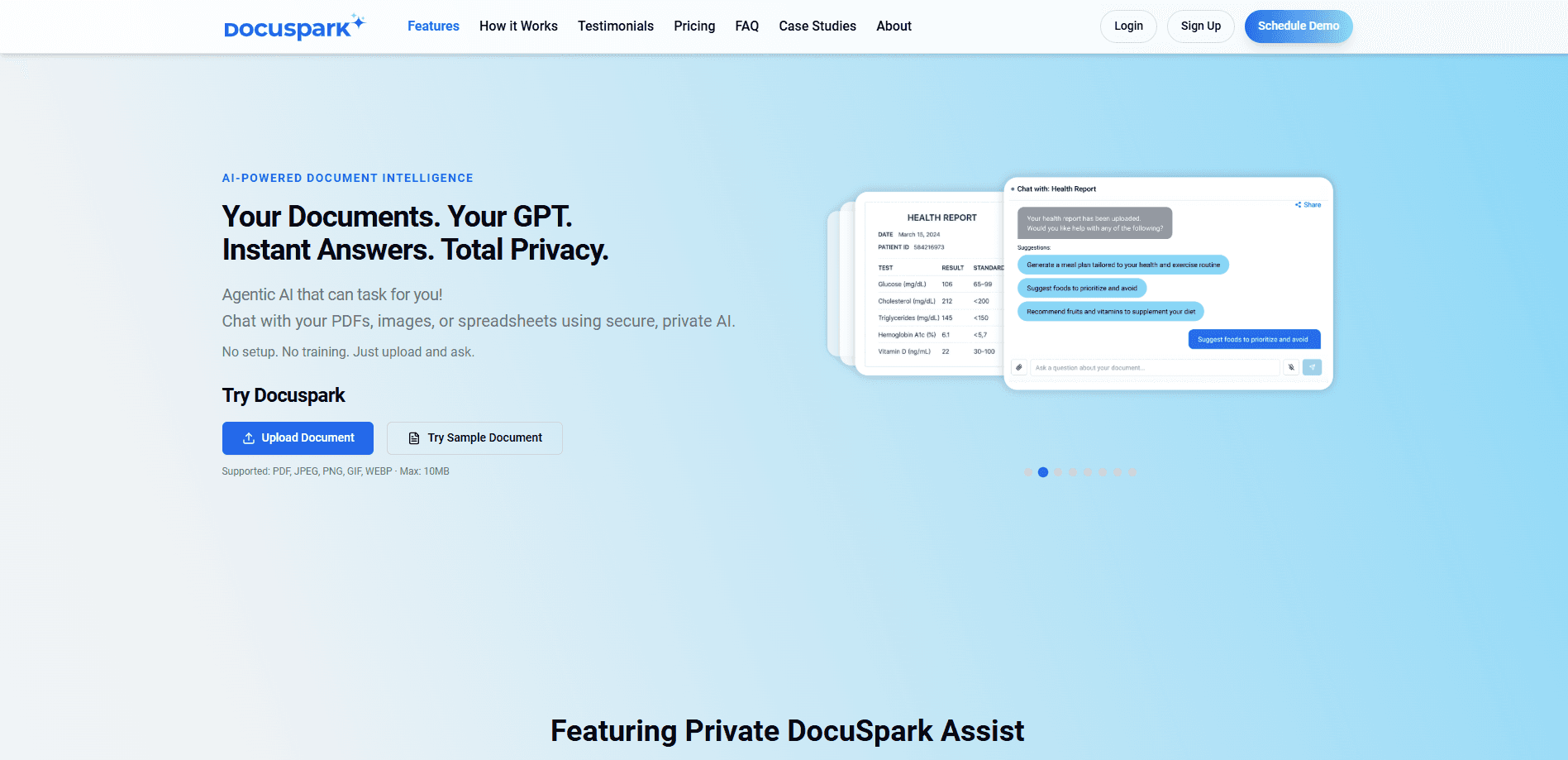
DocuSpark is an AI document workspace that reads your PDFs and images, tags them, and lets you chat with the content to pull answers, summaries, and key details without rereading every page.
About DocuSpark
What Is DocuSpark
DocuSpark takes the pile of files you already have and makes it searchable in plain language. Upload a PDF, a form, or an image, and the tool parses it, tags what it finds, and gets it ready for questions in seconds. From there you ask what you need, whether that is a single figure buried on page 40 or a short summary of a long contract.
The product targets people who work with documents all day: legal teams reviewing contracts, advisors pulling numbers out of statements, and startups that need a shared place for client files. The pitch is speed. What used to take a full day of reading, DocuSpark compresses into minutes of asking. Files stay in one workspace, so a conversation about a document does not get scattered across email and chat.
The limits are the usual ones for a hosted AI tool. Accuracy depends on the quality of the upload, so a blurry scan will not give you clean answers. The site states a 10MB cap per file, which rules out very large archives unless you split them. And since everything runs on a private cloud service, you are trusting the vendor with documents that may be sensitive.
Getting Started
- Create an account on docuspark.ai and open the workspace.
- Upload a file from your device or the cloud, using PDF, JPEG, PNG, GIF or WEBP under 10MB.
- Let DocuSpark parse and tag the document, then start a chat about its contents.
- Ask questions, generate a summary, or share the project with a teammate.
Product Information
A quick look at DocuSpark's pricing, supported platforms, and performance.
Best for
The users, tasks, and scenarios where this tool fits best.
Users
- Legal and operations teams that review contracts
- Financial advisors and analysts
- Founders and small teams
- Anyone who works with forms and scans
Tasks
- Extracting answers from long documents
- Summarizing contracts and reports
- Searching across a project
- Sharing document context with a team
Scenarios
- Contract review under deadline
- Client onboarding
- Research and due diligence
- Everyday office paperwork
Key features
Upload and chat with documents
The core loop is simple: you drop in a file and ask it questions. DocuSpark reads the document, prepares it for chat, and returns answers drawn from the content. Supported formats are PDF, JPEG, PNG, GIF and WEBP, with a 10MB ceiling per file. That range covers both native PDFs and photographed paper, which matters when a document only exists as a scan.
AI parsing and automatic tagging
Before you ask anything, the tool parses each upload and tags what it contains. The site describes this as reading, tagging and prepping a document so it is chat-ready in seconds. The payoff is that you do not have to describe what is in the file; the system already knows enough to route your questions to the right part of it.
Smart search and instant summaries
DocuSpark pairs search with summarization. Smart search finds the file and the passage that answers a question, while instant summaries condense a long document into something you can read in a minute. For a report or a contract, the summary is the shortcut past the wall of text, and you fall back to search when you need the exact wording.
Project collaboration and access control
Documents live in projects, and projects can be shared. You manage who has access and chat about the files together, so a team works from one source rather than passing attachments around. This suits small groups and larger organizations alike, and the vendor targets both creators and enterprise teams with the same workspace.
Private, AI-first document handling
The product leans on privacy as a selling point, describing secure, private AI and enterprise-grade security out of the box. Documents are processed in a private workspace rather than a public tool, which is the argument for teams that cannot paste sensitive files into a general chatbot. Whether that meets a given compliance bar still depends on your own requirements.
Scale from solo to team
The free tier is meant for trying the workflow, and paid plans remove the project limit and add flexible tiers. The vendor positions DocuSpark as growing with you, from a single user to an organization, without switching tools. Unlimited projects sit behind the paid plans, so heavy use means paying.
Pros and cons
Pros
- Turns PDFs and images into a chat you can question, which beats rereading a long document page by page.
- Handles both native PDFs and photographed documents, since images are accepted alongside files.
- Combines smart search with instant summaries, so you can skim or dig for exact wording as needed.
- Puts documents and the conversation about them in one shared workspace with access controls.
- Leans on private AI and enterprise-grade security, which suits teams with sensitive files.
Cons
- The 10MB per-file cap rules out large archives unless you split them first.
- It is a hosted cloud service, so sensitive documents leave your own infrastructure.
- There is no public API listed, so wiring it into a custom workflow is not an option today.
- Unlimited projects and heavier use sit behind paid tiers, and exact prices are not published on the site.
Frequently asked questions
DocuSpark is used to upload documents and chat with them. You drop in a PDF, image or form, and the tool parses it so you can ask questions, pull out specific details and generate summaries instead of reading the whole file.
Related content
Explore related tools, skills, and articles for DocuSpark.
DocuSpark Alternatives

Base Code
Base44 (Wix) · Coding · ProductivityBase Code is a shared cloud development environment from Base44. Teammates describe changes to an existing GitHub codebase in chat, preview them live and send them back as pull requests.

Knocket
Knocket (Tencent RTC team) · Productivity · Business · ChatbotKnocket is a free live chat and contact page tool that lets visitors message you from your website, app, or a shareable link, with every reply handled from Telegram or one inbox.

FloorGen
Vinit Kumar (FloorGen) · Productivity · China AIFloorGen is a browser-based floor plan maker that turns a sentence or a sketch into an editable 2D plan and a 3D walkthrough. Export to PDF, DXF or video, and draw without an account.