

DodoForm
DofoLabs · Productivity
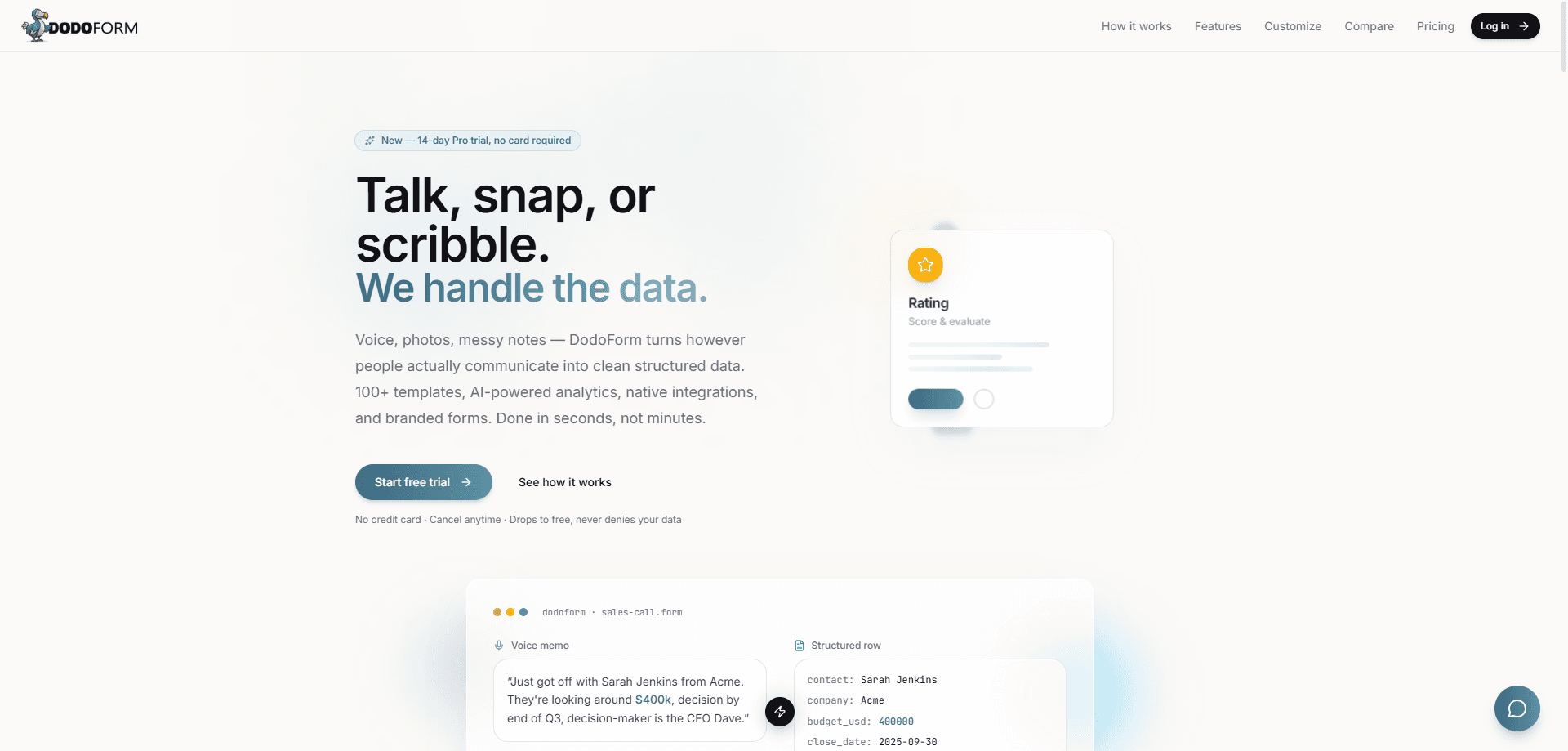
DodoForm is an AI-native form builder that turns voice memos, photos, screenshots, and messy notes into clean structured data instead of making people type into rigid fields. It works two ways: you share a form respondents can fill by talking, snapping a picture, or pasting a block of text, or you run the Extractor over your own emails, resumes, and notes. Every field comes back tied to its source and scored for confidence, so a teammate can check it before clean records route into a CRM or ATS.
About DodoForm
What Is DodoForm
DodoForm is a web-based online form builder built around one idea: people should be able to answer in whatever form feels natural, and the software should do the cleanup. Traditional tools force manual field entry, which is why so many forms stall halfway. That's the problem worth fixing. DodoForm uses natural language processing to pull names, dates, budgets, and locations out of a voice recording or a photo of a handwritten note and drop them into the right fields.
The product runs on an intake platform with two entry points. The first is the form itself, which anyone can complete by typing, talking, or pasting an unstructured mess. The second is the Extractor, which reads your existing emails, resumes, and notes and converts them the same way. Both paths produce fields that are grounded in their source and confidence-scored, and nothing auto-approves unless it clears the bar you set.
That confidence gate is the part worth understanding before you commit. You pick a threshold, say 70%, and anything below it waits for a human instead of silently landing in your CRM. The trade-off is clear. You get accuracy you can audit, but someone still has to review the low-confidence submissions. DodoForm is a young product from a small team, and the native CRM connectors are still filling in.
Getting Started
- Create an account at dodoform.com and start on the Free plan, which needs no credit card.
- Build a form from the AI theme generator with your logo, colors, and banner, or pick one of the templates.
- Share the form link so respondents can type, talk, or upload a photo, or open the Extractor to process your own emails and notes.
- Set your confidence threshold for auto-approval, then connect Slack, email, Google Sheets, Notion, Zapier, or a signed webhook so finished records go where they belong.
- Watch incoming responses in the dashboard; if you hit your monthly AI-credit cap, responses are still captured and extraction resumes on upgrade or at the next cycle.
Product Information
A quick look at DodoForm's pricing, supported platforms, and performance.
Best for
The users, tasks, and scenarios where this tool fits best.
Users
- Recruiting and sales teams who collect structured data from messy inputs
- Small businesses that want an AI form builder without per-seat fees
- Operations people buried in inboxes and PDFs
Tasks
- Collecting intake data from mobile users
- Turning receipts, IDs, and business cards into fields
- Qualifying and routing leads
Scenarios
- A recruiter who needs to pull candidate details out of emailed resumes without re-keying each one.
- A field team logging site visits or inspections by voice while away from a laptop.
- A support desk capturing a long complaint that a customer pastes in as freeform text.
Key features
Voice, Photo, and Text Extraction
Respondents answer however they like, and DodoForm's AI does the structuring. People speak on mobile or desktop, upload a screenshot or photo of a receipt or handwritten note, or paste unstructured text. The AI transcribes and extracts names, dates, budgets, and locations into the matching fields automatically. It's the core of the product. It's also why mobile completion goes up.
Confidence-Gated Automation
You set an accuracy bar, such as 70%, and any submission scoring below it can't auto-approve. Every correction your team makes gets fed back as guidance, so accuracy compounds as you use it. That means you're never trusting a black box with your CRM records. The human review step shrinks over time.
Signed Webhooks and Native Integrations
Every submission can fire a signed webhook to HubSpot, Salesforce, your own backend, or Zapier. Payloads are HMAC-SHA256 signed, with three retries and backoff, a full delivery audit log, and rotatable secrets. Zapier, Notion, Slack, Google Sheets, and email are live on every plan. HubSpot, Pipedrive, and Ashby sit in beta.
The Extractor
DodoForm isn't only forms you send out. The Extractor reads your own emails, resumes, and notes and converts them into clean records. That saves you building a new form for each source. Fields stay grounded in the original source and remain checkable before they route onward.
Branded Forms and Theme Generation
Paid plans add branded forms with custom logos, colors, and banners, plus AI theme generation. There are 14+ color controls along with typography, spacing, radius, and layout settings, all shown in a live preview. Forms look like part of your product. Not a generic template.
Conversational BI and Analytics
On the Max plan and up, you can ask questions about your data in plain language through a feature called Ask anything. Lead scoring, drop-off heatmaps, and A/B testing help you see where forms lose people and which version converts. No dashboards to build. It's analytics for people who'd rather not touch a BI tool.
Payment and E-signature Fields
Max and above support payment collection and e-signatures inside the form. You connect PayPal and collect one-time or recurring payments without sending respondents somewhere else. For anyone running registration or intake that needs a deposit, that removes a whole extra step.
Pros and cons
Pros
- Unlimited responses on every plan, including Free, so you're only metered on AI credits rather than per response or per seat.
- Voice and photo input lift mobile completion rates 30-50% over typed forms, according to the company.
- Confidence gating with human checkability keeps low-certainty data out of your CRM until someone confirms it.
- Signed webhooks with retries, backoff, and a delivery log are included on Free, which is unusual at this price.
- 14-day Pro trial with no credit card makes it easy to test voice and image input before paying.
Cons
- Native Salesforce, Zoho, and Microsoft Dynamics connectors aren't available yet, so those teams have to route through Zapier or webhooks for now.
- The Free plan caps you at 100 AI credits a month, which runs out fast once you use voice or photo extraction regularly.
- Payment collection, API access, and CRM routing start at $49/mo on Max, so the useful automation tier isn't cheap for a solo user.
- It's a young product from a small team, which means fewer templates and community resources than established form builders offer.
Frequently asked questions
DodoForm is an AI-native online form builder that turns voice memos, photos, screenshots, and unstructured text into structured data. Instead of demanding manual field entry, it uses natural language processing to pull information out of however people actually communicate.
Related content
Explore related tools, skills, and articles for DodoForm.
DodoForm Alternatives

Base Code
Base44 (Wix) · Coding · ProductivityBase Code is a shared cloud development environment from Base44. Teammates describe changes to an existing GitHub codebase in chat, preview them live and send them back as pull requests.

Knocket
Knocket (Tencent RTC team) · Productivity · Business · ChatbotKnocket is a free live chat and contact page tool that lets visitors message you from your website, app, or a shareable link, with every reply handled from Telegram or one inbox.

FloorGen
Vinit Kumar (FloorGen) · Productivity · China AIFloorGen is a browser-based floor plan maker that turns a sentence or a sketch into an editable 2D plan and a 3D walkthrough. Export to PDF, DXF or video, and draw without an account.