

Dokko
Dokko · Leaning · Chatbot
Dokko is a document AI platform that reads contracts, manuals, and policies in full, answers questions with citations, and acts inside your team's tools.
About Dokko
What Is Dokko
Dokko is a conversational AI platform built for teams whose documents are the product. It's an AI document assistant and AI knowledge base in one. It reads your contracts, manuals, and policies end to end, then answers questions with document-level citations instead of fragments.
The pitch is simple. You get answers you can defend in regulated work.
Most generic AI tools stop at Q&A. They slice documents into pieces, search those pieces in isolation, and hand back confident answers that sound right. For legal, compliance, and support teams, almost right is the same as wrong. Dokko also keeps going where those tools stop, drafting, filing, updating, and escalating inside the tools your team already runs.
So who is this for? Teams that live in dense, high-stakes documents and can't afford a wrong answer.
The main limits are practical. You're paying for pages, tokens, and tool actions, so heavy ingestion adds up. Skills and Agents, which the token and action meters power, are still in early access. The company says they're production-usable today. SSO hasn't shipped yet, so buyers who need it should plan around Enterprise later.
Getting Started
- Sign up and start a 14-day trial, which runs at full Starter capability and needs a credit card at registration.
- Upload your documents by dragging them in, covering PDFs, Word files, spreadsheets, scanned files, and web pages. Dokko shows the page count and cost before you confirm.
- Ask your first question once indexing finishes, no prompt engineering or schema design required.
- Connect your tools through one OAuth flow from the dashboard, then assign a model per agent.
- Share the dashboard link for internal use, or drop one script tag on your site for a branded, customer-facing assistant.
Product Information
A quick look at Dokko's pricing, supported platforms, and performance.
Best for
The users, tasks, and scenarios where this tool fits best.
Users
- Legal teams
- Compliance and support teams
- Product teams running customer-facing chat
Tasks
- Contract review
- Policy and manual lookup
- Multi-step workflows
Scenarios
- Standing up a support assistant on a help centre page for customers.
- Giving an internal team a self-serve document Q&A assistant.
- Automating document-heavy admin work where borderline questions escalate to a human.
Key features
Full-Document Reading
Dokko reads each document in full rather than slicing it into fragments, and it handles charts, tables, and diagrams in multimodal mode. Every answer cites the source documents it drew from, which matters when you need to show where a claim came from. You can tune chunking, enrichment, and retrieval ranking per knowledge base. Big difference for regulated work.
Skills and Agents
Two action mechanisms ship on every plan. Skills are in-conversation actions tied to your knowledge base, so a team can return a structured contact card or refuse a competitor question. Agents handle multi-step workflows in tools like Slack and Jira, using MCP, OpenAPI, or Composio. Under the hood it works like a managed RAG platform, minus the pipeline work. Setup is quick.
Model Choice Per Agent
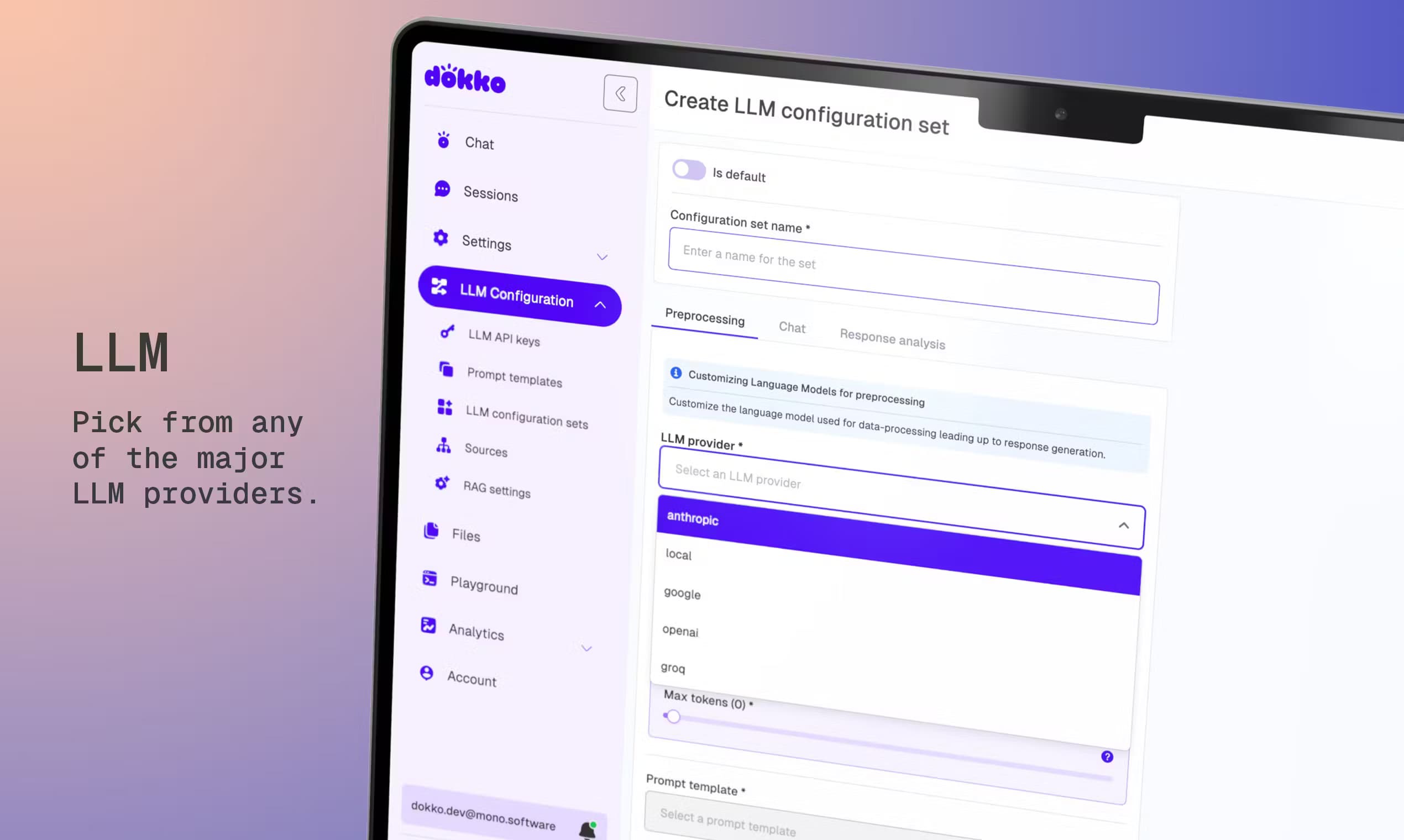
You assign a model per agent from the dashboard, picking from Anthropic, OpenAI, Google, Meta, Mistral, Amazon, and Groq. Cheaper models can handle routine queries while premium ones run where they earn their cost, which means a support bot and a contract reviewer don't have to burn the same budget. Bring your own key is supported, and tokens routed through your provider aren't marked up.
Hundreds of Integrations
A growing library of business tools, including Slack, Jira, Zendesk, Notion, Workday, and BambooHR, connects through one OAuth flow. For systems specific to your business, you expose an MCP server or point Dokko at an OpenAPI spec. Connect once, and every Skill and Agent on your team can use it without repeating the setup work.
Customer-Facing Embed
One script tag puts the assistant on your website, help centre, or product, branded as yours. The same engine handles internal and customer-facing use, and you don't pay twice to run both. No separate product required.
Human Escalation
Dokko watches its own confidence and escalates borderline questions to a human through Slack, Zendesk, or any connected tool. That keeps a person in the loop when an answer isn't clear-cut. No guesswork, no silent failure.
Transparent Metering
Your dashboard tracks pages, tokens, and tool actions against a monthly allowance. Beyond the allowance, you choose per meter whether to pause or pay the published overage rate. Pages preview cost before every import, so there's no surprise invoice. Costs stay readable, not hidden.
Pros and cons
Pros
- Answers carry document-level citations, which makes them defensible for regulated work.
- No vendor lock-in, since you pick a model per agent and can bring your own key.
- Internal and customer-facing deployment run on one engine without double billing.
- Metering is itemized and previewed, so costs stay predictable across pages, tokens, and actions.
Cons
- No free plan and no public self-serve tier, so you commit to a paid subscription after the trial.
- Skills and Agents are in early access, so surface details can shift while they're iterated.
- SSO isn't shipped yet, which blocks buyers who need it before a wider rollout.
Frequently asked questions
Dokko is a document AI platform that reads your contracts, manuals, and policies in full, answers questions about them with citations, and then takes action in tools like Slack and Jira. It's built for teams where documents are the core of the work. The same engine powers an AI document assistant and back-office workflows alike.
Related content
Explore related tools, skills, and articles for Dokko.
Dokko Alternatives

HireKey
HireKey · Voice & Language · Productivity · LeaningHireKey is an AI job search copilot built by a former tech recruiter. It checks role fit, tailors resumes, runs interview practice and tracks every application.

Lune
Retrograde Labs · Productivity · LeaningLune is a research search engine for scientific AI agents. It runs as an MCP server that lets Claude, ChatGPT and Cursor search peer-reviewed computer science papers and cite them.
Coddy
Coddy · Coding · LeaningCoddy is a gamified platform to learn to code through short interactive lessons in 20+ languages, with a browser editor, an AI tutor and free certificates.