

Dopamine.chat
Dopamine · Productivity
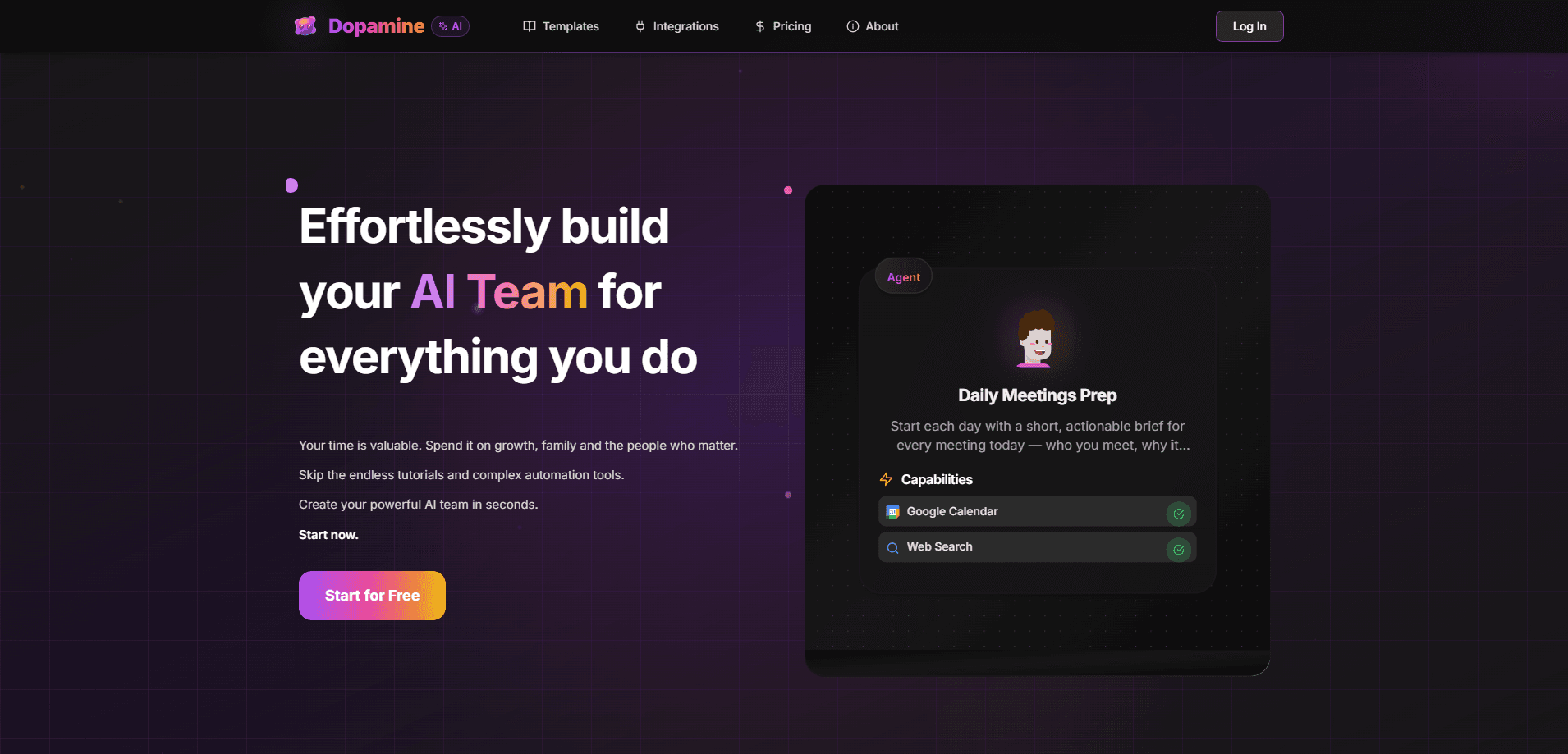
Dopamine.chat is a no-code AI agent platform that lets you build, customize, and run AI agents, workflows, and teams without writing code. You describe what you need, connect the apps you already use, and set triggers so your agents work on a schedule or on demand. It's aimed at people who want real automation but don't want to touch a command line, and it plugs straight into WhatsApp and Telegram so you can talk to your agents from your phone. Think of it as an AI automation platform and a Telegram bot builder in one place.
About Dopamine.chat
What Is Dopamine.chat
Dopamine.chat is a platform for building AI agents and automations without any coding. You start from a plain goal and instructions, then give your agent tools like Gmail, Slack, or Google Calendar so it can actually read and write in the apps you use daily.
The pitch is simple: you don't configure much. The platform calls itself "the Lovable of the agentic world," and the workflow backs that up. Agents are the building blocks, and you can chain them into workflows, group them into teams that work in parallel, or just chat with Claw, the pre-built personal assistant that's always sitting in the sidebar.
The main limit is credits. Every agent run, workflow execution, trigger, and Claw chat burns credits, and they don't roll over between months. Run triggers too often and you'll chew through your balance fast. That part stings. There's no public developer API documented yet either, so teams expecting deep programmatic control should test this first.
Getting Started
- Create a free account on dopamine.chat and pick a plan, starting with the free tier if you just want to try it.
- Open Integrations and connect the services you want, like Gmail, Slack, Google Calendar, or your messaging apps.
- Build an agent by giving it a goal, written instructions, and a set of tools from those integrations.
- Add a trigger so it runs on a schedule, from a webhook, or when someone messages it on WhatsApp or Telegram.
- Chain agents into a workflow or a team when a task needs more than one step, then check your credit balance as you go.
Product Information
A quick look at Dopamine.chat's pricing, supported platforms, and performance.
Best for
The users, tasks, and scenarios where this tool fits best.
Users
- People who want a personal AI assistant without setup
- Small teams automating repetitive work
- Non-developers with real automation needs
Tasks
- Daily briefings and digests
- Inbox and message handling
- Lead research and outreach
Scenarios
- Morning meeting prep
- Customer messages on WhatsApp
- Weekly reports
Key features
No-Code Agent Builder
Agents are the basic unit on Dopamine.chat. You give each one a goal, a set of instructions, and the tools it's allowed to use, and that's most of the setup. There's no code and no configuration files, which is the whole point of the platform. If you can describe a task in plain language, you can build an agent for it. That covers most no-code AI agent builder needs.
Workflows and AI Teams
Single agents handle single jobs. When a task needs several steps, you chain agents into a workflow, or group them into a team that works in parallel. Dopamine also supports debates, where two agents argue a question and an impartial verdict follows. This is where the platform goes past simple automation. Workflow automation gets real, and you become an AI team builder instead of running a single bot. It's a bigger shift than it sounds.
200+ App Integrations
Through Composio, Dopamine agents connect to more than 200 apps, including Gmail, Slack, Notion, Google Docs and Sheets, HubSpot, and Salesforce. Connected agents can read from and write to those services, so an agent can create a Notion page, add a row to a sheet, or post to Slack when something fires. The value here is breadth: most common work tools are covered. Setup is quick.
Triggers for Automatic Runs
Agents don't have to wait for you. Triggers fire them on a schedule, from a webhook, or when a message arrives on WhatsApp or Telegram. You can send a briefing every morning at 7am, run a report every Monday, or respond to an incoming message automatically. The tradeoff is credit usage, since frequent triggers add up quickly.
Claw Personal Assistant
Claw is a pre-built assistant that lives in the sidebar. Unlike the agents you configure yourself, it's ready to go: it answers questions, drafts messages, helps you build other agents, and runs scheduled tasks. You can also connect it to Telegram or WhatsApp and talk to it from your phone. Think of it as the fast path for people who want value before they build anything. No setup needed.
Native Messaging on WhatsApp and Telegram
Dopamine agents show up where you already spend your day. You can ask questions, get updates, and receive automated summaries and alerts directly in WhatsApp or Telegram. Instead of opening a dashboard to check on a task, the agent messages you. For anyone who lives in chat apps, this removes the biggest friction point.
Skills for Reusable Instructions
Skills are reusable Markdown instructions you attach to agents, so you can repeat a preferred process without rewriting it every time. That keeps a growing setup consistent, and it's a lighter way to reuse behavior than rebuilding an agent from scratch. It suits people who find themselves writing the same instructions over and over. That's a lot of us.
Pros and cons
Pros
- Genuinely no-code setup, so non-developers can build working agents fast.
- Broad integration coverage with 200+ apps through Composio, covering most everyday work tools.
- Native WhatsApp and Telegram support means your agents reach you where you already are.
- Free tier with 20 credits a month lets you test the platform before paying.
- Workflows, teams, and debates handle multi-step tasks that single agents can't.
Cons
- Credits don't roll over, so unused balance is lost each month and busy months cost extra.
- Frequent triggers can drain credits quickly, which makes always-on automation expensive.
- No public developer API is documented, so teams that need programmatic control can't rely on it yet.
- The entry tiers are tight: 20 credits on free and 100 on Starter won't stretch far for regular use.
Frequently asked questions
It's a no-code platform for building and running AI agents, workflows, and teams. You describe a task, connect your apps, and let the agent handle it, either on demand or on a schedule.
Related content
Explore related tools, skills, and articles for Dopamine.chat.
Dopamine.chat Alternatives

Base Code
Base44 (Wix) · Coding · ProductivityBase Code is a shared cloud development environment from Base44. Teammates describe changes to an existing GitHub codebase in chat, preview them live and send them back as pull requests.

Knocket
Knocket (Tencent RTC team) · Productivity · Business · ChatbotKnocket is a free live chat and contact page tool that lets visitors message you from your website, app, or a shareable link, with every reply handled from Telegram or one inbox.

FloorGen
Vinit Kumar (FloorGen) · Productivity · China AIFloorGen is a browser-based floor plan maker that turns a sentence or a sketch into an editable 2D plan and a 3D walkthrough. Export to PDF, DXF or video, and draw without an account.