

DoryAI
DoryAI · Leaning
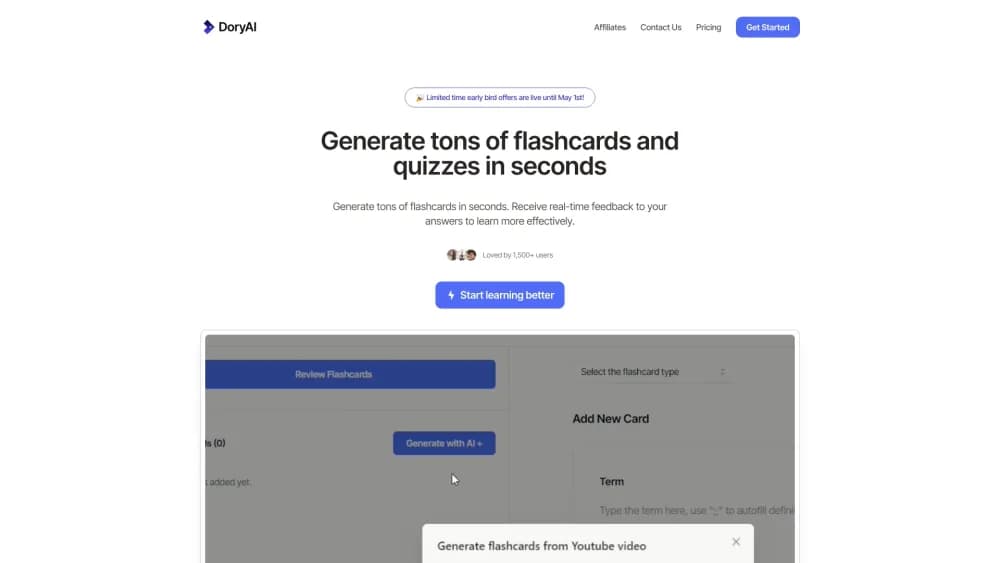
DoryAI is a web app that turns PDFs, YouTube videos, slide decks, and short prompts into AI flashcards, quizzes, and study notes, with exports to Anki, Quizlet, and Kahoot.
About DoryAI
What Is DoryAI
DoryAI is a web app for students who would rather review than type. Paste a term, upload a PDF, or drop in a YouTube link, and it writes the cards for you, definitions included. The promise fits in one line: less prep, more recall.
Most people find it after searching for an AI flashcard generator that handles messy sources. DoryAI takes lecture slides, PDFs, web pages, and videos, then turns them into decks and multiple choice questions. The AI flashcard maker also fills blank definitions on demand: type a term, press ;;, and the answer appears. A study guide generator and short answer feedback round out the set, while Anki export and Quizlet export cover classes that already run on those platforms.
The catch is availability. The original site at getdoryai.com now serves an unrelated parked news page, so sign ups and logins don't work. A Lemon Squeezy storefront still lists DoryAI plans next to a Cliptutor subscription, which suggests billing stayed up after the app went quiet. Ask the seller before you pay, and treat DoryAI as a legacy pick rather than a live subscription.
Quality also depends on the source. A clean lecture PDF yields cards you can study as they are. A noisy scan or a two hour video yields vague questions you'll end up rewriting, which eats the time you came to save.
Getting Started
- Go to the DoryAI site and create an account, if sign ups are open.
- Start on the free allowance: 3 flashcard sets, 3 quiz sets, and 10 generation credits.
- Add a source by pasting text, uploading a PDF or slide deck, or linking a YouTube video.
- Edit the generated cards and press
;;after a term to auto complete a definition. - Export the deck to Anki, Quizlet, or Kahoot, or share it with classmates.
Product Information
A quick look at DoryAI's pricing, supported platforms, and performance.
Best for
The users, tasks, and scenarios where this tool fits best.
Users
- Exam students
- Language learners
- Teachers and tutors
Tasks
- Making flashcards from PDF
- YouTube to flashcards
- Building a practice quiz
Scenarios
- The week before finals
- A weekly vocabulary habit
- Last minute class prep
Key features
Flashcards From Almost Any Source
DoryAI takes PDFs, PowerPoint decks, web pages, YouTube links, and plain prompts. You pick the source, it returns a deck with questions and answers. That range matters when your course material is split between a reader, a slide dump, and a recorded lecture.
AI Definition Autocomplete
Type a term or a question, press ;;, and DoryAI writes the definition for you. A blank card becomes a usable one without a trip to the glossary. You can still edit the wording when the answer is too broad.
AI Quiz Generator
The AI quiz generator turns the same material into multiple choice questions. Teachers get a quick bank of items to trim. Students get a way to test recall instead of flipping cards. Question quality follows the source, so a tight summary beats a full textbook chapter.
Answer Feedback
After you answer, DoryAI gives short feedback on what you missed. It reads more like a nudge than a full explanation, which is enough to flag a weak spot before an exam. You won't get a tutoring session out of it.
Study Guide Generator
The study guide generator condenses a source into an outline you can read before you start drilling. It helps on a first pass through unfamiliar material, or when you want to check whether a deck covers the whole chapter.
Export and Sharing
Decks leave the app through Anki export, Quizlet export, and Kahoot for quizzes. Sharing a set with classmates takes a link rather than a file. If your school already standardizes on one of those tools, this is the feature that decides whether DoryAI fits.
Pros and cons
Pros
- Cuts the typing: definitions and questions come from your own material, so a deck takes minutes instead of an evening.
- Handles mixed sources: PDFs, slides, videos, and links all feed the same workflow.
- Exports where students already work: Anki, Quizlet, and Kahoot are covered, so a class doesn't have to switch tools.
- Free tier to test: 3 flashcard sets, 3 quiz sets, and 10 credits are enough to judge output quality.
- API packages exist: token packs and a monthly call package are listed for teams that want to build on it.
Cons
- The app looks abandoned: the main domain now hosts an unrelated page, and logins don't work.
- Weak on messy input: scans and long videos produce vague cards that need rewriting.
- No review scheduler: DoryAI builds material, but spaced repetition is left to Anki or another app.
- Billing is unclear: plans are still listed on a third party checkout, so refunds and support are a gamble.
Frequently asked questions
DoryAI is a web app that generates flashcards, quizzes, and study notes from PDFs, slides, YouTube videos, and prompts. It also fills in definitions automatically and exports decks to Anki, Quizlet, and Kahoot.
Related content
Explore related tools, skills, and articles for DoryAI.
DoryAI Alternatives

HireKey
HireKey · Voice & Language · Productivity · LeaningHireKey is an AI job search copilot built by a former tech recruiter. It checks role fit, tailors resumes, runs interview practice and tracks every application.

Lune
Retrograde Labs · Productivity · LeaningLune is a research search engine for scientific AI agents. It runs as an MCP server that lets Claude, ChatGPT and Cursor search peer-reviewed computer science papers and cite them.
Coddy
Coddy · Coding · LeaningCoddy is a gamified platform to learn to code through short interactive lessons in 20+ languages, with a browser editor, an AI tutor and free certificates.