

Dotient
Dotient Technologies · Productivity
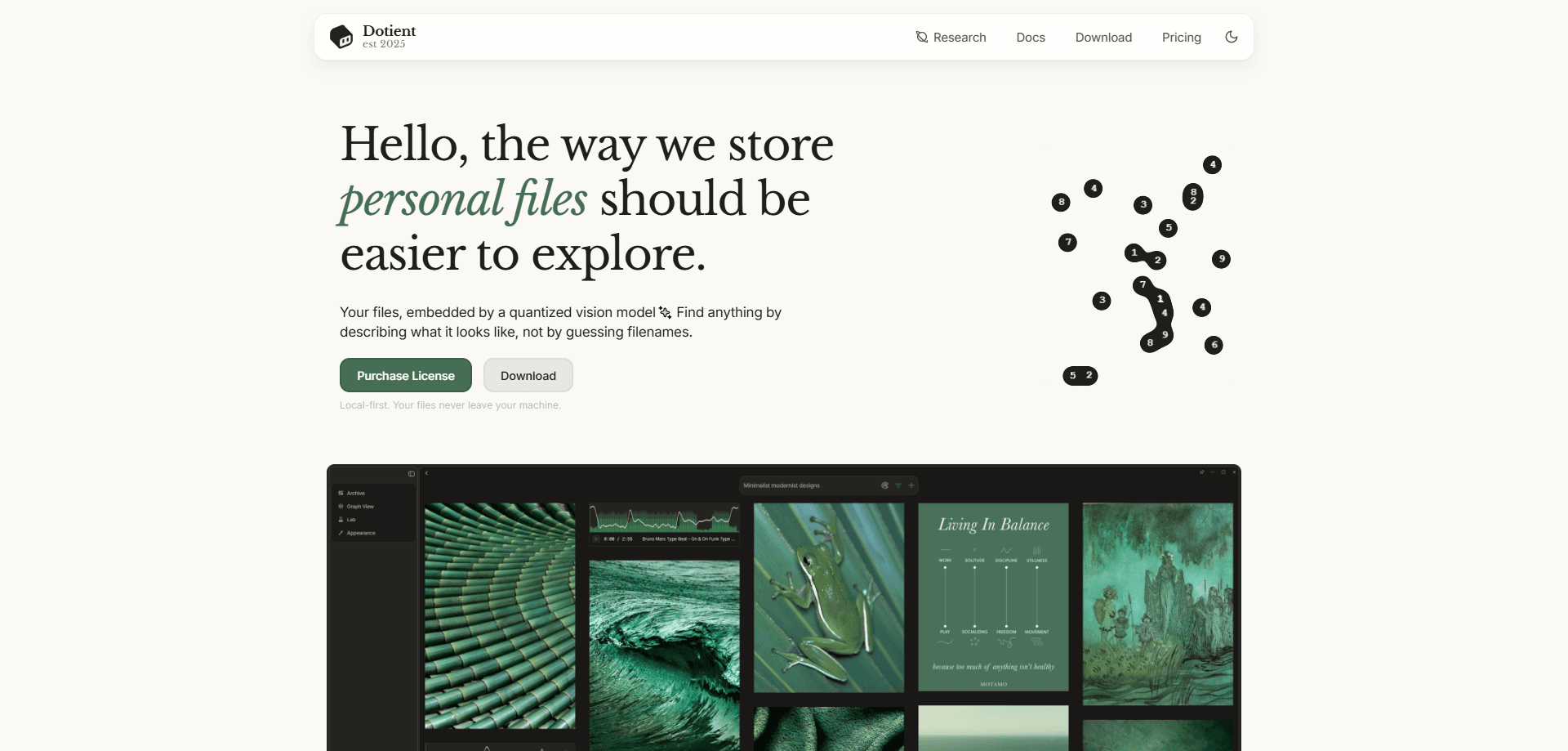
Dotient is a local-first desktop app for searching your own files by describing what they look like. It's an AI file search app that runs a quantized vision model on your machine to embed images, videos, PDFs, and code, then lets you search files by description instead of folder names. Signals, Cubbies, and an interactive graph round out the setup for people drowning in unsorted media.
About Dotient
What Is Dotient
Dotient is a desktop file organizer built around one idea: you should be able to find a file by describing it, not by remembering where you saved it. Point it at a folder of photos, a stack of PDFs, or years of screenshots, and it embeds each item with a vision model so a query like "beach sunset" or "white background product shot" returns actual matches. Everything runs offline. Your files never leave the machine.
It's aimed at people whose archives outgrew manual organization: photographers with thousands of shoot files, designers sitting on mood boards and reference dumps, and anyone with a camera roll they never sorted. The pitch is speed over discipline. You skip the tagging ritual and search instead.
Most image search apps want you to upload to their cloud first. Dotient does the opposite.
The catch is scope. Dotient is a desktop app, not a cloud service, so there's no web version and no mobile app to sync across devices. It also isn't free. There's no free plan, just a one-time Standard license at $10, with paid add-ons for higher-accuracy models.
Getting Started
- Download the Dotient Desktop installer from the official site and run it. On Windows, SmartScreen asks once because the installer isn't code-signed yet; choose More info, then Run anyway.
- Launch the app, activate your license key, and let the AI models download during initial setup. This step needs a network connection.
- Drop a folder or individual files into Dotient. All indexing happens locally after the models are in place.
- Wait a few minutes while the vision model builds searchable profiles for your files.
- Search your archive in plain language from the gallery, or open the graph to explore how your files cluster by similarity.
Product Information
A quick look at Dotient's pricing, supported platforms, and performance.
Best for
The users, tasks, and scenarios where this tool fits best.
Users
- Photographers and videographers
- Designers and art directors
- Creative teams and agencies
- Anyone with a messy camera roll
Tasks
- Finding an image by content
- Digging a figure out of a long PDF
- Grouping a fresh batch by similarity
- Building a mood board live
Scenarios
- Post-shoot sorting
- Recovering a forgotten reference
- Archiving a decade of work
Key features
Visual Search in Natural Language
Describe what you're after and Dotient finds it. Think of it as AI image search that also covers video and documents: type "wedge tornado at sunset" or "scatter plot with two clusters" and the app matches against embedded visual content rather than text in filenames. The base model is SigLIP-class, which handles common concepts well without any training.
Signals and Signal Tuning
Signals are Dotient's answer to results that keep missing. You feed the app a handful of positives plus negatives, give the concept a label, and it reshapes the embedding space around your vocabulary. The Lab page manages this. Once trained, a signal combines with a normal text query to return compositions the base model never learned.
Cubbies for Collections
Cubbies are freeform collections you build by dragging files in. Add sticky notes and annotations, hit the cluster button to auto-group by visual similarity, and rename each group. It doubles as a mood board tool and a to-do surface, which is why designers tend to live in it.
Graph View
The graph lays your whole archive out as nodes with edges drawn by similarity, rendered in a force-directed WebGL view. It auto-detects clusters so you can label them and spot patterns you'd never find in a folder tree. It's the feature people screenshot.
Broad File Type Support
Dotient semantically supports common image formats like PNG, JPG, HEIC, RAW, and SVG, plus video, audio, and PDF files. It also indexes text-heavy files such as Markdown, JSON, HTML, and source code, with more formats marked as coming soon.
Local-First File Search
After the models download and your key activates, local-first file search needs no internet connection. Indexing and searching both happen on your device, so private photos and client assets stay put. Network is only required for the initial download, key activation, and URL imports.
Pros and cons
Pros
- Searches by visual description, so you skip tagging and folder discipline entirely.
- Runs fully offline with local models, which matters for personal photos and confidential client work.
- The one-time $10 Standard license has no subscription attached.
- Signals reshape search around your own concepts, which generic tools can't do.
- A 3-seat license covers a small team without per-person pricing.
Cons
- No free plan and no trial, so you're paying $10 before you know if it fits your archive.
- Desktop only on Windows and macOS, with no web or mobile version to sync across devices.
- The Windows installer isn't code-signed, so SmartScreen throws a warning on first run.
- Higher-accuracy models like Fovea-1 and Silk-1 sit behind the $4/mo Plus add-on.
Frequently asked questions
Dotient is a local file search app that lets you find images, videos, PDFs, and other files by describing what they look like. It's built for people with large, unsorted archives who'd rather search than tag.
Related content
Explore related tools, skills, and articles for Dotient.
Dotient Alternatives

Base Code
Base44 (Wix) · Coding · ProductivityBase Code is a shared cloud development environment from Base44. Teammates describe changes to an existing GitHub codebase in chat, preview them live and send them back as pull requests.

Knocket
Knocket (Tencent RTC team) · Productivity · Business · ChatbotKnocket is a free live chat and contact page tool that lets visitors message you from your website, app, or a shareable link, with every reply handled from Telegram or one inbox.

FloorGen
Vinit Kumar (FloorGen) · Productivity · China AIFloorGen is a browser-based floor plan maker that turns a sentence or a sketch into an editable 2D plan and a 3D walkthrough. Export to PDF, DXF or video, and draw without an account.