

DraftAid
DraftAid (DraftAid Inc., Toronto, Canada) · Image
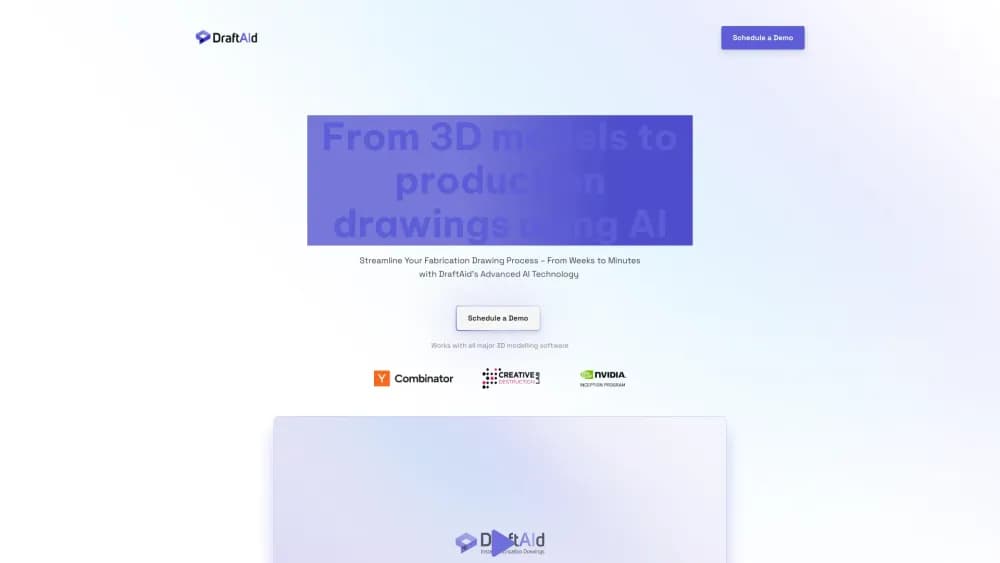
DraftAid is an AI drafting tool that turns 3D CAD models into 2D fabrication drawings inside SolidWorks and Inventor, with automated dimensions and company templates.
About DraftAid
What Is DraftAid
DraftAid is CAD drawing software built for mechanical engineers and fabrication shops that spend too much of the week producing manufacturing drawings. The add-in brings AI CAD drawing automation into SolidWorks and Autodesk Inventor, reads the 3D model already on screen, and generates a dimensioned 2D drawing in about 20 to 30 seconds. Complex parts can take up to a minute.
The tool doesn't hand you a finished print and walk away. Most drawings come out 80% to 90% complete, and the AI leaves features it can't confidently interpret blank. That gap is deliberate. An engineer reviews the sheet, fills in tolerances and odd callouts, and signs off. DraftAid handles view placement, scaling, break lines, dimensions, and notes; the judgment stays with your team.
The limits matter as much as the features. DraftAid works on aluminum extrusions, rectangular machined parts, beams, sheet metal, and turned or milled parts. GD&T support is still on the roadmap, and tolerances aren't added automatically unless they're already defined in the 3D model. CATIA, Siemens NX, Creo, AutoCAD, and Fusion 360 aren't supported yet, so the fit depends on which CAD seat your team actually uses.
Getting Started
- Book a demo or start the free Inventor trial, which allows up to 50 drawings per month with no expiry.
- Install the DraftAid add-in, then install the DraftAid Portal client when the ribbon prompts you.
- Upload a drawing template that defines sheet size, layout, annotation style, and note placement.
- Open a part file and click Generate Drawing, or drag a folder of parts into the Portal for a batch run.
- Review the output, add tolerances or missing details, then export to DWG, DXF, IDW, or PDF.
Product Information
A quick look at DraftAid's pricing, supported platforms, and performance.
Best for
The users, tasks, and scenarios where this tool fits best.
Users
- Mechanical design engineers
- Drafting and CAD technicians
- Fabrication and job shops
Tasks
- First-pass production drawings
- Sheet metal flat patterns
- Drawing backlog cleanup
- Standardizing output across a team
Scenarios
- A custom machinery builder with hundreds of unique weldments and machined parts per project
- An automotive tier-two supplier quoting new work
- A curtain wall or aluminum extrusion fabricator
Key features
One-Click Drawing Generation
DraftAid adds a Generate Drawing button to the SolidWorks and Inventor ribbon. Click it with a part open and the AI builds the views, scale, and layout, then downloads the sheet next to the model file. SolidWorks drawing automation and Inventor drawing automation work the same way, and generation runs in the background, so Inventor stays usable while a batch works through the queue.
Automated Dimensioning and Annotation
The AI places dimensions in the views where a drafter would put them, adds callouts, and applies the arrowhead and text style defined in your settings. Chain dimensions, ordinate dimensions, and hole tables are all on the list. This is the part of drafting that consumes the most clicks, and it's the part DraftAid targets first.
Templates and Company Standards
A drawing template drives the output. Upload one that sets sheet size, title block layout, annotation style, and note placement, and every generated sheet follows it. You can also add notes to the title block or as general notes on the drawing, which keeps vendor-specific instructions in the same place your shop already expects.
Batch Drawing Automation
Instead of opening parts one at a time, you can drag a folder of models into the DraftAid Portal and let it work. The company reports customers generating hundreds of drawings in a single run, and one early customer went from 400 drawings a month to 1,600. Batch mode is the main reason the tool pays off for shops with steady volume.
Learning From Your Own Drawings
DraftAid trains on your existing models and drawings, so the output reflects how your team dimensions, annotates, and lays out a sheet. Accuracy climbs as the model sees more of your work. The 80% to 90% completion figure refers to results after that training, not to the first drawing out of the box.
Native Format Export and PLM Integration
Finished sheets export as DWG, DXF, IDW, or PDF, and STEP files and other 3D formats can come in as input. For larger operations, DraftAid supports PLM integration through an API, which means drawing generation can sit inside an existing release process instead of beside it.
Pros and cons
Pros
- Runs inside SolidWorks and Inventor, so there's no new CAD package to learn or IT project to run.
- Cuts drawing time by a large margin on repetitive parts; the vendor cites reductions up to 90%, and customer accounts describe 3x to 4x output.
- Templates keep output consistent across a team, which matters more than raw speed when several engineers produce sheets.
- The review-first approach leaves uncertain features blank instead of guessing, so errors surface at review rather than at the machine.
- Licensing isn't per seat, so a shop can install it across the engineering team without counting heads.
Cons
- No public price list. You need a sales call and an annual commitment, which is hard to budget for without a demo first.
- Tolerances and GD&T aren't automatic. Engineers still add them by hand, so the last 10% to 20% of each drawing remains manual work.
- Part coverage is narrow. If your work is mostly complex assemblies, freeform surfaces, or CATIA and NX models, the tool won't help yet.
- The license model targets shops producing at least 200 drawings a month, so low-volume or one-off drafting teams will struggle to justify the cost.
Frequently asked questions
It converts a 3D CAD model into a 2D fabrication drawing. The add-in reads the model, places views, adds dimensions and annotations, and applies your template, producing a sheet that's roughly 80% to 90% finished.
Related content
Explore related tools, skills, and articles for DraftAid.
DraftAid Alternatives

Google EmbeddingGemma 2
Google DeepMind · Writing · Image · CodingGoogle EmbeddingGemma 2 is a 740M-parameter open model that turns text, code, images, audio, and video frames into vectors in one 768-dimension space, running on phones and laptops.

Tractionwave
TractionWave · Image · MarketingTractionWave is an AI attention heatmap tool for static ads. Upload a PNG or JPG and it returns predicted attention, ranked hotspots, and fixes before you spend budget.

Imejis.io
Imejis.io · Image · MarketingImejis.io is an AI design studio for agents and marketing teams. Describe an image in plain words, and it writes the copy, builds the layout, reflows it to every size, then exports a finished file.