
Draw A Fish
Alden Hallak · Image
Draw A Fish is a free browser game where a neural network checks your fish sketch and, once it looks fishy enough, releases it into a shared online aquarium.
About Draw A Fish
What Is Draw A Fish
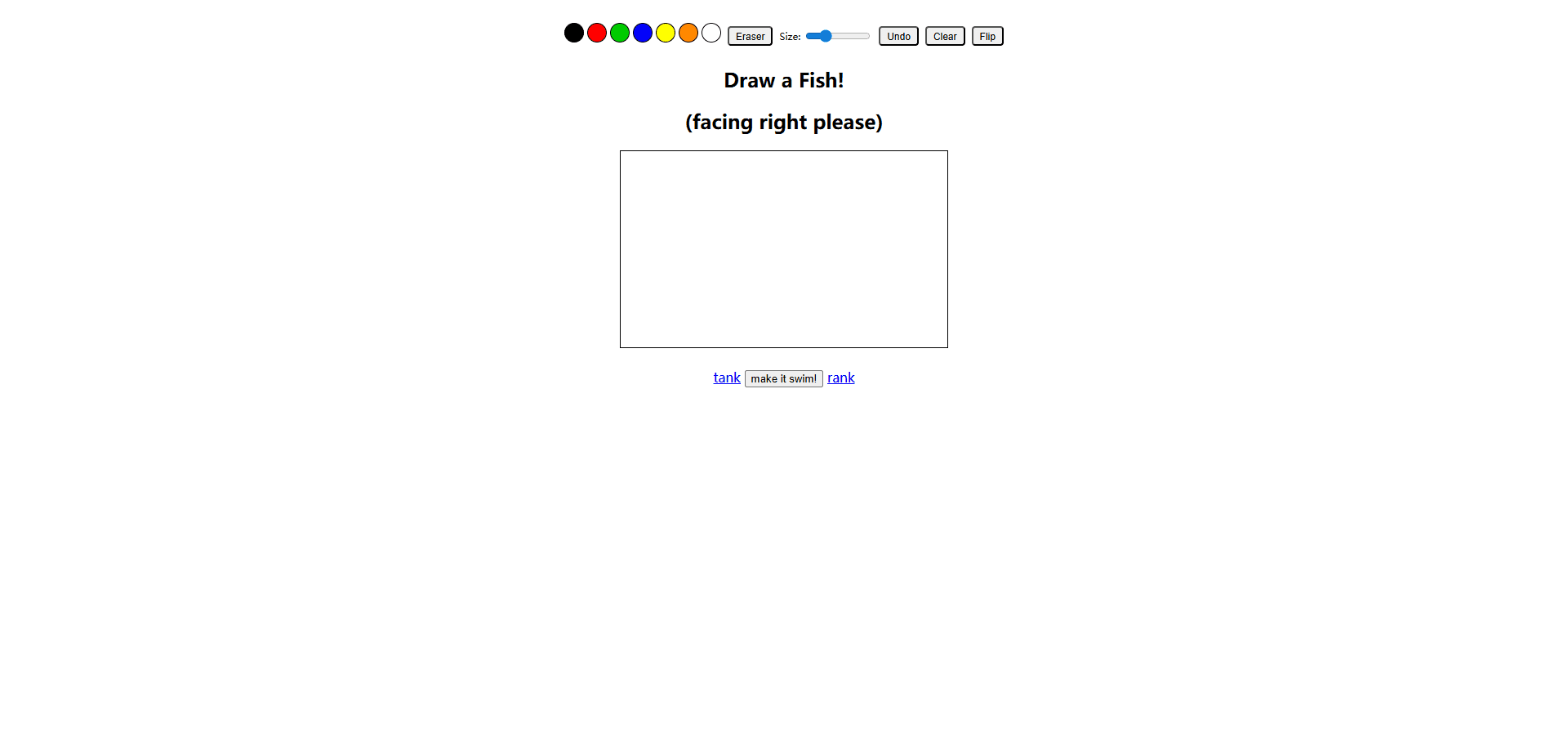
Draw A Fish (also written DrawAFish) is a small AI drawing game built by independent developer Alden Hallak. Instead of judging raw artistic skill, it hands you a canvas and one job: doodle a fish that faces right. A computer vision model watches every stroke and tells you how fish-like the drawing looks.
The hook is that this AI art toy behaves like an encouraging art teacher. Sketch a plausible fish and the approval score climbs; draw a blob that barely resembles anything and you still get a nudge to keep trying. Clear a minimum confidence threshold and your drawing comes alive, swimming off into a shared online fish tank game alongside fish from players everywhere. Nobody moderates your talent, only whether the shape reads as a fish.
It's a lightweight experiment, not a design suite. There are no layers, brushes, or export options, and the fun fades once you've tested the AI a few times. The real draw is the shared tank and the simple social loop around it, and that part keeps pulling people back.
Getting Started
- Open drawafish.com in a desktop or tablet browser. No account is needed to draw.
- Sketch your fish on the canvas with a mouse, trackpad, or finger. Keep it facing right, since the model is trained on right-facing fish.
- Watch the background color shift as the live classifier reacts to each brush stroke and updates your score.
- Name the fish and release it once you pass the confidence threshold, then watch it swim in the community tank.
- Vote on other people's fish, browse the rankings, and build themed tanks to collect your favorites.
Product Information
A quick look at Draw A Fish's pricing, supported platforms, and performance.
Best for
The users, tasks, and scenarios where this tool fits best.
Users
- Casual players
- People who say they can't draw
- Parents and teachers
Tasks
- Testing how image recognition works
- Quick creative warm-ups
- Comparing drawings with friends
Scenarios
- Filling dead time on a commute or coffee break with something more engaging than a feed scroll.
- Classroom or workshop icebreakers where a group draws fish and compares what the AI accepts.
Key features
Real-Time AI Validation
The classifier runs while you draw, scanning your canvas with every brush stroke and handing back a fish-likeness score. The model is a ResNet18 convolutional network originally trained in PyTorch, then exported to ONNX and run locally in your browser through ONNX Runtime Web. That in-browser setup means your sketch isn't shipped off to a server for scoring, so feedback lands instantly.
Smart Canvas and Visual Hints
The drawing surface reacts to pressure-sensitive input and gives you subtle cues about what the model wants. The background color shifts as the AI gets more confident that it's looking at a fish, so you can steer a wobbly doodle toward a pass without any text explanation. It's a simple trick, and it makes the feedback loop feel almost like a game.
Shared Community Aquarium
Once a fish clears the confidence threshold, it joins a shared tank where drawings from players around the world swim together. You can watch your own fish, click others to see who made them, and feed them, and view modes let you sort the tank by the most recent, the most popular, or a random mix. The tank is the emotional payoff that turns a one-off doodle into something people come back to check.
Voting and Rankings
Every fish in the tank can be upvoted or downvoted, and those votes feed a ranking system that blends recency with popularity. Strong drawings surface on leaderboards so a newcomer can see what the community considers a good fish. It's a lightweight way to reverse-engineer why some sketches pass while others fall flat.
Personal Tanks and Collections
You can save other people's fish into themed tanks of your own, grouping them by color, style, or any rule you like. Tanks can stay private or be shared so friends can browse your picks. This turns the loose pool of community drawings into something closer to a curated collection.
Runs in the Browser with No Install
Part of the appeal of this drawing game browser setup is that there's nothing to download. Draw A Fish is a progressive web app, so it loads in a desktop browser and can be installed like a native app if you want a shortcut. It works on tablets with touch input and on phones with a simplified interface, with no download from an app store. That low barrier is a big part of why it spread so fast on social feeds and forums.
Pros and cons
Pros
- Zero setup. You open a link and start doodling, with no sign-up wall before you can draw.
- The live scoring turns a plain sketch into a small puzzle, since you keep adjusting until the AI says yes.
- Running the model in the browser keeps things fast and private, with no waiting on a round trip.
- The shared tank and rankings add a social layer that a single-player drawing toy would lack.
- It works across desktop, tablet, and phone, so the same link is usable on whatever screen is handy.
Cons
- There's no undo, layers, or export, so anything beyond a quick fish has to be redone from scratch.
- The AI only judges one specific subject in one direction. A sideways or upside-down fish confuses it badly.
- All-white drawings can fail because preprocessing flattens transparency onto white, so pale fish often read as blank.
- The novelty wears off fast once you've cleared the approval bar a few times and seen the tank.
Frequently asked questions
Yes. Draw A Fish is free and runs in your browser, with no subscription, paywall, or in-app purchase. You can draw, release fish, and vote without paying anything.
Related content
Explore related tools, skills, and articles for Draw A Fish.
Draw A Fish Alternatives

Google EmbeddingGemma 2
Google DeepMind · Writing · Image · CodingGoogle EmbeddingGemma 2 is a 740M-parameter open model that turns text, code, images, audio, and video frames into vectors in one 768-dimension space, running on phones and laptops.

Tractionwave
TractionWave · Image · MarketingTractionWave is an AI attention heatmap tool for static ads. Upload a PNG or JPG and it returns predicted attention, ranked hotspots, and fixes before you spend budget.

Imejis.io
Imejis.io · Image · MarketingImejis.io is an AI design studio for agents and marketing teams. Describe an image in plain words, and it writes the copy, builds the layout, reflows it to every size, then exports a finished file.