

DreamFlow
FlutterFlow · Image · Coding
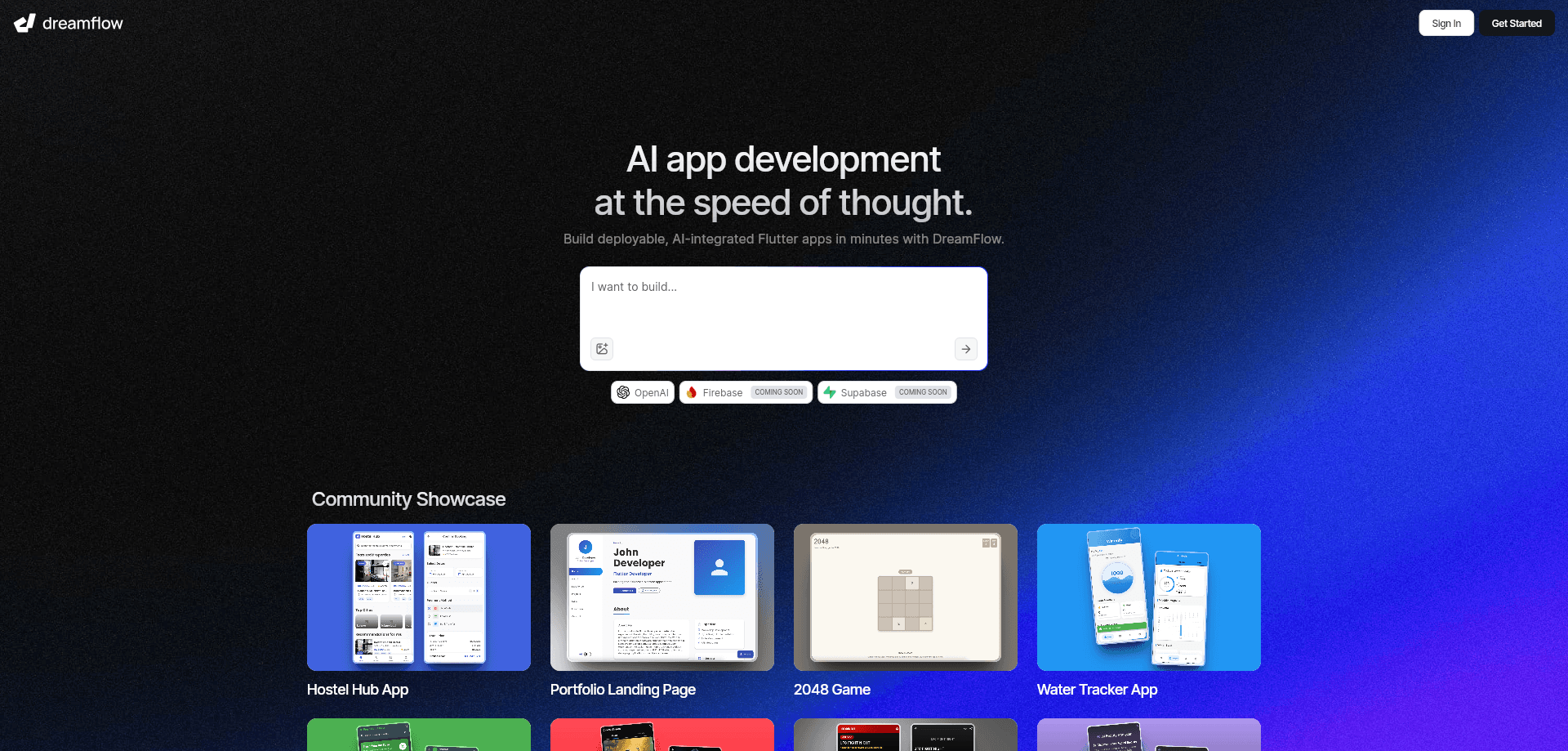
DreamFlow is an AI-first app builder from the FlutterFlow team. You describe an app in plain language, then refine it on a visual canvas or in code, and ship to iOS, Android, and web.
About DreamFlow
What Is DreamFlow
DreamFlow is a browser-based Flutter app builder that works with AI. You start with a prompt, a blank Flutter project, or an imported repo, and the tool scaffolds screens and flows for you. What makes it different from most AI app generators is the code. Everything you build stays as real Flutter source, and that source is the single source of truth. When you drag a widget or edit a property, the code updates with it.
It comes from the team behind FlutterFlow, and the site says the studio is trusted by more than 2 million builders. The pitch is a middle path: AI speed to get going, a visual canvas to stay in control, and code access when you need to go deeper.
The catch is scope. DreamFlow targets Flutter apps, so it won't help you if you want native Swift or Kotlin, or a website framework like React. It's built for people shipping mobile products, and the more complex your app, the more the credit system and the pricing tiers start to matter.
Getting Started
- Sign up at app.dreamflow.com and start a project from a prompt, a template, or a blank Flutter project.
- Describe the app you want, then use the Screen Planner to review the generated screens before you commit to them.
- Adjust the result by asking the agent for changes, editing widgets on the canvas, or writing code directly.
- Run a live preview to compile and test the app, and connect Firebase or Supabase if you need a backend.
- Deploy to web or the app stores, or export the full Flutter project to work on it elsewhere.
Product Information
A quick look at DreamFlow's pricing, supported platforms, and performance.
Best for
The users, tasks, and scenarios where this tool fits best.
Users
- Founders testing an idea
- Flutter developers who want speed
- Designers who can read code
Tasks
- Going from prompt to a first working app
- Adding features to an existing project
- Debugging with AI help
Scenarios
- Building an MVP for a market test
- Prototyping a mobile product for a client
- Learning Flutter by doing
Key features
Tri-Surface Editing
DreamFlow splits building across three surfaces: the AI agent, a visual canvas, and the code editor. Switch between them and they stay in sync, because the code updates as you work on the other two. That's the core idea, and it's what separates DreamFlow from tools that hand you a one-time export and walk away.
AI Agent
The agent takes natural language commands and scaffolds whole screens, implements flows, and adds debug output. It's the fastest way to get past a blank canvas. You can point it at a fresh app or an existing project, and it works on features rather than one widget at a time.
Screen Planner
Before generation runs, the Screen Planner lays out the screens so you can review and adjust the plan. It's a small step that saves rework, since fixing the structure up front beats rebuilding screens after the app is half done. You stay aligned with your product vision instead of reacting to whatever comes out.
Realtime Preview
A managed run session compiles and previews the app as you build. You can watch logs, track state changes, and catch issues while they happen rather than after a deploy. It's the loop that makes iteration feel quick.
Visual Widget Tree
The Widget Tree lets you add, remove, move, wrap, collapse, and expand UI components with drag-and-drop. You can restructure the widget hierarchy without touching code, then confirm the change in the code view. For anyone learning Flutter, seeing the tree and the source move together is a real help.
Firebase and Supabase Integrations
DreamFlow builds in support for Firebase and Supabase, so authentication and databases are available without wiring them up by hand. That matters for full-stack mobile apps, where the backend is usually the slow part. The integrations are managed through the platform.
Git and Code Export
Pro adds version control through Git, and every paid tier from Hobby up includes one-click code export. You're never locked in, since the generated project is standard Flutter you can take elsewhere. That's a meaningful contrast with platforms that only let you edit inside their editor.
Pros and cons
Pros
- The code stays editable and exportable, so you're not locked into the platform.
- Three ways to work, agent, canvas, and code, cut down on switching between separate tools.
- One-click deployment covers web, Play Store, and App Store from the same project.
- Firebase and Supabase support means backend work doesn't require a separate setup.
- The Screen Planner and live preview catch structural problems before they pile up.
Cons
- It only builds Flutter apps, so native iOS or Android projects and web frameworks are out of scope.
- Credits run the AI features, and heavier use burns through the monthly allotment faster than you might expect.
- App store deployment sits behind the Hobby tier, so the free plan only ships to the web.
- There's no documented public API, so you can't drive the builder from your own scripts or pipeline.
Frequently asked questions
DreamFlow builds Flutter mobile apps from natural language prompts. You describe what you want, the agent generates screens and flows, and you refine the result on a visual canvas or in code before deploying to web or the app stores.
Related content
Explore related tools, skills, and articles for DreamFlow.
DreamFlow Alternatives

Google EmbeddingGemma 2
Google DeepMind · Writing · Image · CodingGoogle EmbeddingGemma 2 is a 740M-parameter open model that turns text, code, images, audio, and video frames into vectors in one 768-dimension space, running on phones and laptops.

Tractionwave
TractionWave · Image · MarketingTractionWave is an AI attention heatmap tool for static ads. Upload a PNG or JPG and it returns predicted attention, ranked hotspots, and fixes before you spend budget.

Imejis.io
Imejis.io · Image · MarketingImejis.io is an AI design studio for agents and marketing teams. Describe an image in plain words, and it writes the copy, builds the layout, reflows it to every size, then exports a finished file.