

DreamzAR - AI Landscape Design
ImmEx Technologies, Inc. · Image
DreamzAR is an AI landscaping app that turns a photo of your yard into styled garden plans, then lets you refine them by chat, edit plants in 2D, and walk the result in AR.
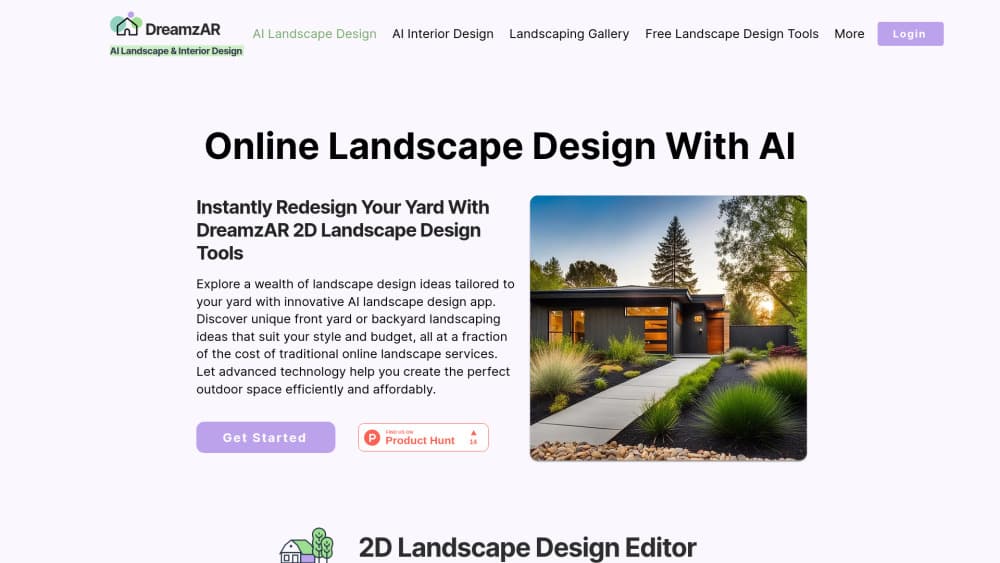
About DreamzAR - AI Landscape Design
What Is DreamzAR
DreamzAR is a landscaping app for phones, tablets, and the web, built by ImmEx Technologies. You photograph a front yard, a backyard, or a patio, pick one of 38 garden styles, and the app redraws that space with new planting, hardscape, and structures. The goal is simple: see the finished yard before you spend money on plants, pavers, or a contractor. For most people it works as a garden design app first and a hardscape planner second.
Three tools share the same project. The AI generator handles the first pass and returns a photorealistic image in about 30 seconds. The 2D photo editor puts a plant library of more than 2,000 items on top of your own photo, so you can drag trees, shrubs, mulch, gravel, pergolas, or a pool into place and adjust the layout by hand. Chat refinement covers the parts you can describe faster than you can drag: type "add more flowers along the pathway" or "make it more tropical" and the AI repaints that area of the picture.
The AR preview is the third piece. Point the camera at the yard and the app drops life-size plants into the live view, which gives you a sense of scale that a flat image can't. It also measures areas and returns cost estimates for the planting you place.
The limits are worth knowing up front. DreamzAR is free to download, but unlimited AI designs sit behind a subscription at $16.60 a month billed annually at $199, or $19.99 month to month. What you get is a visual plan, not a construction document. There are no planting schedules, irrigation drawings, or permits, so a serious build still needs a designer or contractor to check drainage, soil, and local rules. Output quality also tracks the photo you feed it, and a dim or cluttered shot produces weaker results than a clean daylight picture.
Getting Started
- Install DreamzAR from the App Store or Google Play, or open the web version in a browser.
- Take a photo of the yard in daylight, standing back far enough to capture the whole area you want to change.
- Choose a style from the 38 options, or let the app pick one for you, and wait for the first AI render.
- Refine the design in chat, describing what to add, remove, or change, and regenerate as often as you need.
- Open the 2D editor to swap plants and hardscape, then use the AR view on site to check scale and get cost estimates.
Product Information
A quick look at DreamzAR - AI Landscape Design's pricing, supported platforms, and performance.
Best for
The users, tasks, and scenarios where this tool fits best.
Users
- Homeowners planning a yard makeover
- DIY gardeners
- Landscapers and contractors
- New homeowners with a bare yard
Tasks
- Picking a garden style
- Testing plant combinations
- Estimating plant counts and cost
- Presenting options to a client
Scenarios
- Selling a house and needing curb appeal
- A backyard nobody uses
- Checking scale on site
Key features
AI Design Generator with 38 Styles
Upload a photo and the generator returns a redesigned version of the same view in about 30 seconds. The style list runs from Japanese Zen and modern minimalist to tropical, Mediterranean, English cottage, drought resistant xeriscaping, French formal, coastal, rock, woodland, and prairie, with 18 more including feng shui and Italian Renaissance. Each style is a curated prompt rather than a random filter, so the planting choices stay coherent across the image.
Chat-Based Refinement
Instead of rebuilding a design from scratch, you describe the change in plain language and the AI applies it to the current image. Requests like "remove the fence", "add a seating area near the patio", or "use more native grasses" work on the existing render, which keeps the rest of the design intact. This is the fastest path when you like 80 percent of a result and want to fix the remaining 20.
2D Photo Editor with 2,000+ Plants
The editor drops a large plant library onto your own photo. It covers more than 200 trees, 350 shrubs, 600 flowers, 150 grasses, 180 succulents, and 200 vegetables, plus hardscape items like pools, walkways, driveways, and patios, structures such as pergolas, gazebos, and fences, and decorations including fountains, planters, and lighting. Each plant carries care information, growth data, and regional compatibility, so the design doubles as a shopping reference.
3D Augmented Reality Walkthrough
The AR mode places life-size plants in your actual yard through the phone camera. You can walk around a proposed tree or hedge and judge whether it fits the space, measure areas for beds and paving, and pull cost estimates for the elements you add. It's the step that turns a picture into something you can stand inside.
Offline Projects and Saved Designs
Projects save to your account and reopen later, and the 2D editor keeps working without a connection, which matters on a job site or in a backyard with weak signal. You can return to a design weeks later, add a phase, or hand the same project to someone else on the same account.
Cross-Device Access
The same project opens on an iPhone, an iPad, an Android phone, or a browser. Photograph the yard on a phone, refine it on a tablet with a bigger screen, and show the client from a laptop, without exporting files or rebuilding the design.
Pros and cons
Pros
- The first AI render takes about 30 seconds, so trying five styles costs a few minutes rather than an afternoon.
- Chat refinement changes one part of a design without resetting the rest, which keeps good results usable.
- The plant library is unusually deep at 2,000+ items with care and regional data, so designs stay realistic for your climate.
- AR scale checks and cost estimates connect the picture to a budget and to what fits in the actual yard.
- The same account works across iOS, Android, and the web, and projects reopen where you left them.
Cons
- Unlimited AI designs require a subscription at $16.60 a month on annual billing or $19.99 month to month, so casual users pay the same as heavy ones.
- Output is a visual plan only, with no planting schedule, irrigation layout, or permit paperwork, which means large projects still need professional drawings.
- Results depend on photo quality, and a low light or cluttered shot can produce plants that don't match the real light and soil conditions.
- The AI follows style prompts closely, so unusual lots with steep slopes or heavy shade may need manual correction in the 2D editor.
Frequently asked questions
DreamzAR is an AI garden design app that turns a photo of a yard into a plan you can see before you build it. It generates styled options with AI, lets you place plants and hardscape yourself in a 2D editor, and previews the result at life size in AR.
Related content
Explore related tools, skills, and articles for DreamzAR - AI Landscape Design.
DreamzAR - AI Landscape Design Alternatives

Google EmbeddingGemma 2
Google DeepMind · Writing · Image · CodingGoogle EmbeddingGemma 2 is a 740M-parameter open model that turns text, code, images, audio, and video frames into vectors in one 768-dimension space, running on phones and laptops.

Tractionwave
TractionWave · Image · MarketingTractionWave is an AI attention heatmap tool for static ads. Upload a PNG or JPG and it returns predicted attention, ranked hotspots, and fixes before you spend budget.

Imejis.io
Imejis.io · Image · MarketingImejis.io is an AI design studio for agents and marketing teams. Describe an image in plain words, and it writes the copy, builds the layout, reflows it to every size, then exports a finished file.