

dressme
DressMe · Image
DressMe is an AI virtual try-on stylist that puts outfits on your own photo in seconds, matches pieces from your wardrobe, and answers style questions before you buy.
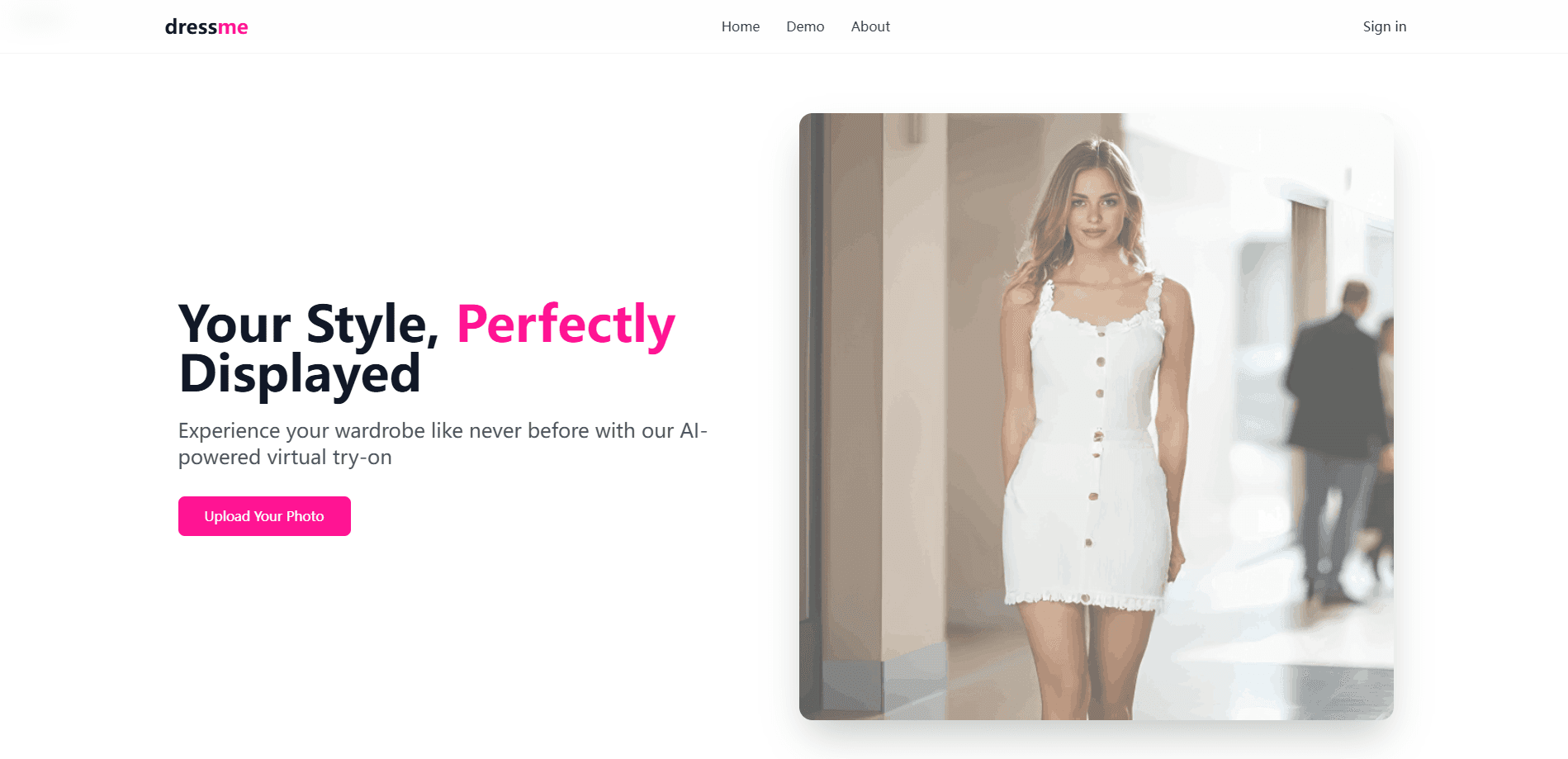
About dressme
What Is DressMe
DressMe is a web app to try on outfits online, on a photo of yourself. You upload one clear, front-facing shot, pick a garment from a catalog or your own wardrobe, and the AI renders the look on your body in under ten seconds. The pitch is simple: preview virtual try-on clothes before you commit, at the store checkout or in front of a full closet.
Three tools sit at the center of it. Virtual try-on shows how a piece falls on your body type. Upload-and-Pair takes photos of clothes you already own and suggests matching garments based on style compatibility. Fashion Advice is a chat that answers questions like whether an outfit works for a beach day or an interview. Together they cover the whole loop from "what do I have" to "what should I wear."
The catch is that results live inside a credit system, and quality tracks the photo you feed it. No separate outfit planner sits on top; the pairing and advice tools do that work. Blurry or poorly lit shots produce weaker renders, and the platform is honest that a clear, well-lit front-facing photo is the difference between a usable preview and a throwaway. There's no subscription, but there's also no free tier, so you pay per batch of credits rather than a monthly fee.
Getting Started
- Create an account on the DressMe site and buy a credit pack, since every render spends credits.
- Upload a clear, front-facing photo of yourself to use as your try-on base.
- Pick a garment from the curated collection, or upload photos of your own clothes to pair them.
- Run the try-on and review the render, then ask the fashion advice tool for feedback if you want a second opinion.
- Save your favorite looks and use them to decide what to wear or buy.
Product Information
A quick look at dressme's pricing, supported platforms, and performance.
Best for
The users, tasks, and scenarios where this tool fits best.
Users
- Online shoppers
- People building a capsule wardrobe
- Style newcomers who want feedback
- Content creators and resellers
- Anyone building a virtual wardrobe
Tasks
- Trying an outfit on your own photo
- Matching garments from your wardrobe
- Getting occasion-specific advice
- Comparing two looks before buying
- Saving and revisiting favorites
Scenarios
- Deciding what to wear before a big day
- Shopping online for a fit-sensitive item
- Clearing a packed closet
- Planning a wardrobe for a trip
Key features
Virtual Try-On
You upload a front-facing photo and DressMe renders any garment on your body type in real time. The site advertises results in under ten seconds, which keeps the loop fast enough to compare several items in one sitting. It works for both men's and women's clothing, from casual to formal.
Upload-and-Pair
Instead of starting from a catalog, you photograph clothes you already own and let DressMe suggest matching garments based on style compatibility. This turns a scattered wardrobe into usable combinations and is the feature that helps most when you feel like you have nothing to wear.
Fashion Advice Chat
Ask questions about an outfit and get instant styling feedback. The tool handles plain, everyday asks such as whether a look suits a beach day, an interview, or a specific event, and it can suggest additions to finish an outfit.
Credit-Based Pricing
DressMe skips subscriptions and sells one-time credit packs instead. The Quick Style pack costs $1.99 for 100 credits, Chic Collection is $3.99 for 300, and Ultimate Wardrobe is $9.99 for 900. Credits don't expire, and higher packs remove the watermark on results.
HD Output and Watermark Control
Renders come out in HD quality, and the paid tiers above the entry pack strip the watermark. That matters if you plan to post the result or show it to someone rather than just keep it for yourself.
Privacy-First Processing
DressMe states that uploaded images are processed securely and deleted from its servers after processing, and that it doesn't sell or share your data. Since the whole flow depends on you handing over personal photos, that policy is a real part of the decision.
Pros and cons
Pros
- Fast renders keep the preview loop quick enough to compare several outfits in one sitting.
- Upload-and-Pair works from your own clothes, so you get value without buying anything new.
- Credit packs are one-time purchases and never expire, which suits occasional rather than daily use.
- Fashion Advice chat answers everyday styling questions in plain language.
- Works across desktop, tablet, and smartphone, so you can preview from wherever you take the photo.
Cons
- No free tier, so you can't test the render quality before spending money on credits.
- Output quality leans on your source photo, and a blurry or badly lit shot produces a weak result.
- The watermark stays on the cheapest pack, which limits how you can use those renders.
- No published API, so you can't wire DressMe into your own store or app workflow.
Frequently asked questions
No. DressMe runs on one-time credit packs rather than a free tier, starting at $1.99 for 100 credits. You need credits before you can generate a try-on.
Related content
Explore related tools, skills, and articles for dressme.
dressme Alternatives

Google EmbeddingGemma 2
Google DeepMind · Writing · Image · CodingGoogle EmbeddingGemma 2 is a 740M-parameter open model that turns text, code, images, audio, and video frames into vectors in one 768-dimension space, running on phones and laptops.

Tractionwave
TractionWave · Image · MarketingTractionWave is an AI attention heatmap tool for static ads. Upload a PNG or JPG and it returns predicted attention, ranked hotspots, and fixes before you spend budget.

Imejis.io
Imejis.io · Image · MarketingImejis.io is an AI design studio for agents and marketing teams. Describe an image in plain words, and it writes the copy, builds the layout, reflows it to every size, then exports a finished file.