

EbSynth
Secret Weapons, Inc. · Image · Video
EbSynth is a video stylization tool that spreads edits from a few painted keyframes across a whole shot. Animators and indie filmmakers use it for hand-drawn looks and fast retouching.
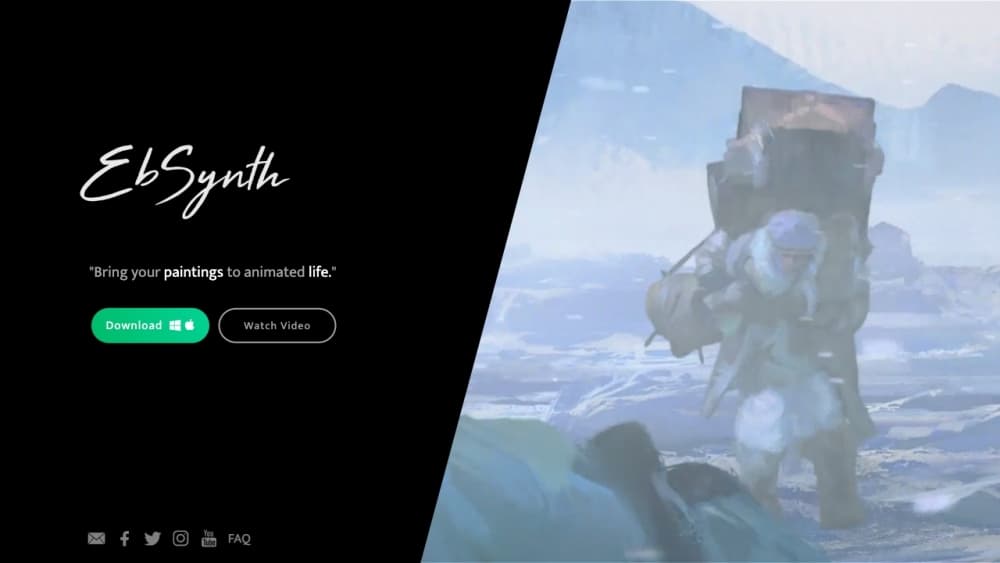
About EbSynth
What Is EbSynth
EbSynth is VFX software built around one idea: fix a frame, and the rest of the shot follows. You paint or edit a small number of keyframes, feed the original footage in as a guiding video, and the tool copies that look onto every frame in between. Rotoscoping, digital makeup, colorizing, and painterly animation all become variations of the same job.
The engine is a texture-synthesis algorithm, not a generative model. It reads optical flow from your footage and reuses pixels from your keyframes, so fine detail in the source clip survives the transfer. That matters when a client wants a painted look but still needs the actor's face to read correctly. The catch is that weak tracking produces smeared or rippling edges, and fixing them takes manual work.
Secret Weapons, Inc. runs the product. The current release works in a desktop browser, with an optional Windows app for studios that can't upload footage. The company recommends Chrome for long or high-resolution projects.
Getting Started
- Create a free account at ebsynth.com and open the web app on a computer, since the editor won't load on phones or tablets.
- Upload the guiding video, trim the section you want to rework, and pick a frame with clear poses and plenty of visible detail.
- Paint a keyframe that matches the shapes in that frame, or generate one with the built-in image tool, then add more keyframes wherever the result breaks down.
- Run the synthesis, scrub through the shot to check for artifacts, and export an MP4. Pro users can also export PNG sequences with alpha.
Product Information
A quick look at EbSynth's pricing, supported platforms, and performance.
Best for
The users, tasks, and scenarios where this tool fits best.
Users
- 2D animators and illustration students
- Indie filmmakers and music video directors
- Retouchers and colorists
Tasks
- Paint over video to create a rotoscope-style sequence
- Clean up or de-age a face across a shot
- Colorize black-and-white footage
- Style line art or 2D animation
Scenarios
- A ten-second stylized insert for a short film
- Music videos that need a painterly or comic-book look on a tight schedule, where a handful of keyframes per shot is enough.
- Previsualizing a look before a full VFX pass, so the director can approve the direction before anyone commits budget.
Key features
Keyframe Propagation
This is the whole product in one feature. You supply a guiding video and a set of edited frames, and EbSynth calculates optical flow between them to paint the frames in between. The output follows the original motion rather than a generated approximation, so the performance stays intact. Add keyframes only where the synthesis fails, which usually means fast turns, occlusion, or a new angle.
Paint Over Video
For hand-drawn animation, you paint one frame in the style you want and let the tool carry it across the take. The workflow fits keyframe animation habits: block the pose, check the middle of the shot, then patch the problem areas. Because the tool keeps your brush texture, the finished clip reads as drawn rather than filtered.
Retouch and Colorize Without Tracking
Digital makeup, blemish removal, and colorizing normally require tracking points and cleanup. EbSynth skips most of that. Fix the skin on a single frame and the correction rides along with the actor's face. On a close-up with soft light, the result holds up well. On shiny surfaces or heavy motion blur, expect to redo sections by hand.
Optional AI Keyframe Generation
The editor includes a Generate Image option that creates a keyframe from a text prompt, so you can start a video restyling pass without painting anything. It's an add-on, not the core engine, and the company is explicit that the propagation itself doesn't use AI. Generated frames often carry small artifacts, which you can paint over and then polish with a second, lighter pass.
Layered Tracks and Alpha Keyframes
Shots rarely move as one piece. EbSynth lets you split a scene into separate tracks for the background, face, or eyes, each with its own keyframe timing. Transparent keyframes work on their own track, so an eye correction or a floating element can be isolated with an alpha channel. This is the feature that separates a clean composite from a smeared mess.
Flexible Export and a Local Studio Option
The free plan exports 720p MP4 files with every core tool unlocked. Pro adds 1080p and 4K renders, PNG sequences with alpha, and priority processing for $20 a month. Studios that can't send footage to a third party can pay $200 per seat each month for a Windows desktop build that runs entirely offline, which also suits NDA work.
Pros and cons
Pros
- The free plan isn't a demo: it includes every core function, with no time limit and no watermark, and only caps export resolution.
- It replaces the slowest part of rotoscoping software, the manual tracking and cleanup, with a keyframe pass.
- The pixel-based synthesis keeps original detail, so faces and textures don't turn plastic the way some AI animation tools make them.
- Alpha keyframes and PNG export fit into existing compositing pipelines without extra keying work.
- Nothing to install for most users, since the editor runs in a browser.
Cons
- On Free and Pro, your footage is uploaded to Secret Weapons' servers for rendering, which rules out confidential material unless you pay for Studio.
- Results depend on optical flow. Shiny fabrics, flat walls, hard shadows, and fast motion all cause artifacts that need manual repair.
- It isn't a full VFX suite: there's no timeline editor, no masking toolkit, and no built-in paint application beyond the keyframe canvas.
- The browser editor needs a desktop machine, and the offline Windows version costs $200 per seat per month, a big jump for a solo artist.
Frequently asked questions
Yes. The Free plan includes all core functions with no time limit, and it exports 720p MP4 files. The paid Pro plan at $20 a month adds 1080p and 4K exports, PNG sequences with alpha, and priority rendering.
Related content
Explore related tools, skills, and articles for EbSynth.
EbSynth Alternatives

Google EmbeddingGemma 2
Google DeepMind · Writing · Image · CodingGoogle EmbeddingGemma 2 is a 740M-parameter open model that turns text, code, images, audio, and video frames into vectors in one 768-dimension space, running on phones and laptops.

Tractionwave
TractionWave · Image · MarketingTractionWave is an AI attention heatmap tool for static ads. Upload a PNG or JPG and it returns predicted attention, ranked hotspots, and fixes before you spend budget.

Imejis.io
Imejis.io · Image · MarketingImejis.io is an AI design studio for agents and marketing teams. Describe an image in plain words, and it writes the copy, builds the layout, reflows it to every size, then exports a finished file.