
Convert Image to PowerPoint
GPTSci · Productivity · Other
Edit in PPT turns images, PDF pages and NotebookLM decks into editable PowerPoint slides with real text boxes, tables and charts. Five free credits a month, then packs from $3.
About Convert Image to PowerPoint
What Is Edit in PPT
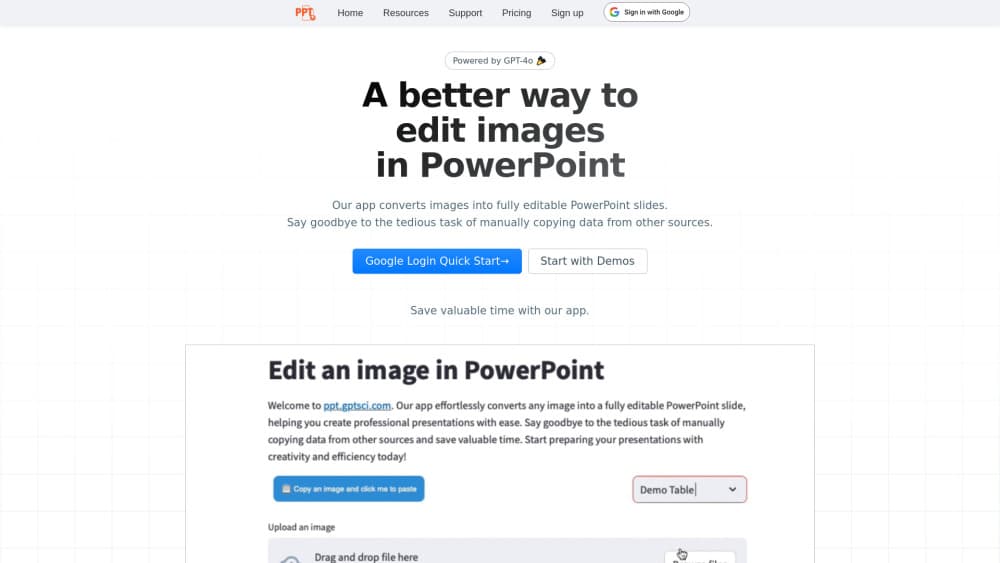
Edit in PPT is a web app that rebuilds a flat picture as a working .pptx file. You upload a screenshot of a slide, a scanned PDF page, or the deck NotebookLM handed you. The app reads the headings, paragraphs, tables and charts inside the picture, then places each one back on top of the original artwork as a native PowerPoint object. Retype a line, add a row to the table, restyle the whole slide to match your template. Nothing stays trapped inside the image.
Most people arrive with a file they can't edit. A slide that only exists as a PNG, or a deck full of unselectable NotebookLM text, means rebuilding the thing by hand, box by box. That's the job this AI slide converter takes off your desk. Batch mode accepts up to 50 slides per submission, keeps the original order, and returns one file at the end.
Two limits matter before you spend credits. Conversions need an account, because every slide runs through paid vision models. And results track the source: a clean screenshot of typed text comes back close to perfect, while handwriting, angled phone photos and crowded charts usually need a pass of manual cleanup afterward.
Getting Started
- Sign up at ppt.gptsci.com. Every account starts with 5 free credits per month, and inviting a colleague adds more.
- Pick a tab. Image to PPT takes PNG, JPG, WEBP, BMP, TIFF and HEIC files or PDF pages, NotebookLM to PPT takes a deck export, and Text to PPT builds a slide from an outline you type.
- Choose a model. Lighter ones cost fewer credits and handle simple images fine, stronger ones do better on dense charts and small type.
- Upload and convert. Each image or PDF page becomes one slide, in the order you gave them.
- Refine in chat, then download the .pptx or open it in Google Slides.
Product Information
A quick look at Convert Image to PowerPoint's pricing, supported platforms, and performance.
Best for
The users, tasks, and scenarios where this tool fits best.
Users
- Consultants and analysts
- Students and teachers
- Marketing teams
- Trainers and freelancers
Tasks
- Converting an image to a slide
- Pulling PDF pages into a deck
- Making a NotebookLM deck editable
- Translating or reshaping a finished deck
Scenarios
- Rebuilding a deck from a folder of webinar screenshots.
- Turning a research export into a client-ready file the night before a meeting.
- Restyling an old deck when the original source file is long gone.
Key features
Image to Editable Slides
The core conversion covers PNG, JPG, WEBP, BMP, TIFF and HEIC. Text comes back as text boxes, tables as tables you can add rows to, and charts as charts with editable data, all sitting on the original image. That means you keep the look of the source slide and still own every element on it.
NotebookLM to PPT
NotebookLM draws each slide as a flat picture, so its own export leaves you with text you can't select. This tab takes the deck exactly as NotebookLM produced it, keeps the artwork as a background layer, and rebuilds every heading, paragraph, table and chart on top. Use the unmodified export for the cleanest result.
PDF to PowerPoint, Page by Page
A multi-page PDF becomes a deck. Each page turns into one slide, in order, which suits scanned handouts, board packs and reports that never had an editable original. Scanned pages go through the same vision models as photos, so type size in the source decides how much cleanup follows.
Text to PPT
No file needed. You describe the slide or paste an outline, and the app generates one from scratch. Useful when the meeting needs a title slide in ten minutes and there's nothing to convert.
Batch Mode for Whole Decks
Submissions can hold up to 50 slides, and the order you upload is the order you get back. One download covers the entire deck, which is the difference between fixing 40 slides in one sitting and repeating a single-slide workflow 40 times.
Plain-Language Edits
After conversion, the slides stay open to chat requests. Ask for a translation, for bullets instead of a paragraph, or for a new quarter in a table, and the file comes back updated. No menu hunting, no rebuilding the layout.
Model Choice and Credit Control
A slide costs between 1 and 5 credits depending on the model you pick. Cheap models make sense for clean text slides, stronger ones for data-heavy pages that a light model would garble. Five credits land in the account every month, and invites add more.
Pros and cons
Pros
- The output is a normal .pptx with native text boxes, tables and charts, so it restyles to your own template instead of staying a picture.
- Batch mode takes a whole deck in one go, up to 50 slides, and returns them in the original order.
- The NotebookLM to PPT path keeps the original artwork while freeing the text, which NotebookLM's own export can't do.
- Five free credits a month plus invite bonuses let you test on real slides before paying.
- Uploads are cleaned up after the deck is delivered, and you can delete your account and its data yourself.
Cons
- Every conversion needs an account and credits, so a single urgent slide still means signing up first.
- Handwriting, angled photos and crowded charts come back partly wrong, which eats the time you wanted to save.
- Credits per slide range from 1 to 5 by model, so a quote is hard to give before you see how a file turns out.
- No public API is documented, which rules out wiring the converter into an existing content pipeline.
Frequently asked questions
It converts pictures of slides into editable PowerPoint files. You upload an image, a PDF page, a NotebookLM export or plain text, and the app rebuilds the headings, paragraphs, tables and charts as native PowerPoint objects over the original artwork, which is how you convert images to editable PowerPoint slides without retyping them.
Related content
Explore related tools, skills, and articles for Convert Image to PowerPoint.
Convert Image to PowerPoint Alternatives

Base Code
Base44 (Wix) · Coding · ProductivityBase Code is a shared cloud development environment from Base44. Teammates describe changes to an existing GitHub codebase in chat, preview them live and send them back as pull requests.

Knocket
Knocket (Tencent RTC team) · Productivity · Business · ChatbotKnocket is a free live chat and contact page tool that lets visitors message you from your website, app, or a shareable link, with every reply handled from Telegram or one inbox.

FloorGen
Vinit Kumar (FloorGen) · Productivity · China AIFloorGen is a browser-based floor plan maker that turns a sentence or a sketch into an editable 2D plan and a 3D walkthrough. Export to PDF, DXF or video, and draw without an account.