

Edmin
EDMIN Innovations Pvt. Ltd. · Productivity · Leaning
Edmin is an AI education management system that runs admissions, exams, fees, and accreditation for colleges and schools on one cloud platform.
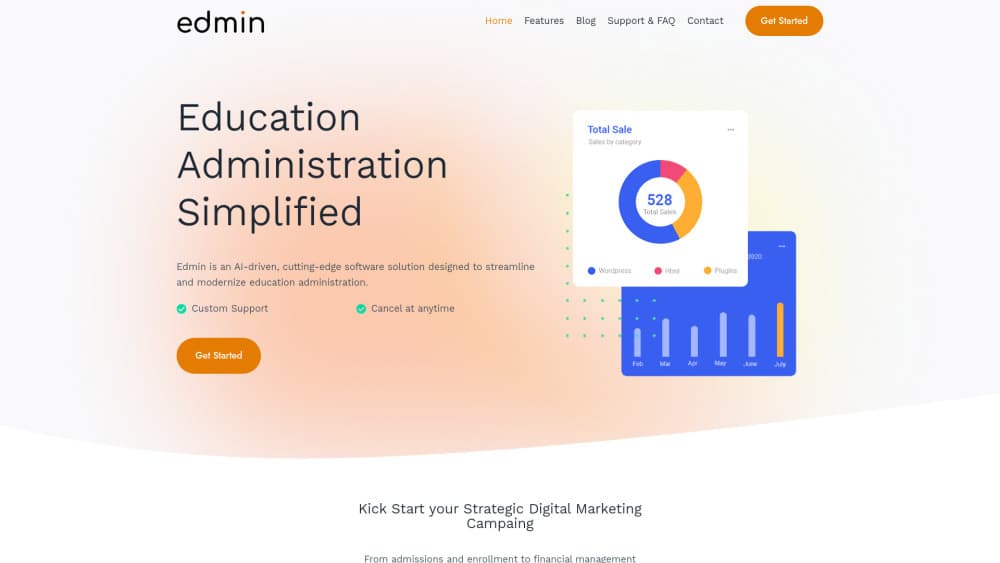
About Edmin
What Is Edmin
Edmin is a cloud platform built by EDMIN Innovations Pvt. Ltd., a company based in Bengaluru, India. Think of it as an education administration software suite. It packs the daily paperwork of a school or college into one system: admissions, academics, examinations, fees, faculty, library, transport, hostel, and placement. The pitch is simple. Staff stop juggling a dozen spreadsheets and a filing cabinet. Every module already talks to the others.
The part that stands out is accreditation. Edmin's AI reads data you already entered and builds the documentation that NAAC, NBA, IQAC, NIRF, and Washington Accord reviews ask for. Anyone who's sat through an accreditation cycle knows how much that matters. That makes it one of the few NAAC accreditation software options that folds the paperwork into a broader admin platform. What sets it apart from a plain document tool? The reports pull live data instead of snapshots. The platform also ships role-based dashboards, so an HOD, a parent, and a student each see a different screen instead of the same wall of menus.
Two limits are worth flagging up front. Edmin doesn't publish its prices, so you can't compare plans without talking to sales. And it's built for institutions, not individuals. A solo tutor has no use for it.
Getting Started
- Book a demo through the contact form on edmin.co or email [email protected] to see the platform against your own workflows.
- Once your institution is onboarded, the team imports your existing records, using the student and staff templates in the Data Import panel.
- Set up roles for admins, faculty, students, parents, HODs, and alumni, then assign permissions for each group.
- Start with one module, usually admissions or attendance, and turn on the rest as staff get comfortable.
- Connect your existing SIS or LMS so records stay in sync across systems.
Product Information
A quick look at Edmin's pricing, supported platforms, and performance.
Best for
The users, tasks, and scenarios where this tool fits best.
Users
- College administrators
- Principals and deans at K-12 schools
- Faculty and HODs
Tasks
- Managing NAAC and NBA accreditation
- Running examinations end to end
- Handling fees and payments
Scenarios
- Admissions season
- Accreditation prep
- Day-to-day campus operations
Key features
AI Documentation for Accreditation
Edmin generates the documents and reports that NAAC, NBA, IQAC, NIRF, and Washington Accord reviews require, pulling from data already in the system. The AI also handles compliance checklists and version control for the evidence you submit. For institutions facing a review, this is the feature that saves the most time. It's the difference between assembling binders and clicking a button.
End-to-End Examination Management
The platform runs online and offline exams, auto-builds schedules and seating plans, and processes results before publishing them. Edmin tailors the examination setup to autonomous institutions and universities, so custom grading rules fit rather than get bent out of shape. Results don't wait on a spreadsheet.
Role-Based Dashboards
Every user role gets its own dashboard: Admin, Faculty, Student, Parent, HOD, Institution Admin, and Alumni. Each screen shows the widgets and quick actions that role actually needs, so a parent checking attendance never has to wade through exam configuration menus meant for an institution admin. Fewer menus to learn means less training time, which matters when staff turnover is high.
Student Lifecycle and Admissions
Edmin covers a student from the first application to graduation. In practice it works as a student information system, holding records and academic history in one place rather than three. Online admission and document management handle enrollment. An application tracking system keeps the admissions office from losing candidates in the shuffle.
Fee Management and Payments
A built-in payment gateway handles tuition fees alongside fee tracking and receipts. Because finance lives next to student records, you see who's paid and who hasn't without exporting data between tools. No middle step. No reconciliation at month end. Vendor and procurement workflows round out the administrative side.
Analytics and Predictive Insights
Edmin draws data from every module into one analytics layer. Institutions get performance and attendance analytics, outcome-based education (OBE) metrics, feedback analysis, and trend views that flag students who may need support before a failing grade appears on a report card at the end of the term. One customer noted the analytics help them catch problems before they become critical.
Faculty and Academic Planning
Faculty profiles, workload management, leave tracking, and HR and payroll sit in the same system as the academic calendar. Automated timetable generation and course scheduling cut the manual planning that usually eats a week at the start of term, when dozens of faculty, rooms, and subject combinations all need to line up without a single clash. Lesson plans and course files stay attached to the right course.
Integrated Modules Beyond the Classroom
Library management, transport, hostel, canteen, placement, and internship portals run on the same data layer. Edmin also connects with your existing SIS, LMS, and third-party tools through integrations, so you don't have to abandon the systems your staff already trust and use every single day. So why does that matter? Switching costs time, and Edmin avoids the rip-and-replace headache.
Pros and cons
Pros
- Accreditation tooling covers NAAC, NBA, IQAC, NIRF, and Washington Accord, which is rare among education administration platforms.
- All modules share one data layer, so records sync without manual exports between departments.
- Role-based dashboards reduce onboarding time by showing each user only what matters to them.
- The platform states FERPA and GDPR compliance, addressing the two data rules most schools get asked about.
- Cloud-based with access from any device, so staff aren't chained to a campus desktop.
Cons
- Pricing isn't published, so you can't compare costs or budgets without a sales conversation.
- Setup expects a real institution with roles, departments, and existing data, which makes it overkill for individual tutors.
- Some modules, such as placement and hostel management, may be unused by smaller schools, so you pay attention to features you won't touch.
- Support hours listed are 9 AM to 6 PM IST on weekdays, which is awkward for institutions in other time zones.
Frequently asked questions
Edmin is education administration software that runs the operational side of a school or college: admissions, academics, examinations, fees, faculty, and accreditation. It replaces scattered spreadsheets with connected modules.
Related content
Explore related tools, skills, and articles for Edmin.
Edmin Alternatives

Base Code
Base44 (Wix) · Coding · ProductivityBase Code is a shared cloud development environment from Base44. Teammates describe changes to an existing GitHub codebase in chat, preview them live and send them back as pull requests.

Knocket
Knocket (Tencent RTC team) · Productivity · Business · ChatbotKnocket is a free live chat and contact page tool that lets visitors message you from your website, app, or a shareable link, with every reply handled from Telegram or one inbox.

FloorGen
Vinit Kumar (FloorGen) · Productivity · China AIFloorGen is a browser-based floor plan maker that turns a sentence or a sketch into an editable 2D plan and a 3D walkthrough. Export to PDF, DXF or video, and draw without an account.