

Effie: Write & Note
Shanghai Qijiaer Technology · Productivity
Effie is a minimalist app for writing and notes that pairs a distraction free editor with outline, mind map and AI tools that draft, summarize and polish text.
About Effie: Write & Note
What Is Effie
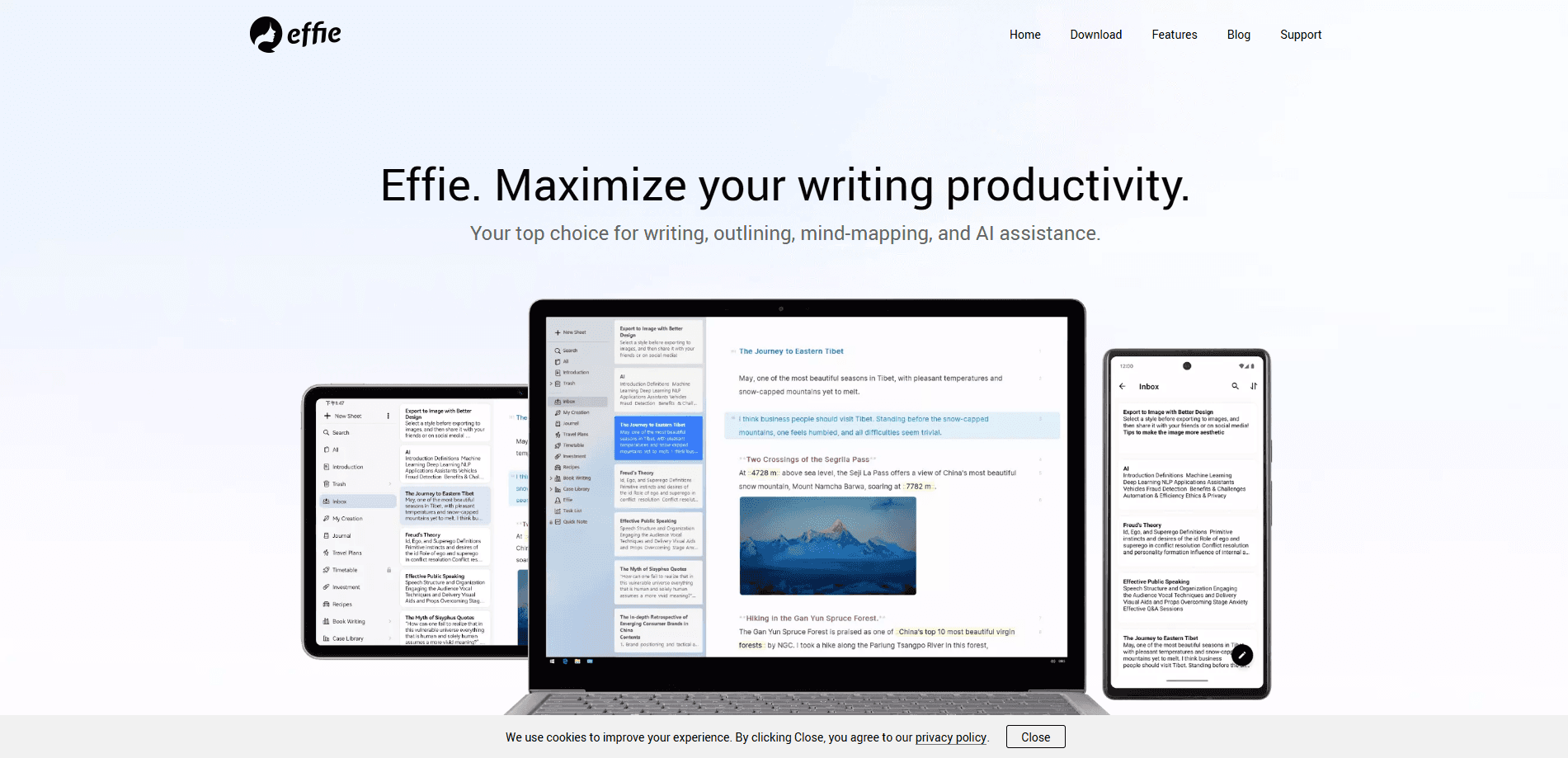
Effie is a writing app built around one idea: keep the interface out of the way so your thoughts get onto the page. It comes from Shanghai Qijiaer Technology and launched on January 6, 2021. The workspace is deliberately plain. No color theme, almost no buttons, and a Markdown style editor that locks your formatting after two minutes of use. There's an outline panel on the left, a card view in the middle and the editor on the right.
What makes it more than a text box is the link between writing and structure. You write an outline, then turn it into a mind map with one click, and edits sync both ways. Writers who plan in an outline but draft in prose no longer bounce between two apps. Effie AI sits on top of that, and it can summarize a document, generate an outline, expand or shorten a passage, switch tone and fix grammar.
The limits are worth knowing up front. Effie is a single user tool, so there's no team collaboration or real time co-editing. Free accounts get only a small amount of AI use, and the deeper AI work sits behind the Pro AI plan. There's no public API for developers to build on.
Getting Started
- Download Effie for Mac, Windows, iPhone, iPad or Android from the official site and sign in
- Start a new note on the card list and write in the Markdown style editor
- Type a dash and a space to create an outline entry, then convert it to a mind map from the outline
- Open the AI panel to summarize, expand or polish a selection, or to brainstorm new ideas
- Export the finished piece as PDF, DOCX, Markdown, plain text or an image
Product Information
A quick look at Effie: Write & Note's pricing, supported platforms, and performance.
Best for
The users, tasks, and scenarios where this tool fits best.
Users
- Writers
- Students
- Bloggers and content creators
- Researchers and analysts
- Note loving professionals
Tasks
- Drafting long form writing
- Building an article outline
- Summarizing a document
- Polishing and rewriting
- Capturing quick notes
- Exporting for publishing
Scenarios
- A blogger planning a post
- A writer switching devices all day
- A student revising at night
- A researcher sorting sources
- A writer stuck mid draft
- A commuter with a sudden idea
Key features
Distraction Free Editor
The editor follows a minimum resistance idea. There's no color theme, no clutter of buttons and no formatting toolbar fighting for attention. You write in Markdown, and the format locks in as you go, so you rarely reach for the mouse. Buttons can be hidden when you want a truly plain page. If you've ever lost a good sentence to a pop up, this is the part that matters.
Outline and Mind Map in One
Effie treats text and structure as the same document. You write an outline, then convert it to a mind map with one click, and changes flow in both directions. Sub nodes can be added, moved or deleted inside the mind map, which helps when an argument needs rearranging. Most people juggle a writing app and a separate mind map software to do this, and here it's one workspace.
Effie AI Assistant
Effie AI covers the writing steps people tend to stall on. It can summarize a long note, generate an outline from a topic, shorten or expand a passage, switch the tone between formal and casual, and correct grammar. There's also a chat panel for brainstorming and a way to expand a specific mind map node into more detail. Free accounts get limited AI runs, so heavy users end up on the paid plan.
Offline Writing With Cloud Sync
You can write with no connection at all, then let notes sync once you're back online. Notes live in local folders on desktop as well as in the cloud, so a plane ride or a dead zone doesn't stop the work. The same draft follows you between Mac, Windows, iPhone, iPad and Android, which keeps a single thread across devices.
Export and Sharing Tools
Finished work leaves Effie in whatever shape you need. Exports include PDF, DOCX, Markdown, plain text and image formats with several visual styles for sharing. On desktop you can also publish straight to WordPress or drag a note out to the desktop as a file. That range covers both a formal document handoff and a quick social share.
Folder and Version Management
Notes sit in folders and subfolders that you can lock, reorder or sort by title or date. You can keep several drafts open in separate windows and merge notes when they belong together. Every note keeps a version history, so a bad edit can be recovered even after you've moved on.
Pros and cons
Pros
- The outline to mind map conversion keeps planning and drafting in one workspace
- The editor stays calm and minimal, so getting into a writing flow is quick
- Offline writing plus cross device sync cover laptops, tablets and phones
- Effie AI handles summaries, rewrites, tone changes and grammar in the same app
- Version history means accidental edits can be restored later
Cons
- There's no team collaboration or real time co-editing, so it's a solo tool
- Free accounts get only a few AI runs, and the full AI set needs a paid plan
- No public API, so it can't be wired into custom developer workflows
- There's no true web app, so you install a client rather than open a browser tab
Frequently asked questions
Effie is a writing and note taking app for planning and drafting text. You build an outline, convert it to a mind map, write in a distraction free editor and use Effie AI for summaries, rewrites and grammar fixes, then export to PDF, DOCX or Markdown.
Related content
Explore related tools, skills, and articles for Effie: Write & Note.
Effie: Write & Note Alternatives

Base Code
Base44 (Wix) · Coding · ProductivityBase Code is a shared cloud development environment from Base44. Teammates describe changes to an existing GitHub codebase in chat, preview them live and send them back as pull requests.

Knocket
Knocket (Tencent RTC team) · Productivity · Business · ChatbotKnocket is a free live chat and contact page tool that lets visitors message you from your website, app, or a shareable link, with every reply handled from Telegram or one inbox.

FloorGen
Vinit Kumar (FloorGen) · Productivity · China AIFloorGen is a browser-based floor plan maker that turns a sentence or a sketch into an editable 2D plan and a 3D walkthrough. Export to PDF, DXF or video, and draw without an account.