

Emotica - Your Emotions
Tirupati Balan · AI Assistant
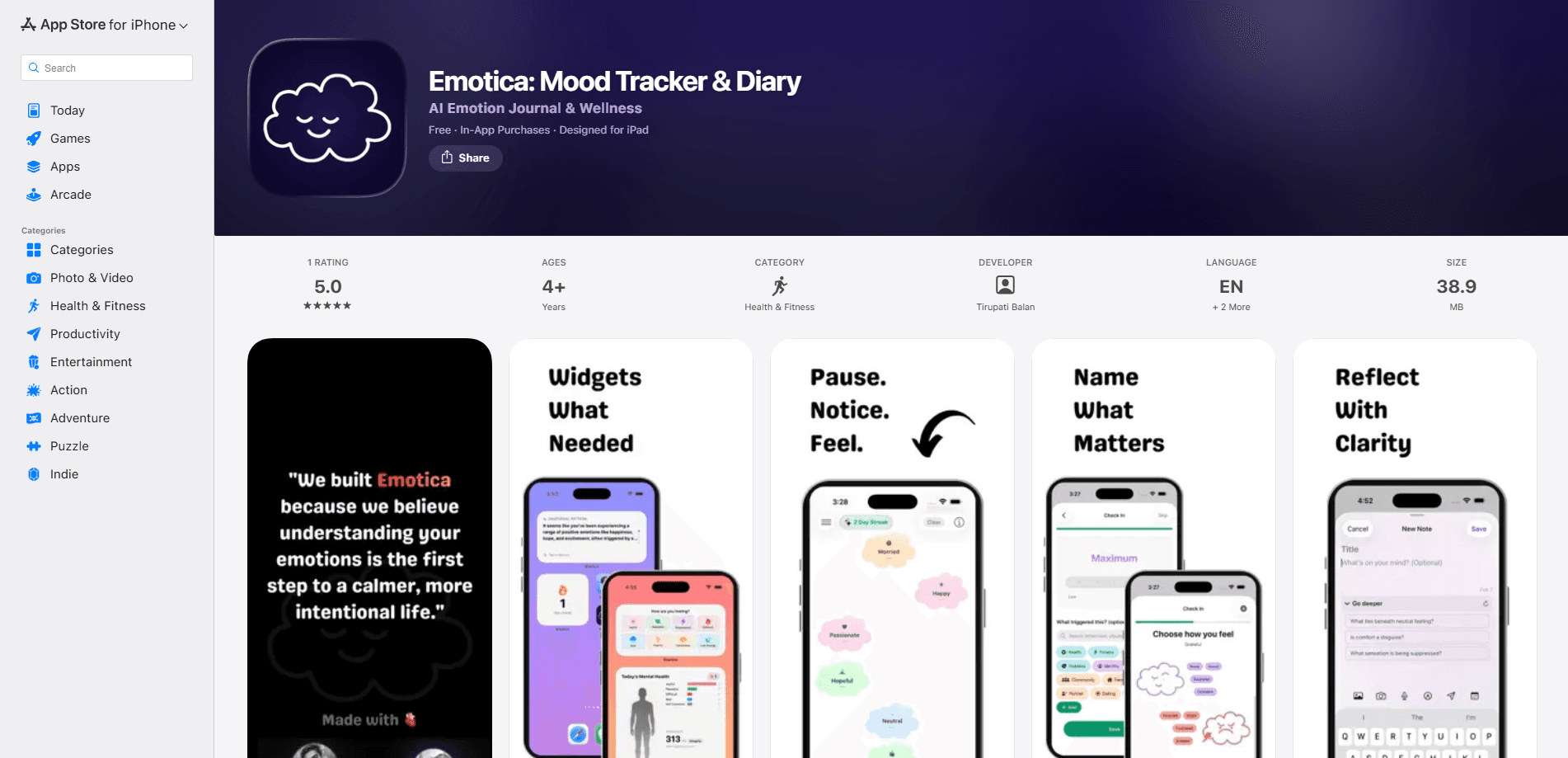
Emotica - Your Emotions is an AI mood journal and emotional wellness companion for iPhone, iPad, Mac and Apple Watch. You log what you feel, tag the triggers behind it, and the app turns those entries into patterns you can actually see. Instead of a colored dot on a chart, it builds a running picture of your emotional life and coaches you from your own past reflections. It's an emotional wellness app that aims to feel less like a spreadsheet.
About Emotica - Your Emotions
What Is Emotica - Your Emotions
Emotica - Your Emotions is a journaling app built around one idea: your feelings deserve more than a single shade of green on a graph. You write or speak an entry, pick the emotion from a set of 35, add an intensity, and the app remembers it. Over time it connects entries, surfaces the triggers that keep showing up, and reflects a version of your week back to you.
The pitch is memory. Most trackers forget you the moment you close them. Emotica stores your reflections locally and uses them to inform the coaching it offers later, so the advice carries your own history rather than generic self-care lines.
Privacy is the other central claim. Voice journaling, semantic search across past entries, and the analysis itself run on-device through Apple Foundation Models, so your notes don't need to leave your phone. The tradeoff is depth: this is a reflection tool, not a therapist. It won't diagnose anything, and if you're in crisis it points you elsewhere.
Getting Started
- Download Emotica - Your Emotions from the App Store and open it on your iPhone, iPad or Mac.
- Set up a first entry. Type, dictate with the voice journal, or pick from the 35 emotions and 20 triggers on screen.
- Adjust your AI coach in settings. Choose its style, the topics it focuses on and how detailed its replies run.
- Log a few check-ins over the week, then open the weekly insight to review the patterns it found.
- Turn on the widgets, Siri shortcuts or Apple Health sync if you want the app to prompt you at the right moments.
Product Information
A quick look at Emotica - Your Emotions's pricing, supported platforms, and performance.
Best for
The users, tasks, and scenarios where this tool fits best.
Users
- People new to journaling
- Anyone in therapy or counseling
- Privacy-minded diarists
Tasks
- Spotting emotional triggers
- Tracking mood over weeks
- Building a reflection habit
Scenarios
- A rough week at work
- Managing anxiety day to day
- Keeping a private diary on a shared device
Key features
Emotions, triggers and detail
Emotica organizes entries around 35 emotions sorted into 8 categories, plus 20 common triggers. You add intensity, photos, doodles or voice notes, and you can write your own custom emotions when the built-in list doesn't fit. That level of detail is what makes later patterns meaningful rather than vague. A good feeling tracker needs the vocabulary to match the moment.
Your mind clouds
Instead of a flat chart, Emotica renders your feelings as clouds drifting through a personal sky. They move, merge and fade as the day goes on. It's a quieter way to see your emotional week, and it makes trend-spotting feel less clinical. Weird at first. Then oddly calming.
An AI coach that remembers you
The coach pulls from your earlier reflections when it responds, so guidance is anchored to things you actually wrote. You can change its style, pick which areas it focuses on, and control how deep its replies go. It won't hand you the same tip twice.
On-device AI and private journaling
Voice journaling uses on-device speech recognition, and local semantic embeddings find links between entries that share meaning, not just keywords. Analysis runs through Apple Foundation Models, which keeps the work on your hardware. Asking "when did I feel most anxious" returns real moments from your log.
Weekly insight engine
Every week Emotica analyzes your emotions, triggers and notes, then presents a combined view of what shifted. It surfaces connections you'd miss on your own, like a trigger that only bites on low-sleep days. Think of it as a summary of you, written from your own data.
LifeAware prompts
The LifeAware engine watches more than 40 signals from your day: workouts, heart rate, sleep, travel, photos and weather. When something worth reflecting on happens, it invites you to check in at that moment. Pairing an event with an entry beats trying to recall it hours later.
Guided wellness sessions
Emotica recommends guided meditations, affirmations and sleep sounds based on how you feel right now. If you logged tension, you get something calming; if you logged low energy, you get something to lift it. The recommendations shift as your log does.
Widgets, Apple Watch and Health
There's an Apple Watch companion with crown navigation, five home and lock screen widgets, and Siri shortcuts for hands-free journaling. Apple Health pulls in heart rate, heart rate variability, sleep, workouts and mindful minutes, which feed the trigger analysis.
Pros and cons
Pros
- On-device analysis keeps sensitive journal entries on your own device rather than a cloud server.
- The coach works from your past entries, so replies stay specific instead of generic.
- 35 emotions and 20 triggers give you room to describe a feeling precisely.
- Cross-platform support covers iPhone, iPad, Mac and Apple Watch, with Health and Siri integration on top.
- Locking via Face ID, Touch ID or passcode plus CSV export gives you control over your own data.
Cons
- Apple-only. There's no Android or web version, so mixed-device households can't share the experience.
- The deeper features lean on Apple Intelligence, which means an older iPhone or Mac may miss out on the on-device analysis.
- It's a wellness tool, not a clinical one, so anyone needing treatment or crisis support won't find it here.
- Subscriptions open up the fuller experience, and the cost adds up if you already pay for other mental health apps.
Frequently asked questions
It's an AI mood journal for Apple devices. You record emotions and triggers, and the app analyzes them over time to show patterns and offer coaching based on your own entries. It works as a reflection tool, not a medical service.
Related content
Explore related tools, skills, and articles for Emotica - Your Emotions.
Emotica - Your Emotions Alternatives

Iplan AI
Iplan AI · Productivity · AI AssistantIplan AI is an AI travel planner that turns a few trip details into a full day-by-day itinerary in seconds. You answer questions about your destination, interests, budget, and travel companions, and the tool builds a plan you can edit, share, and carry with you on any device. It targets travelers who want a solid draft without spending hours in spreadsheets and browser tabs. Think of it as an itinerary generator that does the tedious part for you.

Screenhelp
Screenhelp · Productivity · AI AssistantScreenhelp is an AI screen assistant that turns a single keyboard shortcut into real-time help. You press Ctrl+Shift+Space, it captures what's on your screen, and it streams an answer into a private panel in about two seconds. Think of it as an AI screenshot helper you trigger on demand. It runs on Mac, Windows, and the web, starts free with 30 answers a month, and stays invisible during screen sharing on Zoom, Teams, and Google Meet.

Rainbow
Rainbow · AI AssistantRainbow is an AI weather forecast app built around short-term precipitation nowcasting. Its engine pushes min-by-min rain and snow predictions up to four hours ahead, blending live satellite and radar feeds into hyperlocal forecasts. The app adds live rain radar, a seven-day outlook, precipitation alerts, home-screen widgets, and a hurricane tracker, and it runs on both Android and iOS with a free tier plus paid upgrades.