

EmotionSense Pro
Emotionsense Pro · Productivity · Marketing
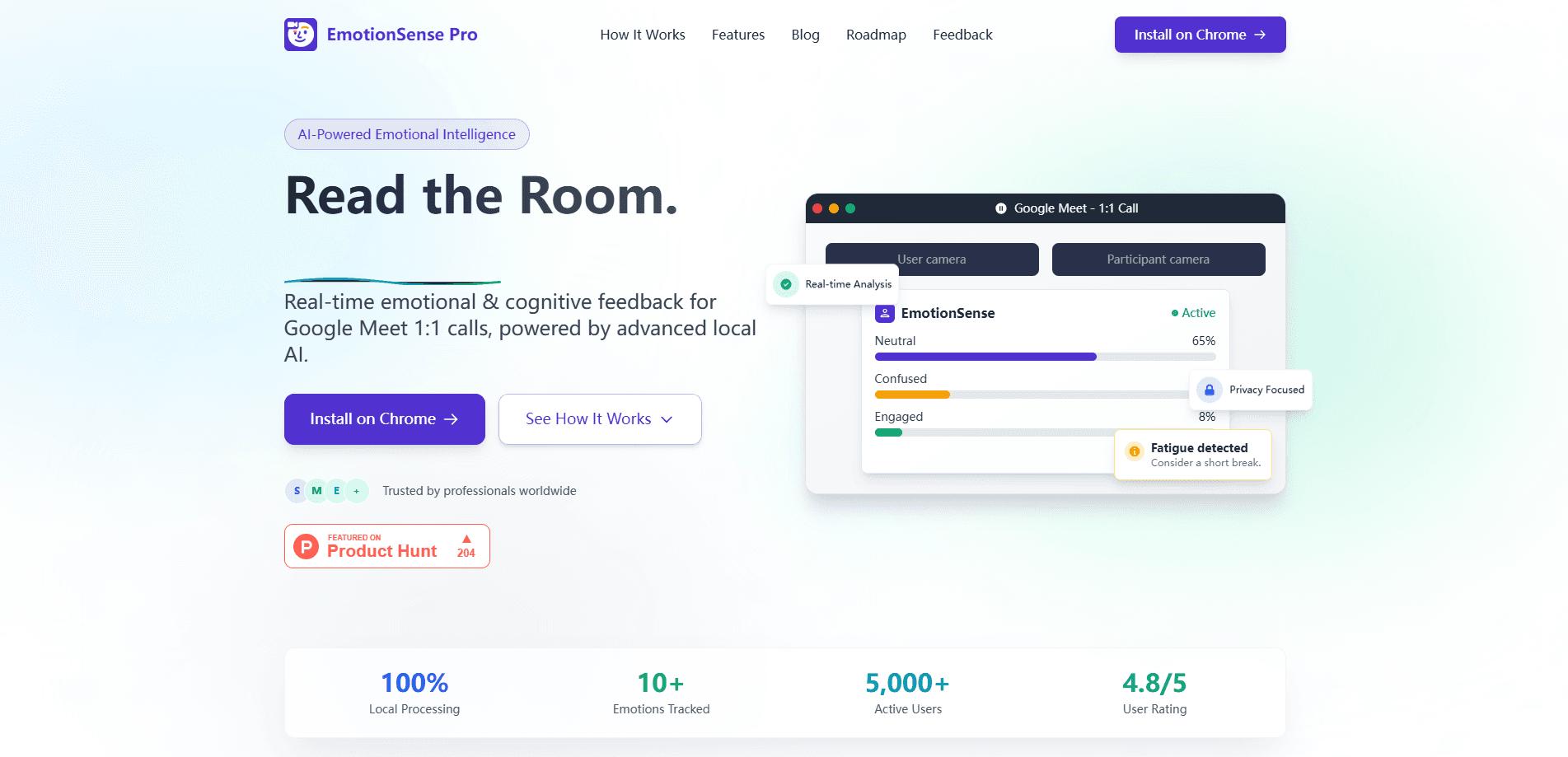
EmotionSense Pro is a Chrome extension that reads emotions and cognitive states during Google Meet calls. It analyzes faces and voices in real time, and everything runs on your own device.
About EmotionSense Pro
What Is EmotionSense Pro
EmotionSense Pro is an emotion AI tool for Google Meet calls. With Google Meet emotion detection running live, it watches the faces and voices on a call and turns what it sees into a running readout of how people feel and how hard they're paying attention. Because the extension handles real-time emotion analysis locally, the readout updates as the conversation moves. The pitch is simple: you learn what someone said and how they reacted to it.
The tool reads seven primary emotions, like happy, sad, angry, or surprised, and layers cognitive signals on top, including attention, fatigue, confusion, and confidence. It's built for people who run meetings where reading the room matters. Teachers check whether a class is following, recruiters gauge how a candidate responds to pressure, and researchers collect emotional data without wiring up their own rig. Meeting engagement analytics show up throughout the call, and sessions end with a report you can export.
The biggest limit is where it works. EmotionSense Pro runs only inside Google Meet through Chrome, and only in English. There's no Zoom or Teams support, no mobile version, and the desktop extension needs camera access before it does anything. Analytics describe groups well but aren't built to name who felt what. Buyers should also weigh the privacy line the developer draws: analysis stays on the device, which the company frames as its core selling point.
Getting Started
- Install the EmotionSense Pro extension from the Chrome Web Store.
- Join or start a Google Meet call as you normally would.
- Allow camera access when the extension asks, then click Start Analysis.
- Watch the live emotion and cognitive state readouts during the call.
- Stop the analysis to generate a report, then export it for later use.
Product Information
A quick look at EmotionSense Pro's pricing, supported platforms, and performance.
Best for
The users, tasks, and scenarios where this tool fits best.
Users
- Educators and trainers
- Recruiters and hiring managers
- UX and behavioral researchers
- Meeting facilitators and team leads
Tasks
- Spotting a disengaged or confused audience during a lesson
- Adding emotional data to user research interviews
- Reviewing how a presentation landed
- Deciding when to schedule a break
Scenarios
- A university lecturer teaching a large online class
- A startup running remote interview loops
- A research team studying remote collaboration
Key features
Seven Primary Emotions Plus Micro-Expressions
EmotionSense Pro reads happy, sad, angry, fearful, surprised, neutral, and disgusted from facial cues, and it reaches past the obvious ones. Micro-expression capture picks up brief, involuntary flickers that people usually hide, and Duchenne smile analysis separates a genuine smile from a polite one. For research or hiring, that second layer is the difference between a rough mood read and a real signal.
Cognitive State Monitoring
Beyond emotion, the extension tracks attention, fatigue, confusion, and confidence, plus motivation and self-efficacy. It surfaces when a learner's comprehension slips or when a room's energy fades, and it suggests science-based break timing. This is the part that separates it from plain facial expression analysis: you get engagement data, not just a mood label.
Speech Emotion Analysis
The tool analyzes vocal tone and emotional speech patterns alongside the video feed. That means a flat delivery under stress stands out even when the face stays neutral. Combining voice and face gives a fuller read than either channel on its own.
Emotion Timeline and Session Reports
Every session produces a timeline of the emotional journey across the call, plus a cognitive state report covering attention patterns and engagement. You can export the reports for documentation, grading research, or team reviews. Reports turn a live readout into something you can study later.
Privacy-First Local Processing
All analysis runs on your device. Facial expressions, voice patterns, and emotional data never leave the browser, and nothing gets recorded. The developer states the extension is GDPR and COPPA compliant and doesn't store video or audio streams. That design is the reason it clears ethics and compliance reviews that cloud emotion tools struggle with.
Google Meet Integration and Cross-Platform Desktop Use
The extension works inside the existing Google Meet interface on any major desktop operating system, so it slots into a workflow you already have. Start and stop controls are one click, and a smart break recommendation rounds out the session tools. There's nothing to configure on the meeting side.
Pros and cons
Pros
- Local emotion recognition keeps emotion and cognitive data off third-party servers, which helps with GDPR and COPPA reviews.
- It goes beyond basic emotion detection with attention, fatigue, confusion, and confidence tracking.
- Micro-expression and Duchenne smile analysis add a layer most emotion tools skip.
- Install and start controls are one-click, so there's no setup on the meeting side.
- Sessions produce exportable reports instead of only a live view.
Cons
- It's locked to Google Meet in a desktop Chrome browser, so Zoom, Teams, and mobile users are out.
- The extension is English-only, and the developer offers no clear roadmap to add other languages.
- Analytics describe group reactions rather than reliably identifying which participant felt what.
Frequently asked questions
EmotionSense Pro reads emotions and cognitive states during Google Meet calls. It analyzes facial expressions, micro-expressions, and vocal tone in real time, then generates a report you can export.
Related content
Explore related tools, skills, and articles for EmotionSense Pro.
EmotionSense Pro Alternatives

Base Code
Base44 (Wix) · Coding · ProductivityBase Code is a shared cloud development environment from Base44. Teammates describe changes to an existing GitHub codebase in chat, preview them live and send them back as pull requests.

Knocket
Knocket (Tencent RTC team) · Productivity · Business · ChatbotKnocket is a free live chat and contact page tool that lets visitors message you from your website, app, or a shareable link, with every reply handled from Telegram or one inbox.

FloorGen
Vinit Kumar (FloorGen) · Productivity · China AIFloorGen is a browser-based floor plan maker that turns a sentence or a sketch into an editable 2D plan and a 3D walkthrough. Export to PDF, DXF or video, and draw without an account.