

Enjo Help Center
Troopr Labs Inc. · Productivity · Leaning
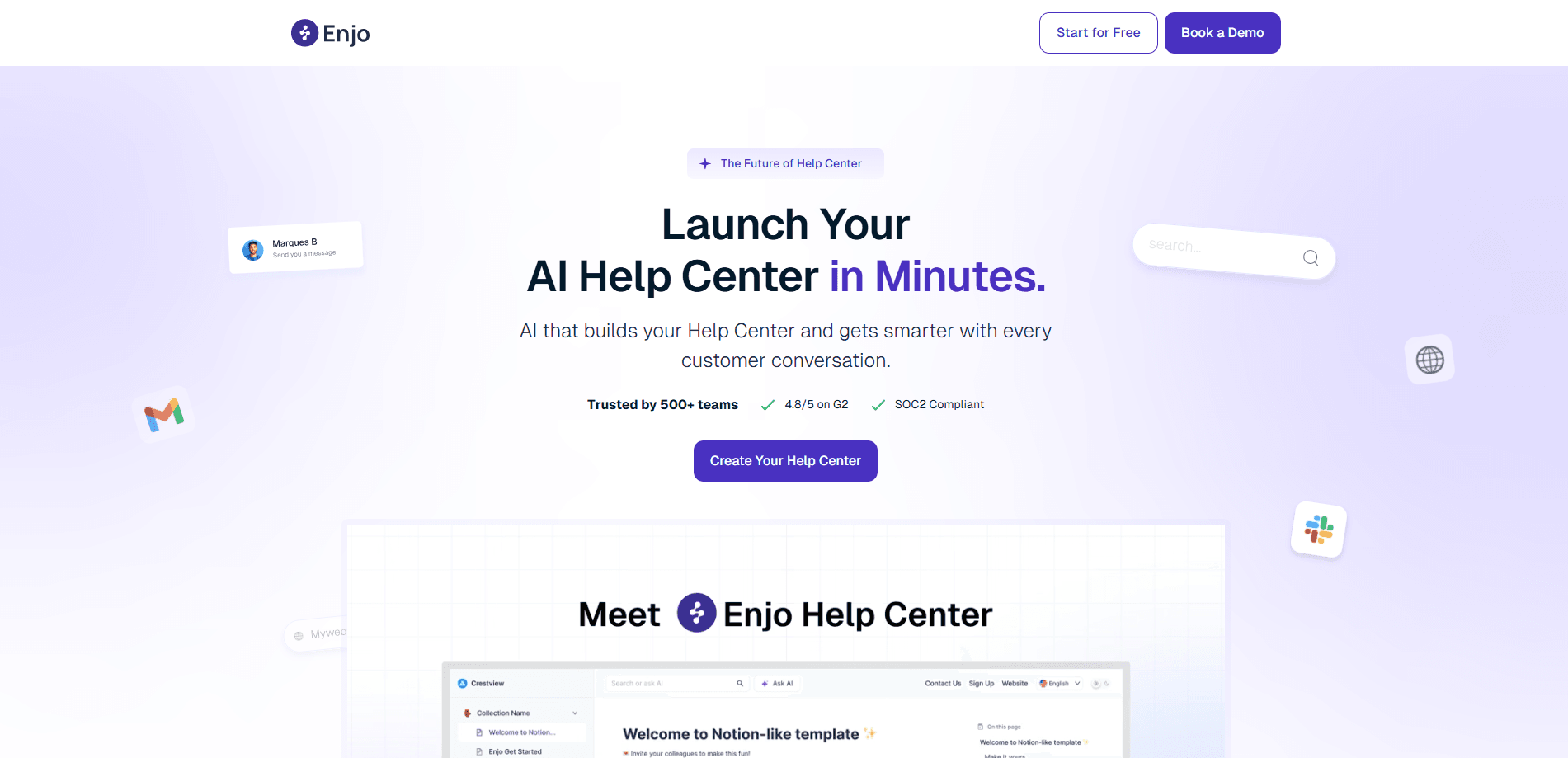
Enjo Help Center is an AI-powered help center that writes and maintains its own articles, so your support team stops answering the same questions twice. It crawls your website, pulls from tools like Notion and Confluence, and turns recurring tickets into drafts. The same knowledge index powers chat, Slack, Teams, and email. The portal and your AI support assistant always say the same thing.
About Enjo Help Center
What Is Enjo Help Center
Enjo Help Center is a searchable knowledge base from Troopr Labs Inc., the company behind the Enjo AI support assistant. Instead of asking you to write every article by hand, it builds a first draft from sources you already have: your website, your docs, and your support history.
The pitch is simple. Most teams know their answers are scattered across tickets, PDFs, and old wiki pages nobody updates. Enjo crawls what exists, lets you pick the pages worth keeping, and turns them into articles. A plain instruction in the AI Command Center can create or update articles across the whole portal.
The catch is scope. This is knowledge base software built for support, not a general website builder. The free tier caps you at 200 AI replies a month. If you need unlimited automation or heavy customization, you'll move up a paid plan fast.
Getting Started
- Sign up at the Enjo site and create a portal. No credit card is required for the free plan.
- Give it a URL. Enjo crawls the site, and you select which pages become articles. You can also import from Notion, Google Drive, Confluence, or SharePoint, or upload a ZIP archive.
- Connect your domain. Enjo provides DNS instructions and verification, so the portal can live at something like help.yourcompany.com.
- Review the draft articles, mark them helpful or not, and let unresolved questions escalate to your team.
- Connect the portal to an Enjo AI Agent so the same content answers in website chat, Slack, Teams, and email.
Product Information
A quick look at Enjo Help Center's pricing, supported platforms, and performance.
Best for
The users, tasks, and scenarios where this tool fits best.
Users
- Support leads at growing teams
- Knowledge managers with messy docs
- Small teams without a dedicated writer
Tasks
- Turning recurring tickets into articles
- Keeping a help center current
- Ranking a support portal
Scenarios
- Launching a help center in an afternoon
- Multi-brand support
- Multilingual audiences
Key features
Auto-Built Articles from Your Own Sources
Point Enjo at a URL and it crawls the site, then you pick which pages become articles. It also imports from Notion, Google Drive, Confluence, and SharePoint, with Confluence imports filterable by space, page, or a CQL query. You can upload a ZIP archive too, and import progress is tracked so you know what landed.
Tickets Become Articles
Recurring ticket patterns in Zendesk, Intercom, and Freshdesk feed the writing process, which means the questions your team keeps answering day after day slowly turn into the articles that answer them automatically, cutting repeat work at the source rather than patching it later. It's a quiet kind of relief.
An Assistant That Asks Instead of Guessing
When a question is ambiguous or confidence is low, the assistant asks rather than producing an answer it can't support. That guardrail matters. Ever watched a support bot invent a refund policy? A question the portal can't answer escalates to your team instead of ending in an empty search result.
One Knowledge Index, Every Channel
The portal attaches to an Enjo AI Agent as a knowledge source, so the same content answers in website chat, Slack, Teams, and email. What the portal says is what the agent says, which removes the drift you get when each channel keeps its own copy.
Knowledge Insights and Reader Feedback
Knowledge Insights reports which content gets used and where coverage is thin, so instead of guessing which articles matter you get a plain list of the gaps worth filling first. Readers can mark articles helpful or not, and the portal collects suggestions that become published articles in a single step. Holes in coverage show up as data, not guesswork.
Custom Domain and Per-Article SEO
Configuring the portal happens in settings, not in a support ticket. You get a custom domain with built-in DNS verification, per-article Meta Title and Meta Description, editable URL slugs and aliases, and indexing you can toggle per portal. Branding, logo, primary colour, layout, hero, collections, and featured articles are all adjustable, so the result looks like your brand rather than somebody else's generic portal page.
Pros and cons
Pros
- The free plan is a plan, not a trial. It costs $0 a month with no expiry, 200 AI replies, unlimited agent seats, and no credit card.
- Help center pricing runs per AI reply, not per seat. You don't pay more just because more people read the portal.
- Imports cover the tools teams actually use: Notion, Google Drive, Confluence, SharePoint, Zendesk, Intercom, and Freshdesk.
- Escalation keeps unanswered questions from disappearing into an empty search result.
- Custom domain, per-article SEO fields, and multi-portal setups make it viable for brands with more than one audience.
Cons
- The 200 AI replies on the free plan run out quickly once chat traffic picks up, and you pay $0.05 per reply beyond that.
- It's built around support content, so teams wanting a general-purpose wiki may find the focus narrow.
- No public API documentation surfaced in our research, so developers should confirm integrations with the vendor before committing.
Frequently asked questions
It's a support knowledge base that builds and maintains its own articles from your website, docs, and tickets. The goal is to let customers help themselves and reduce the questions that reach your team.
Related content
Explore related tools, skills, and articles for Enjo Help Center.
Enjo Help Center Alternatives

Base Code
Base44 (Wix) · Coding · ProductivityBase Code is a shared cloud development environment from Base44. Teammates describe changes to an existing GitHub codebase in chat, preview them live and send them back as pull requests.

Knocket
Knocket (Tencent RTC team) · Productivity · Business · ChatbotKnocket is a free live chat and contact page tool that lets visitors message you from your website, app, or a shareable link, with every reply handled from Telegram or one inbox.

FloorGen
Vinit Kumar (FloorGen) · Productivity · China AIFloorGen is a browser-based floor plan maker that turns a sentence or a sketch into an editable 2D plan and a 3D walkthrough. Export to PDF, DXF or video, and draw without an account.