

Enlighter for Cursor – Learn Vibe Coding
Hyperskill · Leaning
Enlighter for Cursor is a free Hyperskill extension that turns your editor into a hands-on sandbox where you learn vibe coding through guided, project-based lessons.
About Enlighter for Cursor – Learn Vibe Coding
What Is Enlighter for Cursor
Enlighter for Cursor is a learning extension built by Hyperskill, the education platform behind JetBrains Academy. It installs inside Cursor or VS Code and turns the editor you already code in into a guided practice space, so you learn AI-assisted development by shipping small working projects instead of watching videos.
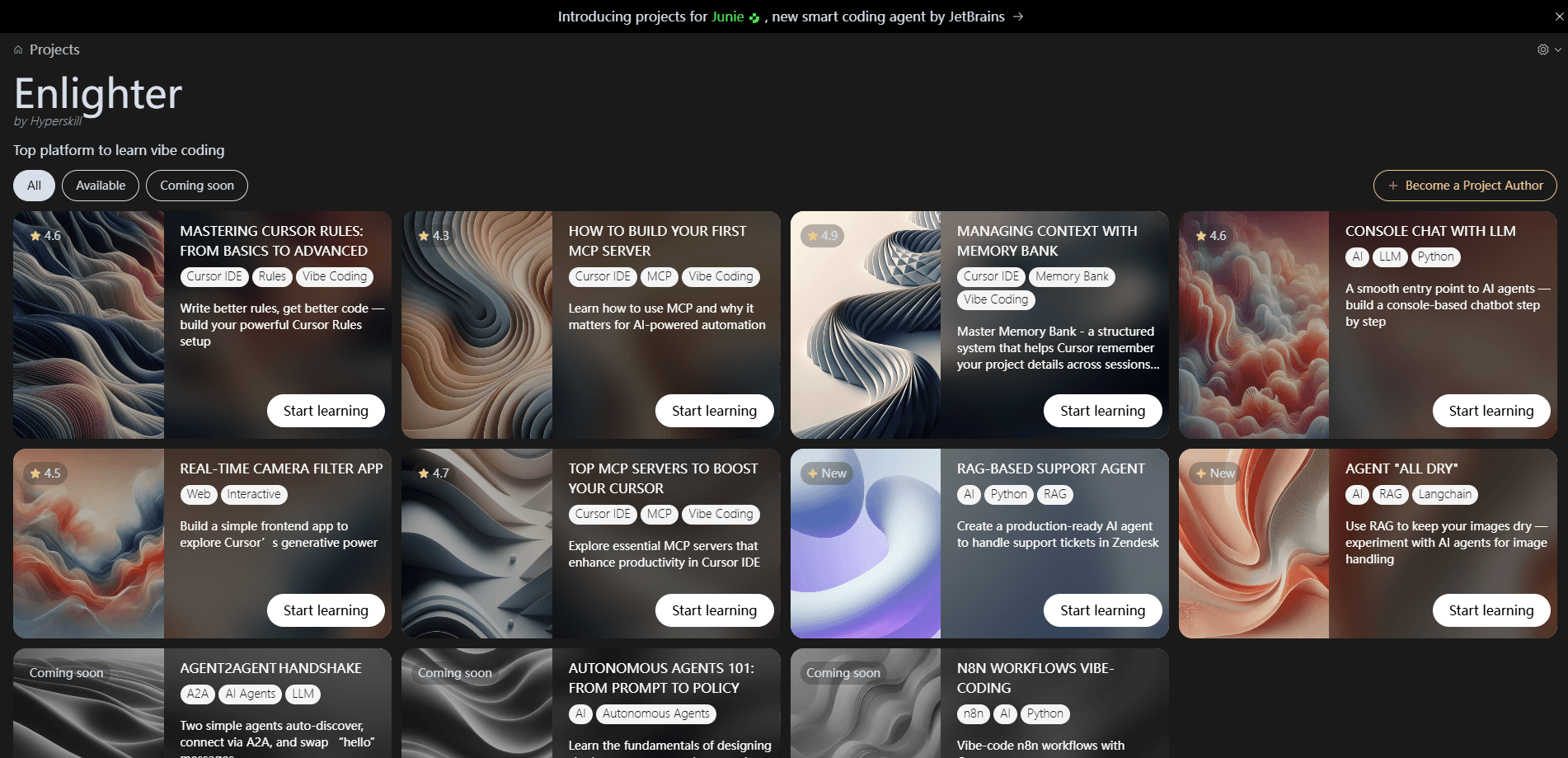
The catalog leans into the skills that trip people up after the basics. The extension works as a Cursor tutorial platform in the broadest sense, with courses on writing Cursor Rules, wiring up your first MCP server, managing context with Memory Bank, building a RAG-based support agent and following the Agent to Agent protocol. Each lesson hands you a real brief and asks you to finish it with the AI assistant sitting next to you.
The main catch is that Enlighter is not a code generator. It teaches the workflow, so you still have to read what the AI writes and fix what breaks. Courses assume you have Cursor or VS Code installed, and the tooling leans toward Python and JavaScript projects, so complete beginners without any editor setup should expect some ramp-up time.
Getting Started
- Install the Enlighter extension from inside Cursor or VS Code, or grab it from the Hyperskill site.
- Sign in with a free Enlighter account so your progress syncs across projects.
- Pick a course from the catalog, from Cursor Rules basics up to the Agent to Agent protocol.
- Open the lesson in the editor and work through the brief using Cursor's AI features.
- Submit the project, review the feedback and move to the next build.
Product Information
A quick look at Enlighter for Cursor – Learn Vibe Coding's pricing, supported platforms, and performance.
Best for
The users, tasks, and scenarios where this tool fits best.
Users
- Vibe coders with no formal training
- Developers new to Cursor
- Self-taught builders who want structure
Tasks
- Writing Cursor Rules
- Setting up your first MCP server
- Building a RAG support agent
- Managing project context
Scenarios
- Preparing for a developer interview or promotion
- Handling AI features at a small company
Key features
Guided project-based courses
Every course starts from a short brief instead of a video lecture. This free coding course format means you read what to build, open the lesson inside your editor and finish it with the AI assistant, which means you practice the exact loop you use on real work.
Cursor Rules training
One of the most requested courses covers Cursor Rules from basics to advanced setups. You learn what rules are, how to write them and why they change the quality of what the AI generates, a skill that pays off across every project you touch.
MCP server walkthroughs
Enlighter includes an MCP server course that covers building and picking servers. You see how the Model Context Protocol connects outside tools to your assistant, then apply it to connect a real service rather than reading about the concept.
Memory Bank and context management
A dedicated course on Memory Bank shows how to give the assistant a structured memory of your project. The lesson builds a Snake game to keep the concept concrete, and the same technique carries over to larger codebases.
RAG and agent-building projects
The catalog moves past prompts into retrieval-augmented generation and autonomous agents. You build a support agent that handles tickets, which is the kind of artifact that shows up in job listings and internal roadmaps.
Editor-native, free access
Enlighter runs inside the editor you already have, and the extension itself costs nothing. There is no separate platform to learn, so the time you spend goes straight into the skill instead of tool setup.
Pros and cons
Pros
- Free extension with a full catalog of Cursor-focused projects, so you can start without a subscription.
- Lessons run inside Cursor or VS Code, which means you learn the workflow in the tool you actually ship with.
- Covers hard-to-find topics like MCP servers, Cursor Rules and Memory Bank that most tutorials skip.
- Project format forces you to finish working code, not just follow along.
Cons
- Not a code generator, so you still need to read and debug what the AI produces.
- Most projects lean on Python and JavaScript, so developers in other stacks get less direct value.
- Course quality and depth vary by topic, and the newer lessons have fewer reviews to judge them by.
- You need a working Cursor or VS Code setup before the first lesson makes sense.
Frequently asked questions
Yes. The extension and its courses are free to use, and you only need a free Enlighter account to track progress.
Related content
Explore related tools, skills, and articles for Enlighter for Cursor – Learn Vibe Coding.
Enlighter for Cursor – Learn Vibe Coding Alternatives

HireKey
HireKey · Voice & Language · Productivity · LeaningHireKey is an AI job search copilot built by a former tech recruiter. It checks role fit, tailors resumes, runs interview practice and tracks every application.

Lune
Retrograde Labs · Productivity · LeaningLune is a research search engine for scientific AI agents. It runs as an MCP server that lets Claude, ChatGPT and Cursor search peer-reviewed computer science papers and cite them.
Coddy
Coddy · Coding · LeaningCoddy is a gamified platform to learn to code through short interactive lessons in 20+ languages, with a browser editor, an AI tutor and free certificates.