

Ente Photos - Encrypted Backup
Ente Technologies, Inc. · Image
Ente Photos is an end-to-end encrypted photo backup app for iOS, Android, desktop, and web. It gives you 10GB free, keeps your library private, and runs on open source code.
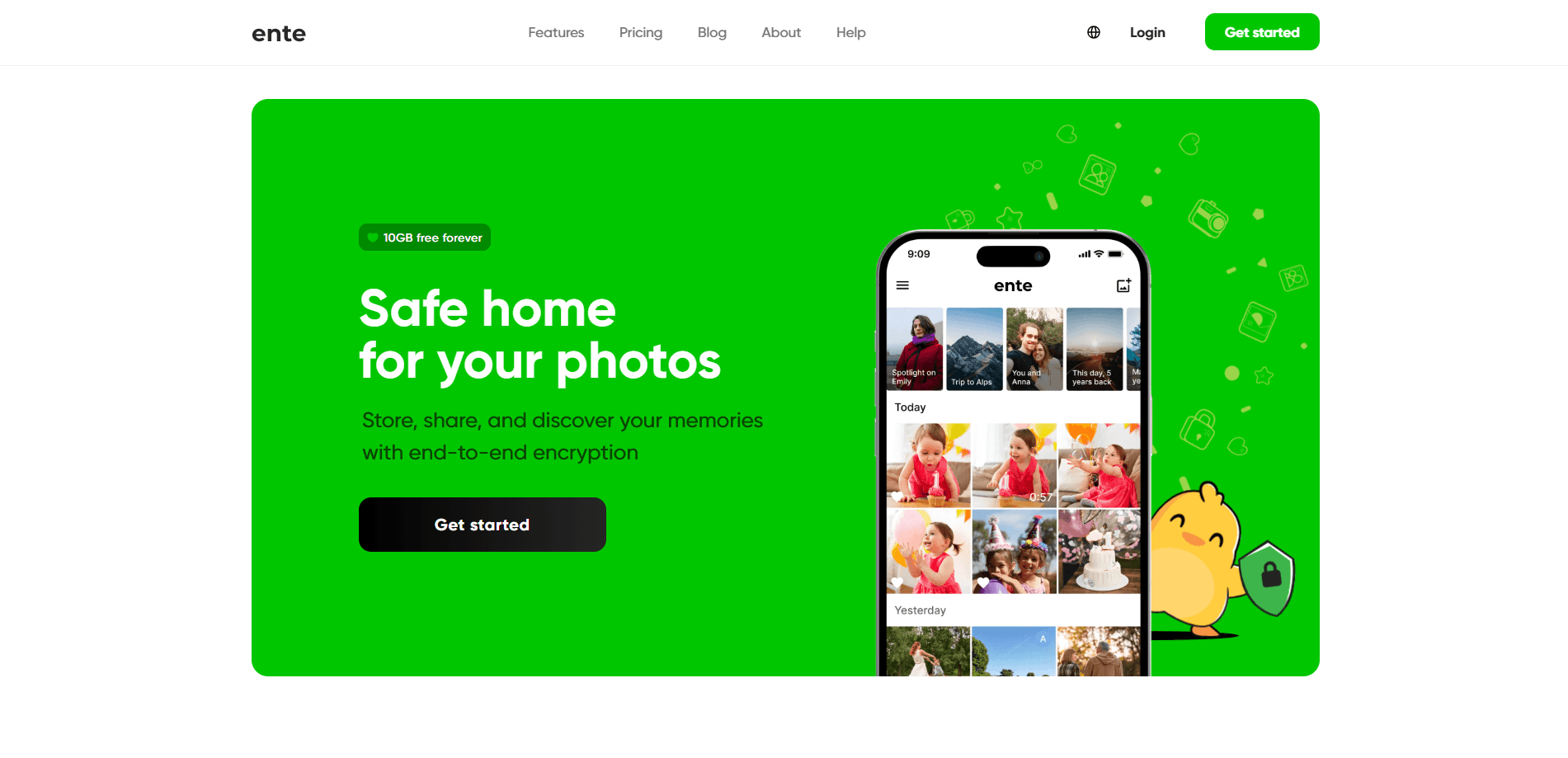
About Ente Photos - Encrypted Backup
What Is Ente Photos
Ente Photos is a cloud photo service built around one promise: your pictures stay yours. Every uploaded image is encrypted on your device before it leaves, so the servers holding your library can't read a single frame. The company behind it, Ente Technologies, started the project in 2020 because mainstream photo apps treated privacy as an afterthought.
The main draw is encrypted backup without the usual tradeoff. You get automatic uploads from your phone, albums that sync across devices, and a family plan that shares storage at no extra cost, all while the provider stays blind to your content. The app is open source and can be self-hosted, which matters if you'd rather not trust any company with your memories at all.
There are limits worth knowing. Ente is a smaller operation than Google or Apple, so some polish and a few features still trail the giants. Storage is also capped at 2TB on the public plans, with larger tiers handled case by case.
Getting Started
- Download the app from the App Store, Play Store, F-Droid, or ente.com for desktop, then create an account.
- Save your recovery key somewhere safe. If you lose it, no one, including Ente, can unlock your library.
- Turn on automatic backup and pick which folders or albums should sync from your device.
- Reclaim space on your phone by removing files that are already backed up.
- Enable a second factor and review the plan that fits your storage needs.
Product Information
A quick look at Ente Photos - Encrypted Backup's pricing, supported platforms, and performance.
Best for
The users, tasks, and scenarios where this tool fits best.
Users
- Privacy-conscious phone owners
- Families sharing storage
- Google Photos refugees
Tasks
- Automatic photo and video backup
- Private album sharing
- Self-hosted storage
- Freeing up phone space
Scenarios
- A parent backing up years of family photos and sharing an album with relatives.
- A privacy-minded user who wants a Google Photos replacement without ads or content scanning.
- A developer or small team running a self-hosted photo server for complete control.
Key features
End-to-End Encryption
Photos and videos are encrypted on your device before upload, so Ente's servers only ever store scrambled data. Metadata like dates and locations is encrypted too, which most cloud galleries leave exposed. Without your key, nobody at the company can open your library.
Cross-Platform Sync
Ente runs on iOS, Android, macOS, Windows, Linux, and the web, and everything stays in sync. The desktop apps support automatic folder sync, so a laptop collection backs up the same way a phone does. That reach makes it a real iCloud Photos alternative for mixed-device households.
Zero-Knowledge Search and Face Grouping
On-device face detection sorts people into groups, and natural-language search lets you hunt for shots by description. The processing happens locally, so your library never gets shipped off for indexing. It's the kind of AI convenience you'd expect from a bigger service, minus the data collection.
Family Plans
A single subscription can be shared with up to five family members at no extra charge. Each person gets a private space and can only reach their own photos. You pay once for the pooled storage instead of buying separate plans.
Open Source and Self-Hosting
The code is public on GitHub and has drawn tens of thousands of stars, so anyone can audit how encryption works. You can also host the server yourself if you'd rather keep every byte on your own hardware. This is the feature that separates Ente from closed rivals.
Sharing and Collaboration
Public links let you send photos to people outside Ente, and shared albums let several people add to one collection. Comments and likes turn an album into something closer to a group space. You control who sees what.
Secure Account Controls
Ente supports two-factor authentication and a recovery key system to guard your account. Hidden photos keep sensitive shots out of the main timeline. For anyone who's had a synced library exposed, these controls are the whole point.
Pros and cons
Pros
- Full end-to-end encryption covers photos, videos, and metadata, so the provider can't read your library.
- 10GB of free storage with a 50GB plan for $2.49/mo keeps the entry cost low.
- Family plans share storage with up to five people at no extra cost.
- Open source code and self-hosting options let you verify the security yourself or drop the cloud entirely.
- Available on iOS, Android, desktop, and web, with on-device face grouping and search.
Cons
- Losing the recovery key means permanently losing access, since the company can't reset it.
- Public plans top out at 2TB, so very large libraries need a custom arrangement.
- The feature set and app polish are still behind Google Photos and iCloud Photos in some areas.
- Sorting and search run on your device, which can feel slower than cloud processing on older phones.
Frequently asked questions
It backs up and organizes your photos and videos with end-to-end encryption, so your library stays private across every device you own. People use it as a secure Google Photos replacement or as a self-hosted photo server.
Related content
Explore related tools, skills, and articles for Ente Photos - Encrypted Backup.
Ente Photos - Encrypted Backup Alternatives

Google EmbeddingGemma 2
Google DeepMind · Writing · Image · CodingGoogle EmbeddingGemma 2 is a 740M-parameter open model that turns text, code, images, audio, and video frames into vectors in one 768-dimension space, running on phones and laptops.

Tractionwave
TractionWave · Image · MarketingTractionWave is an AI attention heatmap tool for static ads. Upload a PNG or JPG and it returns predicted attention, ranked hotspots, and fixes before you spend budget.

Imejis.io
Imejis.io · Image · MarketingImejis.io is an AI design studio for agents and marketing teams. Describe an image in plain words, and it writes the copy, builds the layout, reflows it to every size, then exports a finished file.