

Enterpix
Sandoll Inc. · Image
Enterpix is a free AI art search engine for images made with Midjourney, DALL·E, Stable Diffusion, and NovelAI, with saved collections and a beta AI art generator.
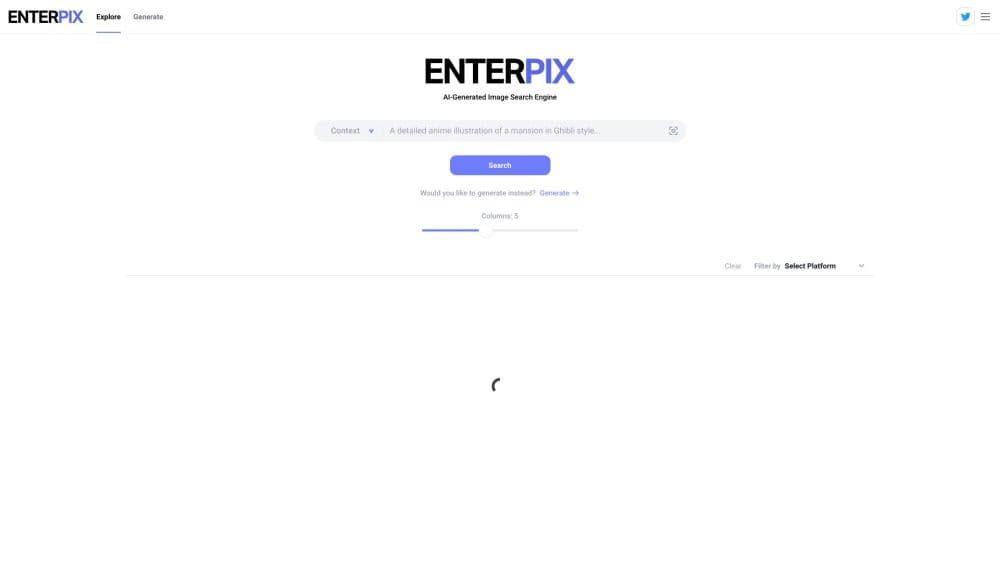
About Enterpix
What Is Enterpix
Enterpix is a web app for finding pictures that other people made with AI image models. You type a subject such as a mansion in Ghibli style, and it returns a grid of artwork pulled from Midjourney, DALL·E, Stable Diffusion, NovelAI, and other generators. Each image page shows the prompt and resolution behind the result, so you can study how a look was built instead of guessing at it.
The job it does is reference gathering. Illustrators, prompt writers, and hobbyists use it to compare styles, find compositions worth reworking, and keep a private board of images they want to come back to. AI image search runs three ways here: a keyword, an uploaded picture for visual matches, or the prompt text itself.
What Enterpix is not is a studio. It doesn't train models and it doesn't own the artwork. Rights stay with whoever generated the image and with the terms of the model that made it. Generation exists as a beta extra, and the site now tells visitors that feature will be retired, so don't build a workflow that depends on it. Coxwave built Enterpix in 2022 and sold it to Sandoll, which took over the service from Sandoll Square on October 31, 2024.
Getting Started
- Open enterpix.app in a browser. Browsing and searching work without an account.
- Type a subject into the search bar, or switch to visual search and upload a reference image to find similar artwork.
- Trim the grid with the Filter by control, which sorts results by the model that generated them, and set the column count to whatever your screen handles.
- Open any thumbnail to read its prompt and resolution, copy the prompt, check the like count, or download the file.
- Sign up with email, Google, or Discord when you want to like images and group them into public or private collections.
Product Information
A quick look at Enterpix's pricing, supported platforms, and performance.
Best for
The users, tasks, and scenarios where this tool fits best.
Users
- Concept artists and illustrators
- Prompt writers
- Hobbyists and curious beginners
Tasks
- Studying a visual style before you commit to one
- Recovering a prompt you lost
- Building a mood board for a project
- Finding the source model for a look
Scenarios
- Early concept work before you pay for a model subscription
- Keeping a client-approved direction in one place
- Killing five minutes on a phone
Key features
Keyword Search With Model Filters
The core loop is a search box plus a filter. You describe what you want, and Enterpix returns AI artwork from its library, then you narrow the set by the platform that generated it. That filter is the useful part. Run a Midjourney image search, then try the same words on Stable Diffusion, and the gap in style is obvious. Comparing them side by side is how you pick a direction. Column controls change how many images fit on screen, which matters on a wide monitor.
Visual Search From an Uploaded Image
Upload a picture and Enterpix looks for artwork that resembles it. This is the fastest route when you have a reference but no words for it, which happens often with lighting, camera angles, and costume detail. Image pages also carry a Search similar style button, so you can start from a result you already like instead of uploading anything. Results are visual matches from the library, not an analysis of your file, so treat the output as a set of leads rather than an answer.
Prompt Text Search
A separate prompt search reads the text behind the images, not just the picture. If you remember a phrase like volumetric fog or isometric cutaway, you can find images built with similar wording and lift the structure of the prompt. It's the closest thing here to a phrasebook for image models, and it's more precise than keyword search when you know roughly what the prompt said.
Prompts and Resolution on Every Image
Image pages carry the details that make a result reusable: the prompt, the pixel dimensions, the like count, and a copy button. Resolution tells you whether a file is good enough for print or only for a mockup. The copy button sends the prompt straight to the generator input if you want to test a variation, which saves retyping a long description.
Likes, Collections, and Profiles
Signed-in users can like images and sort them into collections, either public or private. Collections live on a profile page, so a public board doubles as a shareable gallery and a private one stays out of search. For teams, an AI artwork collection is a light way to hand a client a link instead of a folder of downloads.
Built-In Generator in Beta
Enterpix also generates images from a prompt, with a random prompt option and a resolution setting, and it shows an estimated wait time while the queue runs. The engine is Stable Diffusion, wrapped in a GPT-3 based Prompt Enhancer that rewrites your wording and adjusts settings before the render. A popup on the site says the Generate feature will be deprecated and that it stays free until Dec 31, so the tool works today and has an end date attached. Generation is a convenience here, not the reason to stay.
Pros and cons
Pros
- Free to use, with no card and no trial clock on search, browsing, or collections.
- Every image page exposes the prompt and resolution, which is what makes the library useful for study rather than just scrolling.
- Visual search handles the case where you have a reference image but can't describe it in words.
- Platform filters let you compare how different models handle the same subject.
- Public and private collections turn a browse session into something you can share or keep.
Cons
- The Generate feature is on its way out, so anyone who wants a search plus generation loop will need a second tool soon.
- Filtering is thin. Beyond the source platform and the column layout, there's little control over style, color, or orientation.
- Rights are murky. Enterpix doesn't grant commercial rights, and each image carries the terms of the model that produced it, so check before you publish.
- Web only, with no mobile app and no public API for pulling results into your own tools.
Frequently asked questions
Yes. Search, browsing, image pages, likes, and collections cost nothing, and there's no paid tier on the site. The generator is also free for now, and the site says that feature will be retired.
Related content
Explore related tools, skills, and articles for Enterpix.
Enterpix Alternatives

Google EmbeddingGemma 2
Google DeepMind · Writing · Image · CodingGoogle EmbeddingGemma 2 is a 740M-parameter open model that turns text, code, images, audio, and video frames into vectors in one 768-dimension space, running on phones and laptops.

Tractionwave
TractionWave · Image · MarketingTractionWave is an AI attention heatmap tool for static ads. Upload a PNG or JPG and it returns predicted attention, ranked hotspots, and fixes before you spend budget.

Imejis.io
Imejis.io · Image · MarketingImejis.io is an AI design studio for agents and marketing teams. Describe an image in plain words, and it writes the copy, builds the layout, reflows it to every size, then exports a finished file.