

ETM: AI Image Generator
ArtVibe Labs · Image
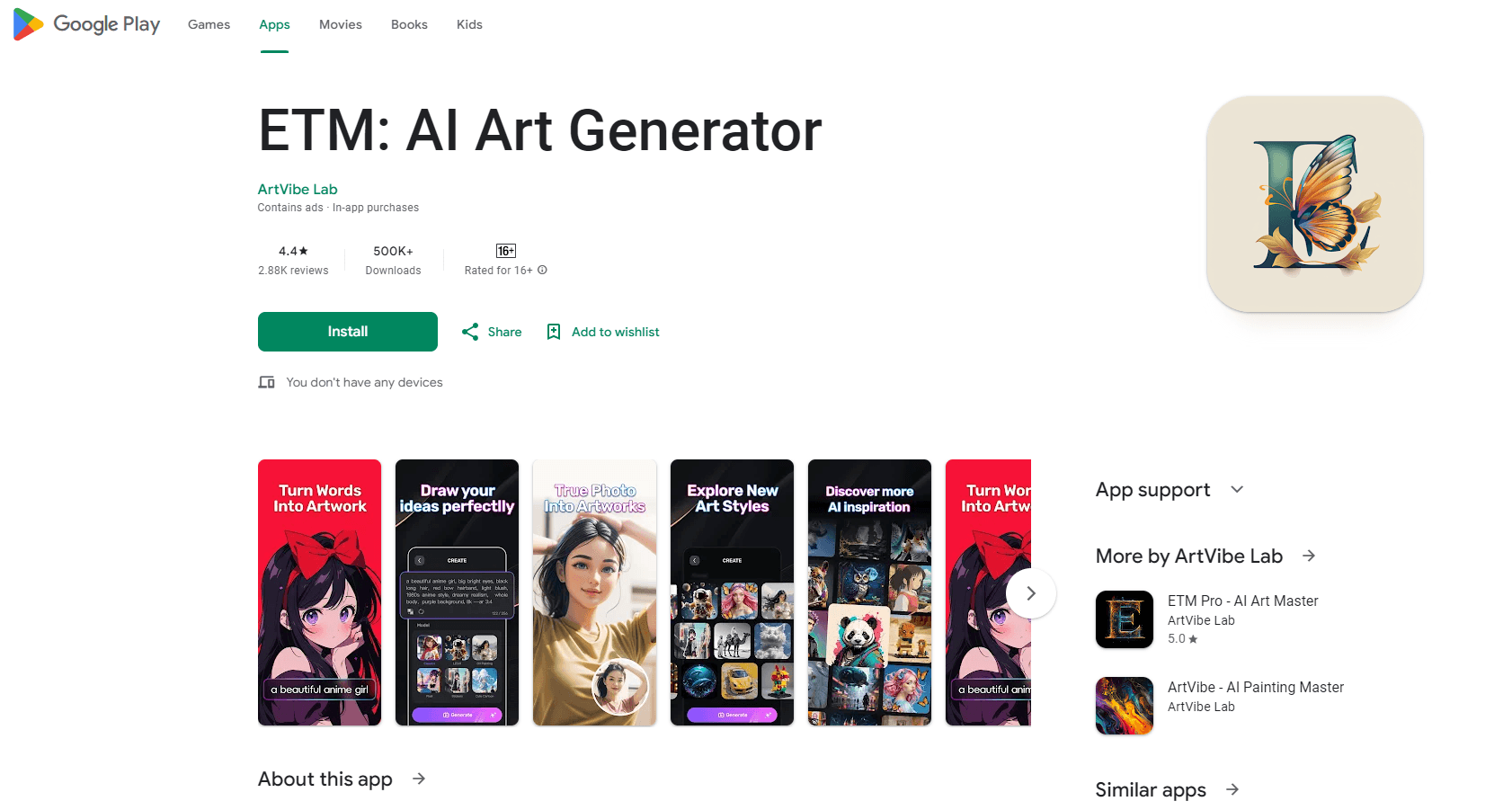
ETM: AI Image Generator is a mobile app from ArtVibe Labs that turns photos and sketches into anime, comic, 3D or realistic art, with face swap and QR code tools built in.
About ETM: AI Image Generator
What Is ETM: AI Image Generator
ETM: AI Image Generator is a photo-to-art app built for people who want stylized images without learning editing software. You upload a selfie, a photo or a sketch, pick a style, and the app returns a rendered version. The app covers anime, manga, cartoon, comic, 3D, digital painting and realistic looks, so the same tool handles a quick meme and a shareable portrait.
The app comes from ArtVibe Labs and runs on Android and iOS. On the Google Play listing it has passed 2.3 million downloads and sits around 3.7 stars, with recent versions numbered in the 2.00.x range. Package name is com.yes366.etm, and the official site is etm.yes366.com.
Beyond style transfer, ETM bundles two extra tools. One is face swap for playful reshuffles of a selfie or a group shot. The other is an artistic QR code generator that dresses up a standard code with a design. Both are aimed at social sharing more than at print production work.
The honest limits matter here. ETM is a template-driven mobile app, not a desktop editor with layer control or precise masking. Free accounts get a daily processing cap, so heavy users hit a wall until they upgrade. Output depends on input: a sharp, well-lit source photo returns a cleaner result than a dark or low-resolution one. Treat everything it makes as generated art, not as a real photograph.
Getting Started
- Install ETM: AI Image Generator and open it, then allow the app access to your photos.
- Pick a mode: photo to anime, sketch to realistic art, face swap or QR code.
- Upload your source image. For the best result, choose a clear, evenly lit photo.
- Choose a style from the themed list, then tap to start the generation.
- Save the result to your gallery and share it to Instagram, TikTok or Facebook.
Product Information
A quick look at ETM: AI Image Generator's pricing, supported platforms, and performance.
Best for
The users, tasks, and scenarios where this tool fits best.
Users
- Social media creators
- Anime and manga fans
- Casual experimenters
- Small sellers
Tasks
- Turning a selfie into an anime or manga character
- Converting a hand sketch or cartoon into realistic art
- Swapping faces for a fun edit
- Making a decorative QR code
Scenarios
- Posting a themed portrait to social media
- Building a cartoon-style avatar
- Creating content for a small shop
- Passing time creatively on a phone
Key features
Multiple art styles in one app
ETM carries a rotating library of themed styles that spans anime, manga, cartoon, comic, 3D, digital painting and realistic looks. The set updates over time, and the app states new styles are added regularly. You pick a style first, then process your photo, so the same upload can produce several different results.
Anime and comic conversion
The core workflow turns a selfie or photo into an anime, manga or cartoon character. It also runs the other direction: a hand sketch or comic panel can come back as a photo-style image. Quality tracks the source, so clean line art and well-lit portraits convert better than cluttered or dim originals.
Face swap and creative effects
ETM includes an AI face swap tool for funny or artistic reshuffles, plus filters and effects for social posts. It's built for playful edits of your own images. The app also sells a turnaround case: passing a 3D anime character back into a realistic photo.
Artistic QR code generator
A built-in generator turns a plain QR code into a designed image that still scans. The app notes it works for personal or business use, so a small seller can point a code at a shop link and keep the visual on brand.
Tap-to-create mobile workflow
ETM runs on Android and iOS and keeps the flow short: choose a mode, upload, pick a style, generate. The interface is built for touch rather than desktop tools, and results can be shared straight to Instagram, TikTok or Facebook. There's an image cropping step so output matches a device screen.
Free tier with in-app purchases
The app is free to download and use within a daily limit, with in-app purchases that lift the cap and unlock more. Reviews regularly note the free version restricts how many images you can process per day, so anyone working at volume should price the upgrade before committing.
Pros and cons
Pros
- Several art styles sit in one app, so there's no need to juggle separate tools for anime, comic and realistic looks.
- Face swap and QR code generation come bundled, which adds value beyond straight style transfer.
- The tap-to-create flow keeps the learning curve low for casual users.
- Android and iOS both get the app, so the same workflow travels between phone platforms.
- A free tier lets you test the output before paying anything.
Cons
- The free plan caps daily image processing, so regular users run into the limit fast.
- Output quality depends heavily on the source image, and dim or cluttered photos convert poorly.
- It's a template-driven app with little manual control, so anyone wanting precise edits will outgrow it.
- Older reviews mention a steep learning curve and a gap between advertised and actual styles, so set expectations before upgrading.
Frequently asked questions
ETM: AI Image Generator is a mobile app from ArtVibe Labs that turns photos and sketches into anime, comic, 3D or realistic art. It adds face swap and an artistic QR code generator, and it runs on Android and iOS.
Related content
Explore related tools, skills, and articles for ETM: AI Image Generator.
ETM: AI Image Generator Alternatives

Google EmbeddingGemma 2
Google DeepMind · Writing · Image · CodingGoogle EmbeddingGemma 2 is a 740M-parameter open model that turns text, code, images, audio, and video frames into vectors in one 768-dimension space, running on phones and laptops.

Tractionwave
TractionWave · Image · MarketingTractionWave is an AI attention heatmap tool for static ads. Upload a PNG or JPG and it returns predicted attention, ranked hotspots, and fixes before you spend budget.

Imejis.io
Imejis.io · Image · MarketingImejis.io is an AI design studio for agents and marketing teams. Describe an image in plain words, and it writes the copy, builds the layout, reflows it to every size, then exports a finished file.