

Formula Bot - AI Data Analyst
Formula Bot · Productivity · Business
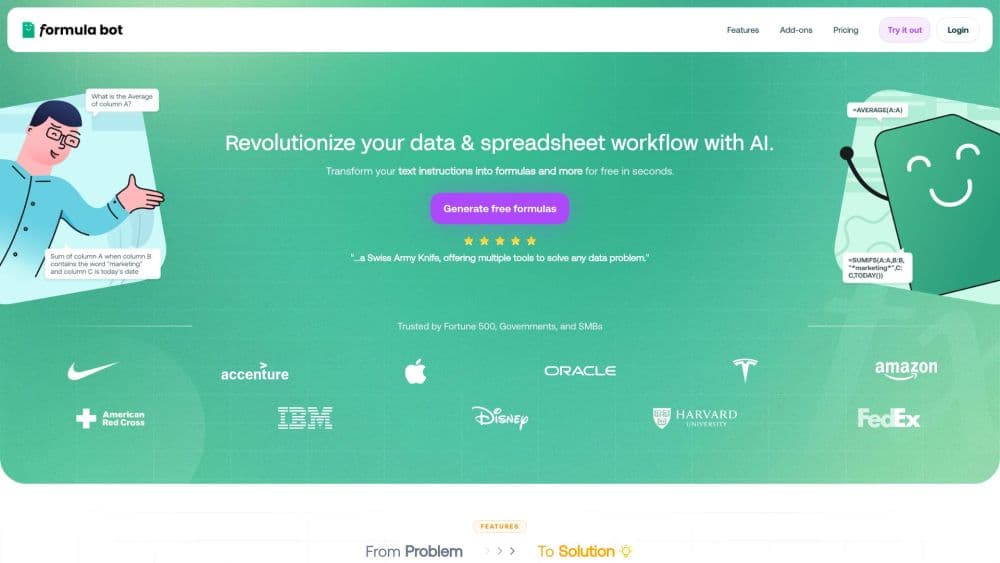
Formula Bot, now branded Better Analyst, is an AI data analyst that turns plain English into spreadsheet formulas, SQL queries, charts and insights.
About Formula Bot - AI Data Analyst
What Is Formula Bot
Formula Bot is an AI workspace for people who live in spreadsheets. You describe what you need in everyday language, and it returns a working Excel or Google Sheets formula, a SQL query, or a chart built from your own file. The company recently rebranded the product as Better Analyst, and existing accounts carry over, so the tool you knew still works under the new name.
The original pitch was narrow: stop hunting through forums for a nested lookup. The current product goes further. You upload an .xlsx, .xls, or .csv file, ask questions such as "top 10 products by revenue this quarter," and get an answer tied to your actual data. It also checks and explains formulas you inherited, which turns it into a way to learn as much as a shortcut.
The tradeoff is that deep analysis needs an account and hits plan limits. The free tier caps how many generations and analyzer messages you get each month, so heavy spreadsheet users run out quickly. This Formula Bot review walks through what each tier actually gives you.
Getting Started
- Create a free account on the Formula Bot site. No credit card is needed to start.
- Upload an .xlsx, .xls, or .csv file, or paste your data straight into the workspace.
- Ask a question in plain English, or describe the formula you want, for example "sum column A where column B says Marketing."
- Copy the returned formula into your sheet, or read the analysis and charts the tool builds from your file.
- Upgrade to a paid plan when the free monthly limits start holding you back.
Product Information
A quick look at Formula Bot - AI Data Analyst's pricing, supported platforms, and performance.
Best for
The users, tasks, and scenarios where this tool fits best.
Users
- Analysts who build reports from raw data
- Finance and operations staff
- Students and career switchers learning Excel
- Small business owners without an analytics team
Tasks
- Writing a nested formula
- Asking a question about a file
- Building a chart
- Writing a SQL query
Scenarios
- A quarterly report due tomorrow
- A messy CSV export
- A recurring weekly report
Key features
Plain English to Spreadsheet Formula
The core move is simple, and it's why most people sign up. You describe the task in everyday language, and Formula Bot returns a formula built for Excel or Google Sheets. It understands the difference between the two platforms, so the syntax fits the app you are working in rather than forcing a manual rewrite.
AI Analysis on Your Own File
Upload an .xlsx, .xls, or .csv and ask questions in plain English. The assistant reads the actual sheet, not just your typed question, and returns answers tied to your data: top sellers, trends, or anomalies in a column. Deep file analysis needs an account and counts against your plan limits.
Formula Checker and Explainer
Paste a formula that isn't working and the tool tells you what's wrong and how to fix it. Drop in one you inherited and it breaks each part down in plain English. This is the feature that turns the product into a learning tool, not just a shortcut, since you walk away knowing why the formula works.
Auto Built Charts and Dashboards
Ask for a visual and Formula Bot picks the right chart for the job: line charts for trends over time, bar charts for ranking, and combined visuals for several metrics at once. The result downloads as a chart or a workbook, so you skip the manual range and pivot table work.
SQL and Workflow Automation
Beyond cell formulas, the assistant works as a SQL query generator: describe the request in plain English and it writes the query, then automates recurring spreadsheet tasks. If you move between a database and a spreadsheet in the same project, keeping one assistant for both cuts down on context switching.
Free Plan With Monthly Limits
New users get a fixed number of generations and analyzer messages each month at no cost, which covers light use and lets you test the output before paying. When the limits run out, a paid tier lifts the caps and unlocks more generations and automations.
Pros and cons
Pros
- Turns a described task into a paste ready formula, which removes the slowest part of spreadsheet work.
- Reads your actual uploaded file, so answers come back tied to your data rather than a generic reply.
- Explains and checks formulas in plain language, which makes it useful for learning, not just speed.
- Builds charts and summaries automatically, covering the visualization work most people dread.
- Free tier lets you judge output quality before committing to a subscription.
Cons
- Deep file analysis needs an account, so you can't try that part of the AI data analyst without signing up.
- The free monthly limits are small, which makes the free plan a trial rather than a daily budget.
- There is no public API for developers, so you can't wire the formula generator into your own tools.
- Pricing details live on the marketing site and shift with the Better Analyst rebrand, so verify the current cost before you buy.
Frequently asked questions
It converts plain English into Excel and Google Sheets formulas, analyzes a spreadsheet you upload, and builds charts and summaries from your data. It also writes SQL queries and explains formulas you already have.
Related content
Explore related tools, skills, and articles for Formula Bot - AI Data Analyst.
Formula Bot - AI Data Analyst Alternatives

Base Code
Base44 (Wix) · Coding · ProductivityBase Code is a shared cloud development environment from Base44. Teammates describe changes to an existing GitHub codebase in chat, preview them live and send them back as pull requests.

Knocket
Knocket (Tencent RTC team) · Productivity · Business · ChatbotKnocket is a free live chat and contact page tool that lets visitors message you from your website, app, or a shareable link, with every reply handled from Telegram or one inbox.

FloorGen
Vinit Kumar (FloorGen) · Productivity · China AIFloorGen is a browser-based floor plan maker that turns a sentence or a sketch into an editable 2D plan and a 3D walkthrough. Export to PDF, DXF or video, and draw without an account.