

Extra Thursday
Extra Thursday · Productivity · Marketing
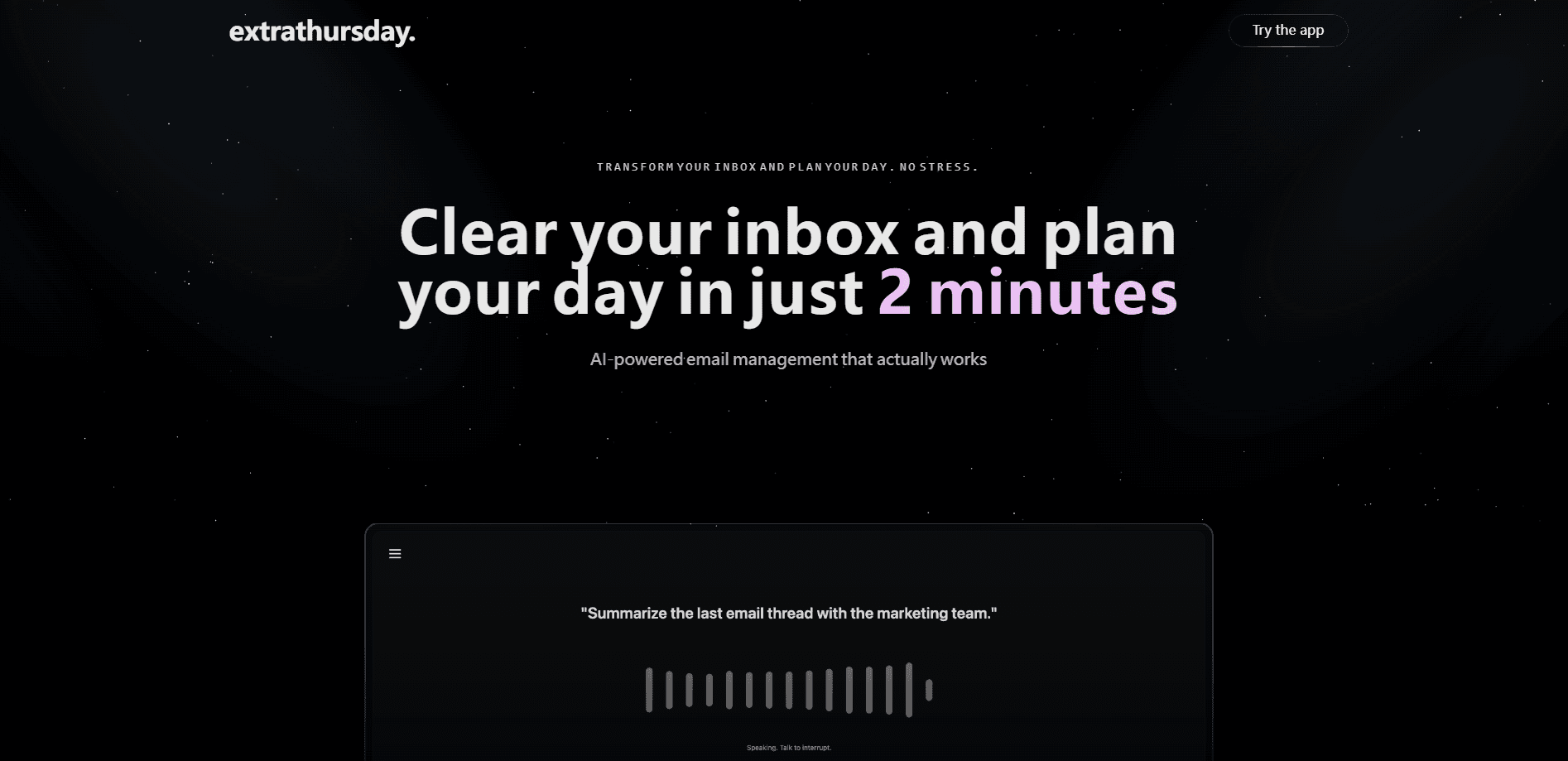
Extra Thursday is an AI email assistant that connects to Gmail and Google Calendar, then drafts replies, tracks open loops and summarizes threads in your own voice.
About Extra Thursday
What Is Extra Thursday
Extra Thursday is an AI workspace assistant built around your inbox. You sign in with a magic link, connect Gmail and Google Calendar through Google's OAuth flow, and a text-based assistant called Thursday reads your threads to summarize them, draft replies and surface the follow-ups you have left open. The pitch is simple: email behaves like a database of decisions and relationships, so the assistant treats it that way instead of just sorting messages into folders.
The product addresses a familiar problem. Most people can read email fine; what slows them down is deciding what each thread needs and writing the response. Thursday tries to close that gap. It pulls insights from large volumes of mail in seconds, handles AI email drafting that sounds like you wrote it, and keeps a running list of open loops so commitments do not slip. Because it works through the browser and connects to Google, there is no desktop client to install and nothing to migrate.
The main limit is scope and transparency. It only works with Gmail and Google Calendar, so Outlook, iCloud and other providers are out of reach. The free tier is meant for getting started, and heavier use of drafting and organization leans on paid plans. It is also built for adults, with an 18+ requirement, and it leans on third-party models, so prompts and mail content pass through providers such as OpenAI and Google Gemini on demand.
Getting Started
- Open the Extra Thursday site and enter your name and email to create an account with a magic link.
- Click the link in your inbox to sign in, since the service stores no password.
- Connect Gmail and Google Calendar through the Google OAuth prompt and grant the requested access.
- Let Thursday scan your threads, then ask it to summarize a conversation, draft a reply or list your open loops.
- Review each draft, edit if needed, and send. You can revoke Google access at any time from your Google account permissions.
Product Information
A quick look at Extra Thursday's pricing, supported platforms, and performance.
Best for
The users, tasks, and scenarios where this tool fits best.
Users
- Busy professionals who live in Gmail
- Founders and small teams without an assistant
- People who forget to follow up
Tasks
- Summarizing long threads
- Drafting replies in your voice
- Planning the day from email
Scenarios
- Clearing a backlog after time off
- Keeping a sales or client pipeline warm
- Managing a packed workday hands-free
Key features
AI-native inbox search and discovery
Thursday treats your mailbox as a searchable dataset rather than a list of folders. You can pull up a thread by what happened in it, not just by subject line, because the assistant reads the content of thousands of messages at once. That turns "where did we land on this?" into a query you can actually answer.
Open loop tracking
Open loops are the loose ends email creates: a promised document, an unanswered question, a meeting that still needs booking. Thursday extracts action items and keeps a running view of what is unresolved across your threads. For anyone juggling many conversations, it replaces the mental sticky note that keeps falling off.
AI drafting and follow-ups
The assistant writes responses in your voice, covering everything from polite follow-ups to complex technical discussions. You review, edit and send with one click, so you stay in control of what leaves your outbox. Follow-ups get drafted too, which is where a lot of quiet time loss happens.
Gmail and Google Calendar connection
Thursday links to Gmail and Google Calendar through OAuth, which is what lets it understand context instead of guessing. It can surface calendar events mentioned in email and help you act on them. The tradeoff is that it is a Google-only tool, so mixed inboxes are not fully covered.
On-demand summarization
Rather than a daily digest you have to wade through, Thursday works as an email summary tool that answers when you ask. You pick a long conversation and get the decisions and next steps in seconds. The description frames it as cutting through the noise, and for high-volume senders that is the everyday value.
Voice-first, hands-free operation
The assistant is built to be talked to, so you can request a summary or a draft while doing something else. That fits the way many people actually work, squeezing email into commutes and gaps between meetings rather than sitting down for an inbox session. It is the difference between a tool you open and one you talk to.
Pros and cons
Pros
- It connects to Gmail and Google Calendar, so it works with the accounts most people already use instead of asking you to migrate.
- Drafting in your voice means replies need light editing, not a rewrite from scratch.
- Open loop tracking keeps follow-ups visible, which targets the follow-through that email usually loses.
- Summarizing on demand is faster than scrolling a long thread, and it is the kind of task the assistant handles well.
- Magic link sign-in and no stored passwords keep the setup steps low.
Cons
- It is limited to Gmail and Google Calendar, so Outlook, iCloud and other inboxes are not supported, which rules it out for mixed setups.
- The most useful drafting and organization features lean on paid plans, so free users hit limits on heavier workflows.
- Mail and prompts are processed through third-party models, so anyone with strict data rules should read the privacy policy first.
- It is a young product with a small public footprint, so there is limited independent testing to rely on.
Frequently asked questions
Extra Thursday is an AI workspace assistant that manages email. It connects to Gmail and Google Calendar, summarizes threads, drafts replies in your voice and tracks open loops so you can handle your inbox faster.
Related content
Explore related tools, skills, and articles for Extra Thursday.
Extra Thursday Alternatives

Base Code
Base44 (Wix) · Coding · ProductivityBase Code is a shared cloud development environment from Base44. Teammates describe changes to an existing GitHub codebase in chat, preview them live and send them back as pull requests.

Knocket
Knocket (Tencent RTC team) · Productivity · Business · ChatbotKnocket is a free live chat and contact page tool that lets visitors message you from your website, app, or a shareable link, with every reply handled from Telegram or one inbox.

FloorGen
Vinit Kumar (FloorGen) · Productivity · China AIFloorGen is a browser-based floor plan maker that turns a sentence or a sketch into an editable 2D plan and a 3D walkthrough. Export to PDF, DXF or video, and draw without an account.