

Eye Shape AI
Eye Shape AI · Image
Eye Shape AI is a free web tool that reads your eye shape from one photo. It measures form, tilt and spacing, then explains how to use the result for makeup and glasses.
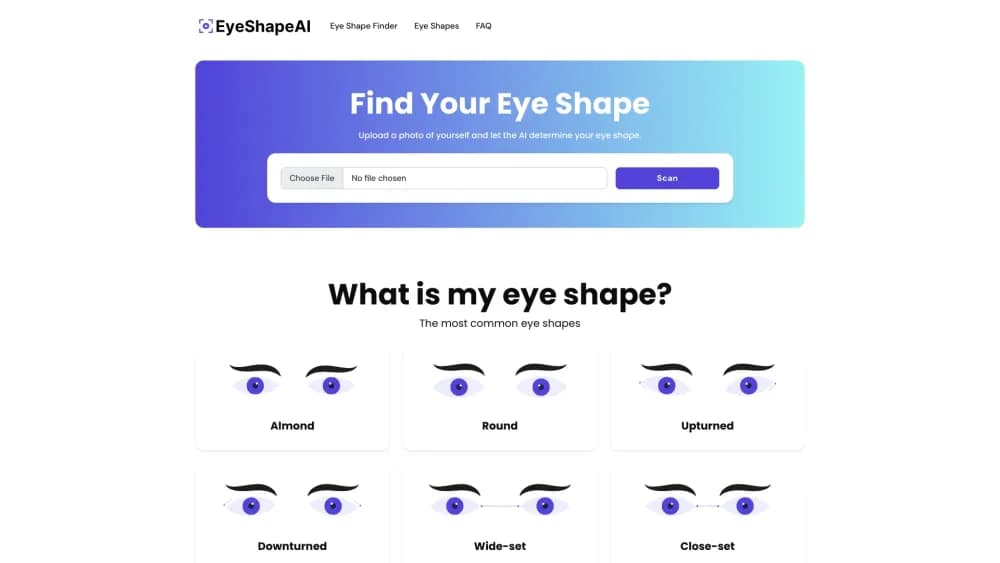
About Eye Shape AI
What Is Eye Shape AI
Eye Shape AI is a browser tool that answers one question: what shape are my eyes? You upload a single front-facing photo, and an eye shape analyzer maps the landmarks around each eye and measures three separate ratios from them. It returns a reading rather than a single label, which is the point.
Most eye shape tests hand you one of six boxes and stop there. Eye Shape AI splits the answer into form, tilt and spacing, then shows where you land on each scale. That matters because the three are independent. You can have a long almond eye that also tilts upward and sits close to the other one, and each of those facts changes a different styling decision.
There is no account and no app to install. The tool runs in the browser at eye-shapes.com, and the free test covers the full reading. The main limit is scope: it measures the three ratios and reports them, so it does not detect hooding, and it will not read a photo that is blurry, angled, or shot with glasses on.
Getting Started
- Go to eye-shapes.com and open the free eye shape test.
- Upload one clear, front-facing photo with both eyes open and no glasses or heavy shadow.
- Let the scanner find the landmarks that mark each eye's corners and lid edges.
- Read your three results: form from width against height, tilt from outer corner against inner corner, and spacing from the gap between your eyes against the width of one eye.
- Use the breakdown to pick an eyeliner shape or a frame width that works with your eyes.
Product Information
A quick look at Eye Shape AI's pricing, supported platforms, and performance.
Best for
The users, tasks, and scenarios where this tool fits best.
Users
- Makeup beginners
- Glasses wearers
- Anyone curious about their look
Tasks
- Choosing an eyeliner shape
- Picking a frame width
- Comparing eye shapes in one sitting
- Filtering makeup tutorials
Scenarios
- Getting ready for a big event
- Buying glasses online
- Starting a makeup routine from scratch
Key features
Three Measurements Instead of One Label
The scanner reports form, tilt and spacing as three independent numbers rather than sorting you into one shape. Form compares your eye's width to its height, tilt compares the outer corner to the inner one, and spacing compares the gap between your eyes to the width of a single eye. Almost everyone lands somewhere along each scale. Seeing all three is what makes the reading useful.
Canthal Tilt Analysis
The tool measures the angle between your inner and outer corners, the reading makeup artists call the canthal tilt. A lifted outer corner is upturned, a dropped one is downturned. This single number explains a lot of styling questions, since the same winged liner lifts an upturned eye and pulls a downturned one further down.
Six Eye Shape Names Explained
The eye shape detector covers the six names you will see everywhere: almond, round, upturned, downturned, wide-set and close-set. Four describe a single eye, and the other two describe where your eyes sit on your face. It explains how upturned eyes and downturned eyes differ, and how wide-set eyes compare with close-set ones, so each label is tied to a measurement rather than a vibe. Each one comes with a short description of the geometry behind it, so the label is tied to a measurement rather than a vibe.
Makeup Guidance Tied to Your Reading
Beyond the numbers, the tool tells you what to do with them. It explains how to place a wing for an upturned versus a downturned eye, how a round eye gains length from liner pulled past the outer corner, and how an almond eye gains more from depth in the crease. Each tip links back to a specific measurement.
Frame and Glasses Guidance
For glasses, the site focuses on spacing, the number that decides how far apart your eyes appear. A lighter or higher bridge widens a close-set look, while a darker or lower bridge pulls wide-set eyes together. It is a narrow piece of advice that most eyewear guides skip.
Free Browser Test With No Account
The eye shape test runs in the browser at eye-shapes.com and does not require sign-up. You upload a photo, get your reading, and move on. According to the site, the uploaded image is cropped, measured, held only long enough to show you the result, and then deleted, and it is never used for training.
Pros and cons
Pros
- The test is free and needs no account, so there is no cost to checking your reading.
- Splitting the answer into form, tilt and spacing is more honest than a single label that hides how mixed most eyes are.
- The makeup and frame tips connect each recommendation to the measurement behind it, so you can apply them yourself.
- Runs in a browser on any device, so you can take the test from a phone photo.
Cons
- It reads the three ratios only, so it does not detect hooding, which many people want to know about. That means a hooded eye still needs a separate check.
- Accuracy depends on your photo. A tilted head, poor light, or glasses can shift the result, so a bad upload gives a misleading reading.
- The result is guidance, not a fixed truth. Eye structure also changes with age as lid skin loosens, so an old reading may no longer match.
Frequently asked questions
Eye Shape AI measures your eye shape from one photo. You upload a front-facing image, and the scanner returns three readings, form, tilt and spacing, along with makeup and glasses tips tied to each one. It is a styling and curiosity tool rather than a medical service.
Related content
Explore related tools, skills, and articles for Eye Shape AI.
Eye Shape AI Alternatives

Google EmbeddingGemma 2
Google DeepMind · Writing · Image · CodingGoogle EmbeddingGemma 2 is a 740M-parameter open model that turns text, code, images, audio, and video frames into vectors in one 768-dimension space, running on phones and laptops.

Tractionwave
TractionWave · Image · MarketingTractionWave is an AI attention heatmap tool for static ads. Upload a PNG or JPG and it returns predicted attention, ranked hotspots, and fixes before you spend budget.

Imejis.io
Imejis.io · Image · MarketingImejis.io is an AI design studio for agents and marketing teams. Describe an image in plain words, and it writes the copy, builds the layout, reflows it to every size, then exports a finished file.