

Face Swap AI
Beauty AI · Image
Face Swap AI, the free face swap online tool from Beauty AI, replaces a face in a photo, video, or GIF with another face you upload or pick from a demo library, and it handles several faces at once.
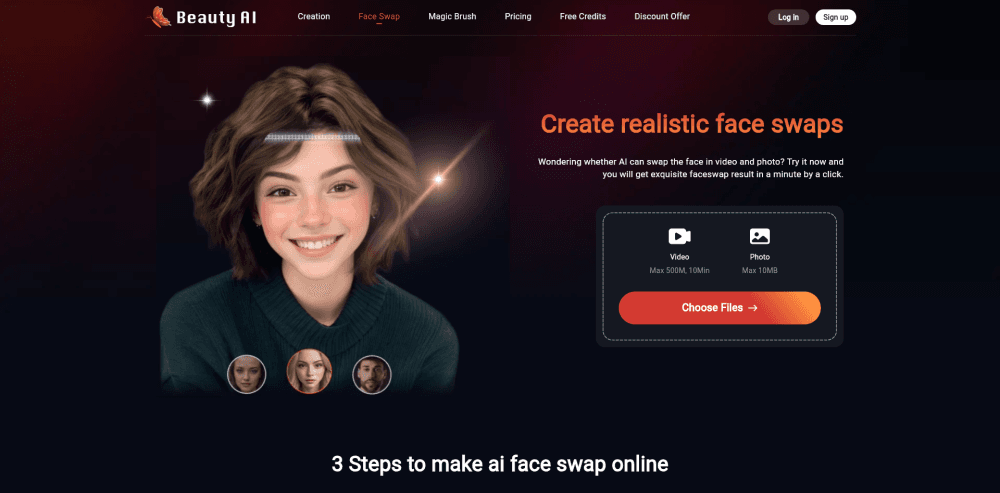
About Face Swap AI
What Is Face Swap AI
Face Swap AI is a web app that does one job well: take a face from one picture and put it onto someone else in another. You open the site, drop in the photo or clip you want to change, then supply the face you want to wear. The whole thing runs in the browser, so a phone works as well as a laptop.
The problem it solves is the cost and skill barrier of serious editing. Pulling off a believable swap in Photoshop or After Effects takes hours and a steady hand. Here, the tool finds the eyes, nose, and jawline itself and lines the new face up with the old one. Lighting and skin tone get blended in the same pass.
It is also a stripped-down product by design. There are no layers, no masks to paint, and no way to nudge individual features, so you get the algorithm's best guess rather than fine control. Files sit on the servers for seven days and are capped at 10MB for photos, which matters if you plan to keep source material around.
Getting Started
- Open the Face Swap AI home page and choose the photo, video, or GIF tool you need.
- Upload your source file, keeping it under the size limit for that tool.
- Upload the face you want to swap in, or pick one from the demo library.
- Run the swap, preview the result, then download it as an image or video.
Product Information
A quick look at Face Swap AI's pricing, supported platforms, and performance.
Best for
The users, tasks, and scenarios where this tool fits best.
Users
- Social media creators
- Groups of friends and family
- Curious first-timers
Tasks
- Making a meme or reaction image
- Putting your face in a movie or music clip
- Rewriting a group video
Scenarios
- A weekend laugh with friends
- Testing a look before a shoot
- Quick content batches for a small account
Key features
Photo Face Swap
Upload a still image, add the face you want, and the tool blends the two together with matched skin tones and lighting. It suits single portraits and two-person photos, and it's quick enough to run several attempts until one lands.
Video Face Swap
Videos up to 500MB and 10 minutes long are supported in MP4, MOV, and M4V formats. The AI tracks the target face frame by frame, so movement and head turns stay consistent across the clip.
Multiple Face Swap
Group footage is where most free tools fall apart. This one detects every face in a frame and lets you decide which ones to replace, which makes it usable for team videos, family clips, and crowded scenes.
Free Unlimited Swaps
The site advertises unlimited photo swaps with no watermark on the standard output. That is unusual for a face changer, since most competitors meter you with credits or subscriptions after a couple of tries.
Demo Face Library
If you don't have a suitable photo on hand, a built-in library of demo faces covers common looks. It is handy for a fast test. Using your own portrait usually produces a more personal result.
History and File Handling
The tool keeps a history of your swaps so you can go back and grab an earlier result instead of starting over. Uploaded files stay on the servers for seven days, then clear out on their own.
Pros and cons
Pros
- No install and no account: this faceswapper AI runs entirely in the browser, so you can try it from a phone, a tablet, or a laptop in seconds.
- Photos, videos, and GIFs in one place: most free tools stop at stills, while this one handles clips too.
- Multiple faces per frame: group shots and team videos work without cutting the subject out first.
- Free tier with no watermark: you can test the output quality before deciding whether a paid app is worth it.
Cons
- Photo files are capped at 10MB: a high-resolution raw image or a long clip has to be compressed first, which costs detail.
- No manual controls: you can't adjust blending strength or fix a bad result by hand, so a failed swap means starting over with a different source.
- Video processing runs on the server: long clips take a while, and a 10-minute ceiling rules out most podcast or event recordings.
- No public API: developers can't wire the face swap engine into their own app or workflow.
Frequently asked questions
Face Swap AI is a free web tool from Beauty AI that replaces one face with another in photos, videos, and GIFs. You upload the source file, supply the face you want to use, and download the result.
Related content
Explore related tools, skills, and articles for Face Swap AI.
Face Swap AI Alternatives

Google EmbeddingGemma 2
Google DeepMind · Writing · Image · CodingGoogle EmbeddingGemma 2 is a 740M-parameter open model that turns text, code, images, audio, and video frames into vectors in one 768-dimension space, running on phones and laptops.

Tractionwave
TractionWave · Image · MarketingTractionWave is an AI attention heatmap tool for static ads. Upload a PNG or JPG and it returns predicted attention, ranked hotspots, and fixes before you spend budget.

Imejis.io
Imejis.io · Image · MarketingImejis.io is an AI design studio for agents and marketing teams. Describe an image in plain words, and it writes the copy, builds the layout, reflows it to every size, then exports a finished file.