

FaceMagic
FaceMagic · Image · Video
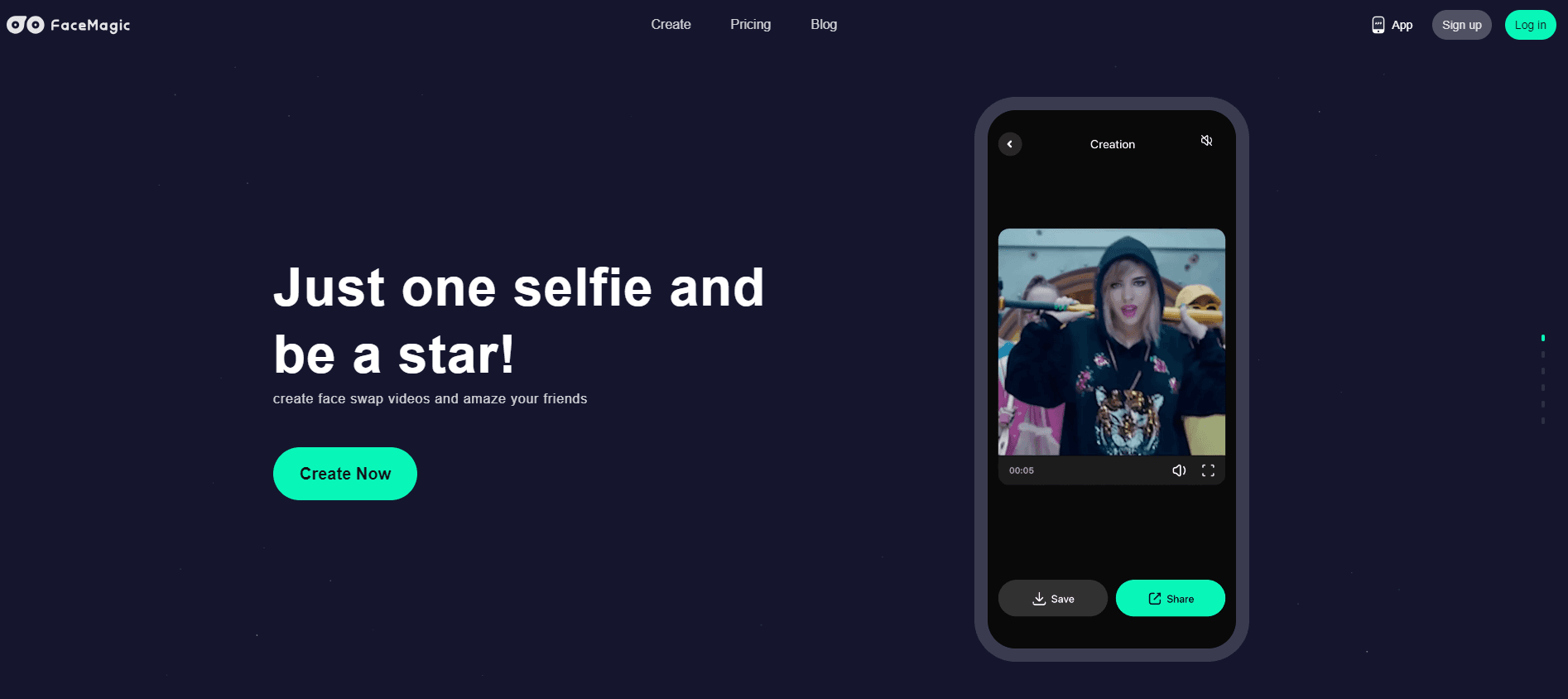
FaceMagic is an AI face swap app for photos and videos. It swaps one face onto another image or clip, then adds makeup, age, gender, and expression edits from the same editor.
About FaceMagic
What Is FaceMagic
FaceMagic is an AI face editor built around one task: putting a face onto another person's photo or video and making it look like it belongs. You upload a target image or clip, pick the face you want to use, and the app blends the two with a model trained on faces. The result runs in seconds and reads as a finished piece rather than a rough crop.
The app covers more than a single swap. Alongside face swap, it holds an AI face editor, age and gender transformation, an expression editor, and an AI makeup tool. A separate video side handles text to video, image to video, and video to video generation. Everything lands in a library called My Creations, so results don't scatter across your camera roll.
It fits short-form creators, social media users, and anyone who wants a face swap without a desktop GPU box. That is also the pitch: fast processing, a beginner-friendly interface, and one-tap sharing to social apps. Nobody needs editing skills to start.
There are edges worth knowing. Generation runs on credits, premium plans unlock advanced tools and remove the ad layer, and clips take longer than stills. Face swap is also a sensitive area, so the rules on whose face you may use matter as much as the tool itself.
Getting Started
- Install FaceMagic on your phone or open it in a browser. Free features work straight away, with ads.
- Upload the photo or video you want to edit, then supply the face you want to swap in.
- Run the swap. The app blends the two and drops the result into My Creations.
- Add edits on top, such as makeup, an age shift, or a different expression.
- Share the finished file, or move to a premium plan if you need more credits and advanced tools.
Product Information
A quick look at FaceMagic's pricing, supported platforms, and performance.
Best for
The users, tasks, and scenarios where this tool fits best.
Users
- Short-form video creators
- Social media users
- Hobbyist editors
Tasks
- Photo and video face swap
- Appearance edits
- AI video generation
Scenarios
- Making a viral-style clip
- A fun birthday or greeting video
- Testing a look before a shoot
Key features
AI face swap for photos and videos
This is the core of FaceMagic. You give the app a target photo or clip and a face to insert, and the model handles detection, alignment, and blending. For photos the wait is brief, often a few seconds once the model has the face. Video takes longer because every frame carries the same work, and the length of the clip sets how long you wait. The app leans on one-tap flow, so the face you pick goes straight onto the target instead of asking you to place landmarks by hand. The realistic output is the point: skin tone, lighting, and head angle get matched so the swapped face sits in the scene rather than on top of it.
AI face editor and appearance tools
Beyond a single swap, FaceMagic holds a set of editing tools that work on the face you already uploaded. The AI face editor refines and restyles a photo for a cleaner or more creative result. Age transformation shows a younger or older version of the same face. Gender transformation changes presentation with adapted facial structure. An expression editor moves the face through states such as smiling, surprised, or calm. These tools matter because they turn one upload into several outputs, which is useful when you want variations of a single portrait for a profile or a thumbnail.
AI makeup generator
The makeup tool applies beauty looks to a photo and produces a social-ready result. You can point it with a text prompt or pick from preset styles, and some versions expose an intensity control for how strong the effect reads. The smart part is skin awareness: the model adjusts to the face in the frame rather than laying the same mask over every photo. It suits anyone who wants a makeup test without a full beauty app, and it pairs well with the swap flow, since the same face can be swapped in and then styled.
AI video generator
The video side of FaceMagic covers several entry points. Text to video builds a clip from a written prompt. Image to video animates a still photo into motion. Video to video takes an existing clip and restyles or transforms it with AI. Image plus text to video combines a photo and a prompt for a more directed result. These tools run on the same credit system as face swap, so a heavy video session draws down the balance faster than a set of photos. They suit creators who want to move from a single swap to a short piece with motion.
My Creations library and one-tap sharing
Every generated photo and video lands in a library called My Creations, where you can preview, manage, and share past work. That matters more than it sounds: swapping and editing produce many files, and a single place to find them beats scrolling a camera roll. Sharing is built to be quick, with one-tap export to social apps, which fits the short-form use case the app is aimed at.
Credit-based generation with free and premium tiers
FaceMagic runs on credits. Free features are available with optional ads, and each generation costs credits, so the balance decides how much you can make before you pay. Premium plans unlock advanced tools, and the listing shows a one-week plan at $4.99 and a one-year plan at $49.99. The split is simple: use the free tier to test how swaps look on your own photos, then move to a plan if you generate often enough that the credit ceiling starts to bite.
Pros and cons
Pros
- Face swap works on both photos and videos, so one app covers stills and short clips.
- Editing tools sit next to the swap, so makeup, age, gender, and expression changes need no second app.
- A credit system with free features and optional ads lets you try swaps before paying.
- One-tap sharing and a single My Creations library fit short-form creator workflows.
Cons
- Video swaps take longer than photos because every frame runs through the model.
- Credits set a ceiling on free use, so heavy video generation needs a paid plan.
- Premium pricing is subscription-based, and the paid tiers apply to the account, not a one-off clip.
- No public API is documented, and face swap carries legal and ethical limits on whose face you may use.
Frequently asked questions
FaceMagic is an AI face swap app for photos and videos, and it doubles as a face editor. It places one face onto another person's image or clip and blends the two, then offers extra tools such as makeup, age transformation, gender transformation, and an expression editor. The AI face swap video mode works on clips as readily as on stills.
Related content
Explore related tools, skills, and articles for FaceMagic.
FaceMagic Alternatives

Google EmbeddingGemma 2
Google DeepMind · Writing · Image · CodingGoogle EmbeddingGemma 2 is a 740M-parameter open model that turns text, code, images, audio, and video frames into vectors in one 768-dimension space, running on phones and laptops.

Tractionwave
TractionWave · Image · MarketingTractionWave is an AI attention heatmap tool for static ads. Upload a PNG or JPG and it returns predicted attention, ranked hotspots, and fixes before you spend budget.

Imejis.io
Imejis.io · Image · MarketingImejis.io is an AI design studio for agents and marketing teams. Describe an image in plain words, and it writes the copy, builds the layout, reflows it to every size, then exports a finished file.