
FacePoke
FacePoke · Image
FacePoke, also written as Face Poke, is a free browser-based AI face editor. Drag eyebrows, eyes, mouth, and jawline to reshape expressions and head angles, with edits rendered live.
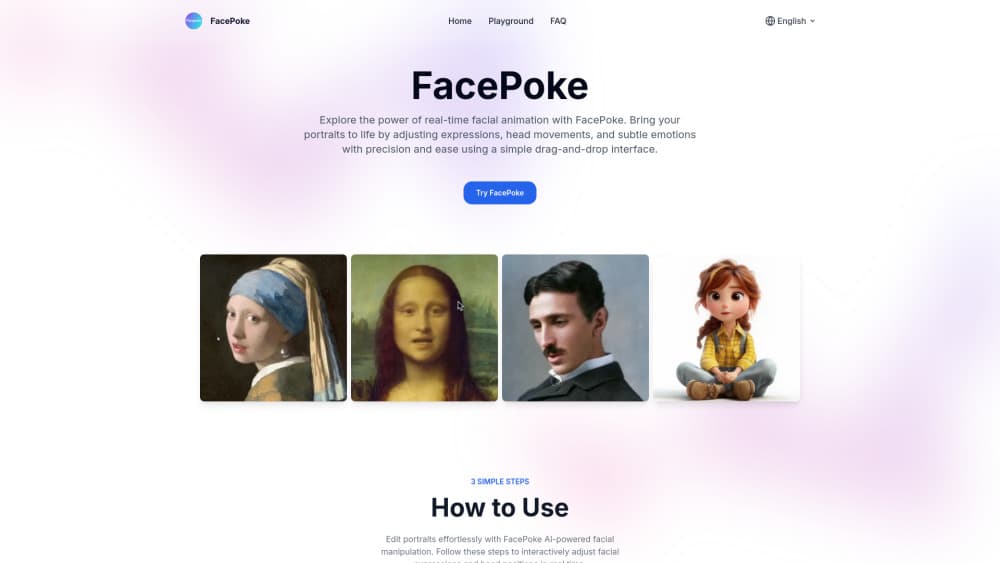
About FacePoke
What Is FacePoke
FacePoke is a browser-based facial expression editor. It runs on a trained face model that marks the key points on a portrait, then reshapes the image around them as you drag. You can pull an eyebrow up, curl the mouth into a smile, or shift the whole head. The result updates as you move, so you judge the expression by eye instead of guessing at values.
The tool is popular with digital artists, animators, and content creators who need a portrait to show a specific emotion. Traditional photo editors handle this with the liquify brush or warp tools, which take many passes and often leave the skin looking stretched. FacePoke instead treats the face as a structure: it knows where the eyes and jaw sit, and it redraws the pixels so the change stays believable.
The limits are worth knowing up front. FacePoke handles faces, not general photo retouching, so color, background, and lighting are out of scope. It works on still images; for moving portraits it points users to a separate Live Portrait tool, which is built on Kuaishou's open source framework and can run slowly on the free tier. The editor also needs a clear, front-facing photo, since a profile or a tilted head gives the model less to work with.
Getting Started
- Open facepoke.net and pick a portrait photo. A sharp, well-lit shot with the face centered gives the best result.
- Upload the image to the editor; the tool maps the facial landmarks in a moment.
- Drag on the features you want to change, such as the eyebrows, eyes, or mouth, and drag near the jaw or forehead to turn the head.
- Turn on Show Face Markers if you want to see the control points and place edits more precisely.
- Preview the result, then download a full-resolution copy of the edited portrait.
Product Information
A quick look at FacePoke's pricing, supported platforms, and performance.
Best for
The users, tasks, and scenarios where this tool fits best.
Users
- Digital artists and illustrators
- Content creators and social media managers
- Animators and indie game developers
- Beginners and hobbyists
Tasks
- Changing an expression
- Adjusting head angle
- Building expression sets
Scenarios
- Mocking up character emotions before committing to a full illustration.
- Refreshing portrait photos for a profile or campaign when a reshoot isn't possible.
- Exploring how a face reads at different angles for a study or a demo.
Key features
Real-time drag-based face editing
FacePoke's core interaction is direct manipulation. Instead of sliders, you drag the actual features and watch the portrait respond. The model re-renders as you work, so the loop from idea to result is short and you can undo a bad pull in seconds. Builds on face landmark detection keep the change anchored to the underlying structure of the face.
Facial landmark control points
The Show Face Markers option overlays control points on the main features. With the points visible, you can nudge a brow or corner of the mouth by small amounts rather than making broad strokes. This matters for subtle work, where a large drag overshoots and a precise one lands.
Head pose adjustment
Dragging near the jawline or forehead changes the orientation of the head. You can add a slight tilt for a candid feel or turn the face a few degrees for a different angle. The feature is aimed at portraits where the pose is fixed but the composition still needs a tweak.
High-resolution output
Edits keep the resolution of the source image, so the downloaded portrait stays sharp enough for digital art, print, or a social post. The tool doesn't compress the exported file down to a preview size.
Portrait animation with Live Portrait
For movement rather than a single frame, FacePoke offers Live Portrait, an image animation tool built on Kuaishou's open source framework. You upload a still portrait and a driving video, and the system transfers the motion from the video onto the photo. It runs in the browser, and the free version can queue during busy periods.
No signup and nothing to install
The editor opens in a browser tab. There's no account step and no download, which keeps the entry cost at zero and makes it easy to try on a shared or borrowed machine. Because the work happens online, the tool is tied to a live connection.
Free to use
Every tool on the site, including the face editor, runs without a paid tier. Users get the main editing features at no cost, and the site points to its Hugging Face space for the same model. Free AI face editing is the selling point here: you pay nothing to change an expression or try Live Portrait.
Pros and cons
Pros
- Direct dragging makes expression changes fast and easy to judge by eye.
- No account or install, so anyone with a browser can start in seconds.
- Free to use across the site's tools, including the face editor and Live Portrait.
- Landmark control points allow fine, small adjustments, not just big moves.
- Export keeps the source resolution for art and print work.
Cons
- It only edits faces, so color grading, background swaps, and retouching are missing.
- It needs a clear, front-facing, well-lit photo; profiles and low light give weak output.
- Live Portrait animations can be slow or temporarily unavailable on the free tier during peak traffic.
- No built-in collaboration, so teams have to swap exported files by hand.
- No documented public API, which rules out automated or scripted use.
Frequently asked questions
FacePoke is a free online editor that changes facial expressions and head angles in a portrait. You upload a photo, drag the features you want to move, and the AI redraws the face in real time.
Related content
Explore related tools, skills, and articles for FacePoke.
FacePoke Alternatives

Google EmbeddingGemma 2
Google DeepMind · Writing · Image · CodingGoogle EmbeddingGemma 2 is a 740M-parameter open model that turns text, code, images, audio, and video frames into vectors in one 768-dimension space, running on phones and laptops.

Tractionwave
TractionWave · Image · MarketingTractionWave is an AI attention heatmap tool for static ads. Upload a PNG or JPG and it returns predicted attention, ranked hotspots, and fixes before you spend budget.

Imejis.io
Imejis.io · Image · MarketingImejis.io is an AI design studio for agents and marketing teams. Describe an image in plain words, and it writes the copy, builds the layout, reflows it to every size, then exports a finished file.