

Faceswapper.ai
Faceswapper.ai · Image
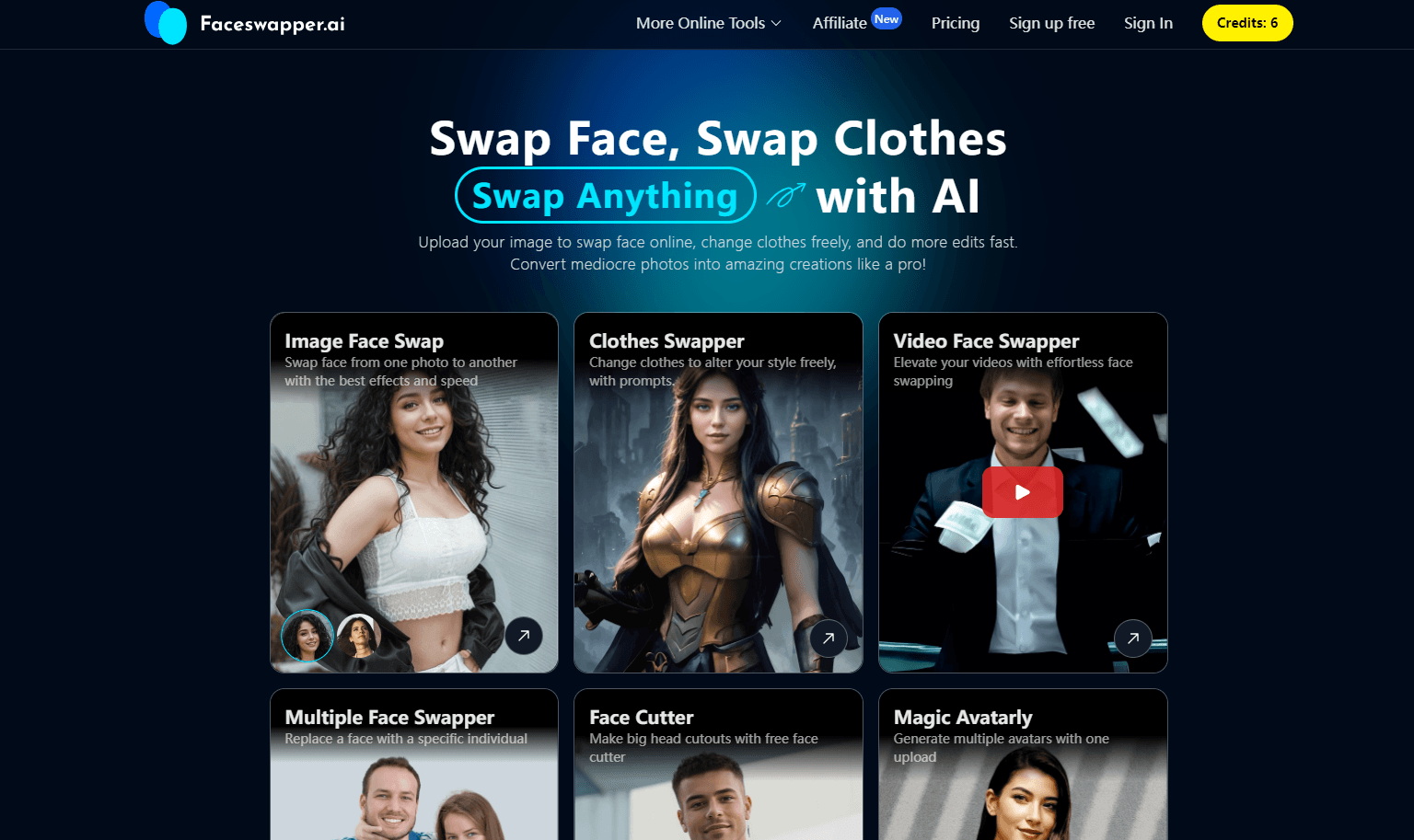
Faceswapper.ai is a browser-based AI face swap tool that lets anyone swap faces in photos and videos, change outfits, and build avatars in a few clicks.
About Faceswapper.ai
What Is Faceswapper.ai
Faceswapper.ai is an online face swap tool that runs in your browser, so you don't install anything to start. Upload a photo or video, pick a face, and the AI handles the blending. Skin tone, lighting, and face angle get matched automatically, which is the part that usually gives cheap swaps away.
The tool covers more than a straight swap. You can turn a photo into a video result, change what someone is wearing, switch a subject's apparent gender, and generate avatars from a single portrait. A template library of ready-made scenes keeps the whole thing fast when you don't want to upload your own footage.
The biggest limit is source quality. Soft, blurry, or oddly angled faces produce weak results, and the tool will tell you nothing about why a swap came out flat. No warning. No hint. There's a daily free allowance rather than unlimited use, so heavy users end up on a paid plan. Uploaded files are deleted within 24 hours, which is worth knowing if you're squeamish about handing over personal photos.
Getting Started
- Open Faceswapper.ai in any browser and start a swap without creating an account.
- Upload a clear photo or video, or pick a scene from the template library.
- Choose the face to swap in: pick one from the provided gallery or upload your own.
- Tap Swap and wait for the AI to detect, align, and blend the faces.
- Preview the result, then download it or share it to social.
Product Information
A quick look at Faceswapper.ai's pricing, supported platforms, and performance.
Best for
The users, tasks, and scenarios where this tool fits best.
Users
- Casual creators who want funny swaps for social posts without learning editing software
- Social media managers producing quick, eye-catching visuals for short-form feeds
- People curious about AI who want to try a face swap without paying or installing an app
Tasks
- Swapping faces in a group photo so everyone appears in the same scene
- Turning a still portrait into a short video clip with a swapped face
- Building an avatar or trying a different look, such as a new outfit or age, from one photo
Scenarios
- Making birthday and group-chat jokes with friends' faces dropped into silly templates
- Testing a hairstyle, outfit, or gender swap before committing to the real thing
- Filling a content calendar fast when you need several variants of the same image
Key features
Photo and Video Face Swap
This is the core of Faceswapper.ai: drop a face onto a photo or a video clip and let the model do the rest. It matches lighting, tone, and head angle so the result doesn't look pasted on. Video swaps take longer than stills and depend heavily on how steady your source footage is.
Gender Swap
The gender swap mode flips a subject's apparent gender while keeping facial structure recognizable. It's a popular novelty use, and it works best on well-lit, front-facing portraits. Side profiles and heavy shadows are where it starts to struggle. It's not magic.
Clothes Changer
The clothes changer swaps an outfit rather than a face, which is handy for trying a look without buying it or shooting a new photo. It pairs naturally with the avatar tools when you're building a character for a profile picture.
Template Library
Instead of always uploading footage, you can start from ready-made scenes covering movie moments, costume looks, and seasonal trends. Templates cut the setup time to almost nothing and are the fastest path to a shareable result. New ones get added over time.
Avatar Maker
From a single portrait, the AI avatar maker produces alternative looks you can use as profile images or character references. It's aimed at people who want a stylized version of themselves rather than a straight copy.
Browser-Based Workflow
Everything happens in the browser on desktop, tablet, or phone. There's no app to install and no plugin to configure, so you can start a swap on a laptop and finish it on your phone. Output downloads without a watermark. Simple as that.
Pros and cons
Pros
- Runs fully in the browser with no install and no account needed to try it
- Handles photos and videos, plus gender swap, clothes change, and avatars in one place
- Template library removes the setup step when you just want a quick result
- Uploads are deleted within 24 hours, which limits how long your photos sit on their servers
Cons
- Source quality is everything; blurry or angled faces give weak, unconvincing results with no clear explanation
- Free use is capped by a daily allowance, so regular users have to pay to keep going
- Little public detail on an API, so it's hard to wire this into an automated workflow
Frequently asked questions
It swaps faces in photos and videos and offers extras like outfit changes, gender swaps, and avatars. Most people use it for social content, memes, and trying new looks without editing skills.
Related content
Explore related tools, skills, and articles for Faceswapper.ai.
Faceswapper.ai Alternatives

Google EmbeddingGemma 2
Google DeepMind · Writing · Image · CodingGoogle EmbeddingGemma 2 is a 740M-parameter open model that turns text, code, images, audio, and video frames into vectors in one 768-dimension space, running on phones and laptops.

Tractionwave
TractionWave · Image · MarketingTractionWave is an AI attention heatmap tool for static ads. Upload a PNG or JPG and it returns predicted attention, ranked hotspots, and fixes before you spend budget.

Imejis.io
Imejis.io · Image · MarketingImejis.io is an AI design studio for agents and marketing teams. Describe an image in plain words, and it writes the copy, builds the layout, reflows it to every size, then exports a finished file.