

FASHN - AI Fashion Studio
FASHN AI · Image
FASHN - AI Fashion Studio is an AI agent for fashion e-commerce that turns flat product shots into on-model photos, virtual try-ons, and short videos. It targets brands and creative teams, with plans from $19/mo.
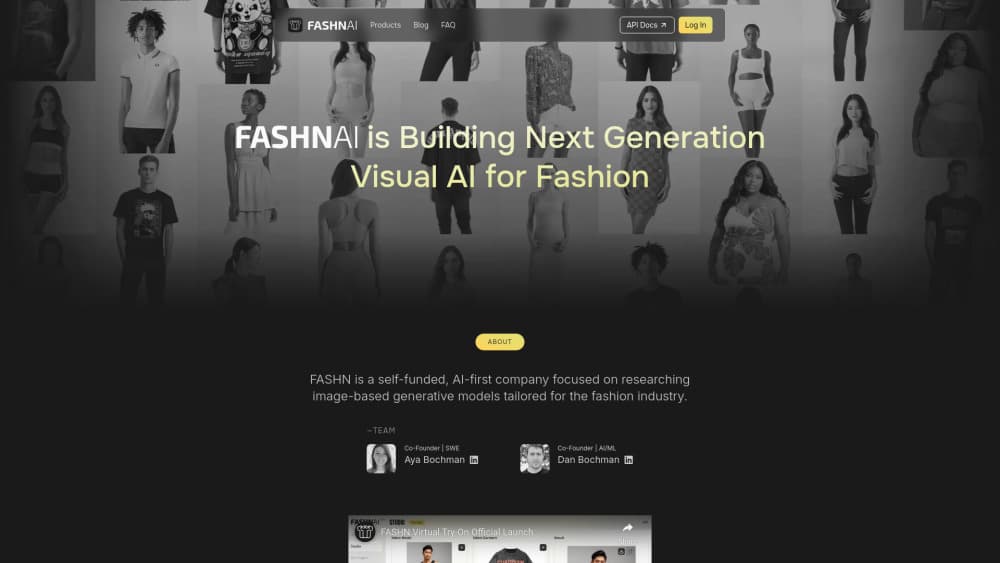
About FASHN - AI Fashion Studio
What Is FASHN - AI Fashion Studio
FASHN - AI Fashion Studio is a generative AI platform built for fashion e-commerce. It puts garments on AI models, swaps backgrounds, edits details, and turns still images into videos. The company also runs a developer API for teams that want to embed the same tools in their own products.
You don't need a photography studio or a paid model to use it. Bring a product photo, a model image, or just an idea in words, and the FASHN Agent picks the right process to build the shot you asked for. Garments render at up to 4K.
The main limit is scope. FASHN focuses on human-centric fashion imagery, so it isn't a general-purpose image editor for landscapes, products outside apparel, or fine graphic design work. Credits also run out fast at higher resolutions, and subscriptions aren't refundable.
Getting Started
- Create an account at app.fashn.ai. New accounts start with 10 free credits.
- Pick a starting asset: a flat product photo, a model image, or a description of the shot you want.
- Direct the Agent in plain words. Describe the model, pose, styling, or edits, then let it choose the process.
- Refine and export. Create variations, explore new angles, upscale to 4K, or turn the best image into a short video.
Product Information
A quick look at FASHN - AI Fashion Studio's pricing, supported platforms, and performance.
Best for
The users, tasks, and scenarios where this tool fits best.
Users
- Fashion e-commerce brands
- Small online clothing sellers
- Creative and marketing teams
- Developers building fashion tools
Tasks
- Turning product photos into on-model shots
- Virtual try-on for shoppers
- Generating AI fashion models
- Making fashion videos from stills
- Batch catalog production
Scenarios
- Launching a new collection fast
- Testing creative directions before a shoot
- Keeping seasonal content fresh
- Prepping marketplace and shop banners
Key features
FASHN Agent
The Agent reads your plain-language instructions and decides which process to run. You describe a model, pose, or edit, and it handles the steps. Start from a photo, a library asset, or just an idea.
Virtual Try-On
Try-On places a garment on a person image and shows how it would look when worn. Try-On Max, the newest model, handles clothing, shoes, hats, jewelry, and bags, and supports prompt-based tweaks. Image quality reaches up to 4K.
Product to Model
This tool drops a flat product photo onto an AI model. It's the core workflow for brands that want catalog or product detail page images but don't want to book a shoot. It works for most wearable items.
AI Model Creation
Model Create builds AI fashion models you can reuse across a whole catalog. Face Reference keeps the same face consistent across every output, so your model doesn't change from image to image. Agency plans let you upload your own reference photos.
Editing and Background Tools
Model Swap, Packshot, Edit, and Reframe clean up and restyle images. You can swap the background, adjust framing for different channels, and rescue weaker inputs without a full reshoot. Output scales up to 4K for print.
Fashion Video Generation
Turn a still image into a short video that shows how a garment moves and fits. Video exports run up to 720p on Basic and 1080p on higher tiers. Useful for social posts and ads that need motion.
Developer API
The FASHN API exposes the same try-on, model creation, and editing models as endpoints. Teams integrate it into their own storefronts or apps. Try-On v1.6 stays available for real-time, cost-sensitive work, and Try-On Max is the recommended default.
Pros and cons
Pros
- Runs a full product-photo workflow, from flat shot to on-model image to video, in one place.
- Face Reference keeps a consistent model across an entire catalog, which is hard to do manually.
- Developer API lets teams embed the same tools instead of rebuilding them.
- Output goes up to 4K, which covers web listings and print.
- Every new account starts with 10 free credits, so you can test the core tools before paying.
Cons
- Subscriptions and credit top-ups aren't refundable, so plan sizing matters before you commit.
- Higher resolutions and detailed modes cost more credits per output, and heavy catalogs burn through them fast.
- It covers fashion imagery only, so you still need other tools for unrelated product or graphic work.
- Billing through the mobile app is monthly only and skips Agency 2x and top-ups.
Frequently asked questions
It's used to create fashion e-commerce visuals: on-model photos, virtual try-ons, product detail images, and short videos. Brands use it to replace or cut down studio photoshoots.
Related content
Explore related tools, skills, and articles for FASHN - AI Fashion Studio.
FASHN - AI Fashion Studio Alternatives

Google EmbeddingGemma 2
Google DeepMind · Writing · Image · CodingGoogle EmbeddingGemma 2 is a 740M-parameter open model that turns text, code, images, audio, and video frames into vectors in one 768-dimension space, running on phones and laptops.

Tractionwave
TractionWave · Image · MarketingTractionWave is an AI attention heatmap tool for static ads. Upload a PNG or JPG and it returns predicted attention, ranked hotspots, and fixes before you spend budget.

Imejis.io
Imejis.io · Image · MarketingImejis.io is an AI design studio for agents and marketing teams. Describe an image in plain words, and it writes the copy, builds the layout, reflows it to every size, then exports a finished file.