

Fathom
Fathom · Productivity
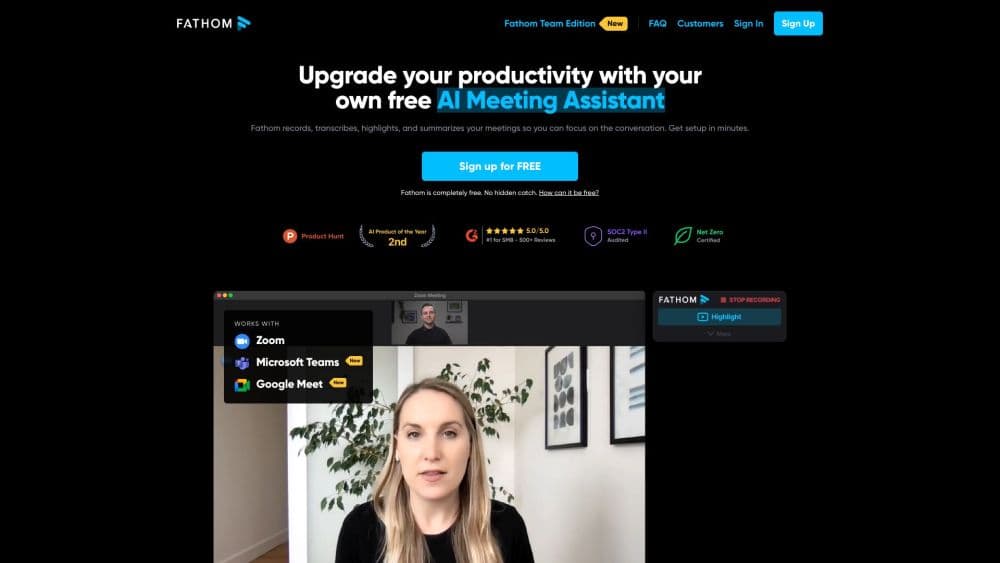
Fathom is an AI notetaker that records your calls, writes instant summaries with action items, and pushes notes straight into your CRM and team tools.
About Fathom
What Is Fathom
Fathom is an AI meeting assistant that joins your calls, records the conversation, and turns it into a transcript plus a short summary you can scan in a minute. It works with Zoom, Google Meet, and Microsoft Teams, and it can also record without a bot through a Mac beta. The company built it around one promise: you stop taking notes and stay in the conversation.
The problem it targets is the gap between a call ending and anyone acting on what was said. Fathom pulls out decisions, action items, and follow-ups, then syncs them to Slack, Salesforce, HubSpot, Notion, and Asana so records stay current without manual entry. Sales teams get extra layers on top, like AI Scorecards, deal views, and trackers that flag competitor mentions across future calls.
The main limit is that the shared team features sit behind paid seats. The free plan is generous for one person, but team folders, CRM field sync, and unlimited "Ask Fathom" across team calls require Premium or higher, and the priciest sales tools are Business or Enterprise only.
Getting Started
- Sign up at fathom.video with a work email and start on the free plan.
- Connect your calendar or invite the Fathom notetaker to a Zoom, Google Meet, or Microsoft Teams call so it joins automatically.
- Let the call run, then open the finished recording to read the transcript and the auto-generated summary.
- Copy action items to Slack, Gmail, or your task manager, or turn on CRM sync so they land in Salesforce or HubSpot on their own.
Product Information
A quick look at Fathom's pricing, supported platforms, and performance.
Best for
The users, tasks, and scenarios where this tool fits best.
Users
- Sales reps
- Customer success teams
- Solo founders and freelancers
Tasks
- Writing follow-up emails
- Logging CRM updates
- Searching past calls
Scenarios
- Back-to-back discovery calls
- Hybrid teams missing the live meeting
- Coaching new reps
Key features
Bot-free and bot recording
Fathom gives you a choice: send a notetaker bot into the call, or record without one using its Mac beta. Bot-free capture suits interviews, one-on-ones, and any call where a visible participant changes the mood. Either way you get the same transcript and summary at the end.
Instant AI summaries
Every call wraps with a chronological summary and an enhanced recap that lists decisions and next steps. Fathom ships over 15 expert meeting templates, including sales frameworks like BANT and Sandler, so summaries match how your team already runs calls. The point is a short read, not a second transcript.
AI action items and follow-up emails
Fathom pulls action items out of the conversation and assigns them to the people who agreed to them. It also drafts follow-up emails, so a rep can send a recap seconds after hanging up. Anyone who has lost an hour to post-call admin knows why this matters.
Ask Fathom across your calls
Ask Fathom is a chat interface that answers questions about your meetings. On a single call you can ask what a client wanted or where a price came up, and on paid plans you can search across all your calls. Unlimited lookback applies to your own calls, while team call history depends on the plan tier.
CRM sync and integrations
Fathom connects to Zoom, Google Meet, Microsoft Teams, Slack, Notion, Asana, Salesforce, and HubSpot, plus Zapier and Make for automation. Business plans add CRM field sync, which writes meeting insights into specific CRM fields automatically. ChatGPT and Claude integrations surface meeting context inside the tools your team already uses.
Trackers and AI Scorecards
Trackers tag moments across future calls, flagging competitor mentions, objections, or feature requests and routing them to Slack or email. AI Scorecards measure speaking patterns and follow-up habits for coaching. These are the features aimed at teams that treat every call as a data point, not just a note.
Pros and cons
Pros
- Works with Zoom, Google Meet, and Microsoft Teams, so there is no new platform to adopt.
- Free plan covers unlimited recordings and transcriptions, which is rare in this category.
- Action items and follow-up emails save the usual post-call admin time.
- CRM sync keeps Salesforce and HubSpot records current without manual entry.
- Bot-free recording keeps notetakers out of sensitive conversations.
Cons
- Team folders, global search, and CRM field sync need a paid seat, so small teams hit the paywall fast.
- The bot-free option is still a Mac beta, so Windows users fall back to the bot.
- The most advanced sales tooling, like AI Scorecards and coaching metrics, sits in the Business tier at a higher price.
Frequently asked questions
Yes. Fathom has a free forever plan with unlimited recordings, unlimited transcriptions, instant AI summaries, clips, playlists, and search across your calls. It is built for individual use, so shared team folders and CRM sync require a paid plan.
Related content
Explore related tools, skills, and articles for Fathom.
Fathom Alternatives

Base Code
Base44 (Wix) · Coding · ProductivityBase Code is a shared cloud development environment from Base44. Teammates describe changes to an existing GitHub codebase in chat, preview them live and send them back as pull requests.

Knocket
Knocket (Tencent RTC team) · Productivity · Business · ChatbotKnocket is a free live chat and contact page tool that lets visitors message you from your website, app, or a shareable link, with every reply handled from Telegram or one inbox.

FloorGen
Vinit Kumar (FloorGen) · Productivity · China AIFloorGen is a browser-based floor plan maker that turns a sentence or a sketch into an editable 2D plan and a 3D walkthrough. Export to PDF, DXF or video, and draw without an account.