

Fenado AI
Fenado AI · Coding
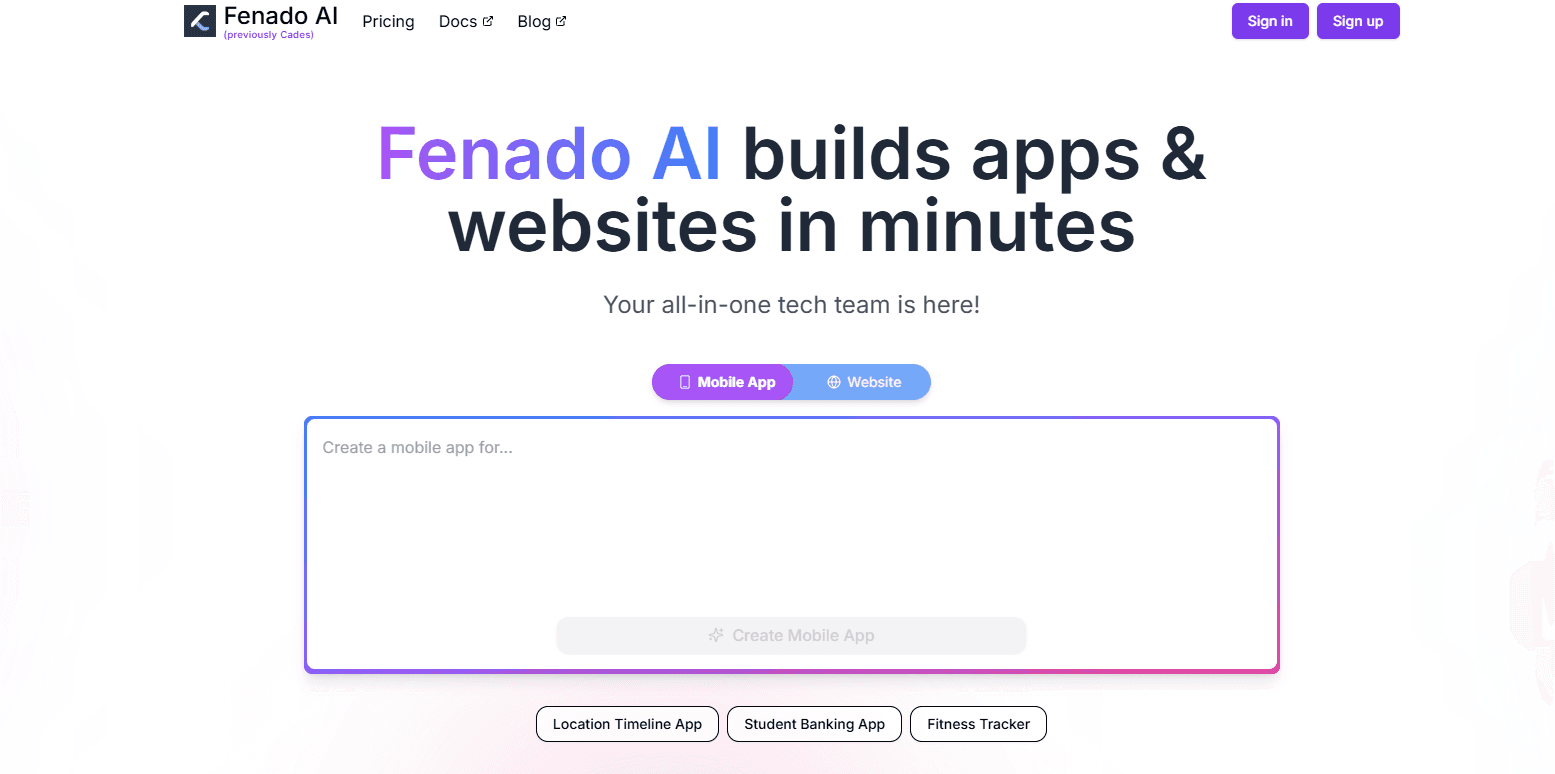
Fenado AI is an invite-only platform where founders describe an idea and get a working website or mobile app, built and hosted without hiring developers.
About Fenado AI
What Is Fenado AI
Fenado AI bills itself as an AI-powered development agency, and it targets one specific person: a founder who has an idea and no engineering team. You describe what you want to build, the platform turns that description into a website or a mobile app, and you publish from the same dashboard. The pitch is "start building for free, upgrade to deploy", so you can shape a project before you pay for hosting.
The company leans hard on its founders' track record. CEO Azhar Iqubal started Inshorts, India's largest news app, and sits as a judge on Shark Tank India. CTO Manish Singh Bisht ran technology at Inshorts. Fenado uses that history, a company valued at about $500M, as the reason to trust it with your build.
Two limits matter before you request access. The platform is invite-only, so you cannot simply sign up and start today. And it is aimed at getting a product live, not at replacing a full engineering team for a complex or regulated system.
Getting Started
- Request access on fenado.ai and wait for an invitation
- Describe your idea in plain language, then review the AI-generated version of the site or app
- Refine screens, copy and layout from the dashboard until the build matches what you had in mind
- Publish, then use the built-in analytics to see how visitors and users respond
Product Information
A quick look at Fenado AI's pricing, supported platforms, and performance.
Best for
The users, tasks, and scenarios where this tool fits best.
Users
- First-time founders
- Non-technical solo builders
- Small businesses
- Product managers on a deadline
Tasks
- Building a launch site
- Shipping a first mobile app
- Testing an idea fast
- Publishing without a developer
Scenarios
- You have a validated idea and a weekend demo to show
- A small business needs a web presence and nothing custom
- An internal tool needs a mobile face
- A founder wants to test demand before raising
- An enterprise needs a custom AI build
Key features
Idea to build in plain language
The core of Fenado is the description step. You type what you want rather than configure what you want, and the platform generates a first version of the website or app from that text. It is the same shift that tools like Lovable and v0 pushed, aimed here at people who think in products rather than in components.
AI-generated refinement
The first output is a starting point, not the finish line. Fenado rewrites and reshapes sections based on the feedback you give, so you steer the result toward what you actually meant. That keeps the loop short: change the request, see the new version, keep or discard.
Website and mobile app builders in one place
Most no-code tools pick a side. Fenado offers both a website path and a mobile app path from the same account, which suits a founder who wants a marketing site and a companion app without managing two providers. The trade-off is depth: a dedicated mobile tool will still go further on native features.
One-click publishing
Publishing is where the free tier stops and the paid tier starts. You build for free, then pay to put the result online. For a founder, that means the decision to spend arrives only when the product is worth showing, not on day one.
Built-in analytics
After launch, the dashboard tracks how visitors and users behave, so you can see which pages hold attention and where people drop off. The analytics are basic next to a dedicated product analytics tool, but they close the loop between shipping and learning without adding another subscription.
Enterprise consultation
For companies that want something bigger or more tailored than the self-serve flow, Fenado runs a consultation route for enterprise AI work. It signals that the platform is not only for solo founders. Details of that offering come from a conversation rather than a public price list.
Invite-only access
Access is gated. You request an invitation rather than signing up on the spot. That keeps the early user base curated and the platform from being overwhelmed, but it also means your first step depends on how fast an invite arrives.
Pros and cons
Pros
- Build for free and pay only when you deploy, so testing an idea costs nothing up front
- Covers both websites and mobile apps from a single account, which suits founders who want both
- No-coding needed, so a non-technical founder can get a product live without hiring, and the same no-code app development path covers mobile
- Founders behind it have run a large consumer app, which gives the platform real product experience
- Analytics are built in, so you can judge a launch without buying another tool
Cons
- Invite-only access means you cannot start today, and wait times are not published
- Pricing for deployment is not listed publicly, so budgeting means talking to the team
- No public API, and native app depth will lag a dedicated mobile development stack
- Best suited to getting a product live, not to complex or regulated systems that need a full engineering team
Frequently asked questions
Fenado AI is an AI-powered development platform that turns a written idea into a working website or mobile app. You describe what you want, the platform builds a version you can refine, and you publish from the same dashboard. It targets founders and small teams without an engineering staff.
Related content
Explore related tools, skills, and articles for Fenado AI.
Fenado AI Alternatives

Udon
Udon · Coding · ProductivityUdon turns an Apple Silicon Mac into a home server you run from a browser, with container controls, file shares, and an optional AI sysadmin.

offstage
offstage cloud · Coding · Productivityoffstage gives AI coding agents and CI jobs a real Mac: a fresh macOS account on Apple silicon, driven over an API and billed by the second.

BotBus
Chengdu Tuyang Tusen Technology Co., Ltd. · Coding · ProductivityBotBus lets you control AI coding agents from your phone and watch: approve commands, start tasks and read results while the code stays on your desktop.