

Fieldy
Fieldy · Productivity
Fieldy is a wearable AI note taker that clips on and records conversations, then transcribes, summarizes and turns them into reminders using its iOS, Android and desktop apps.
About Fieldy
What Is Fieldy
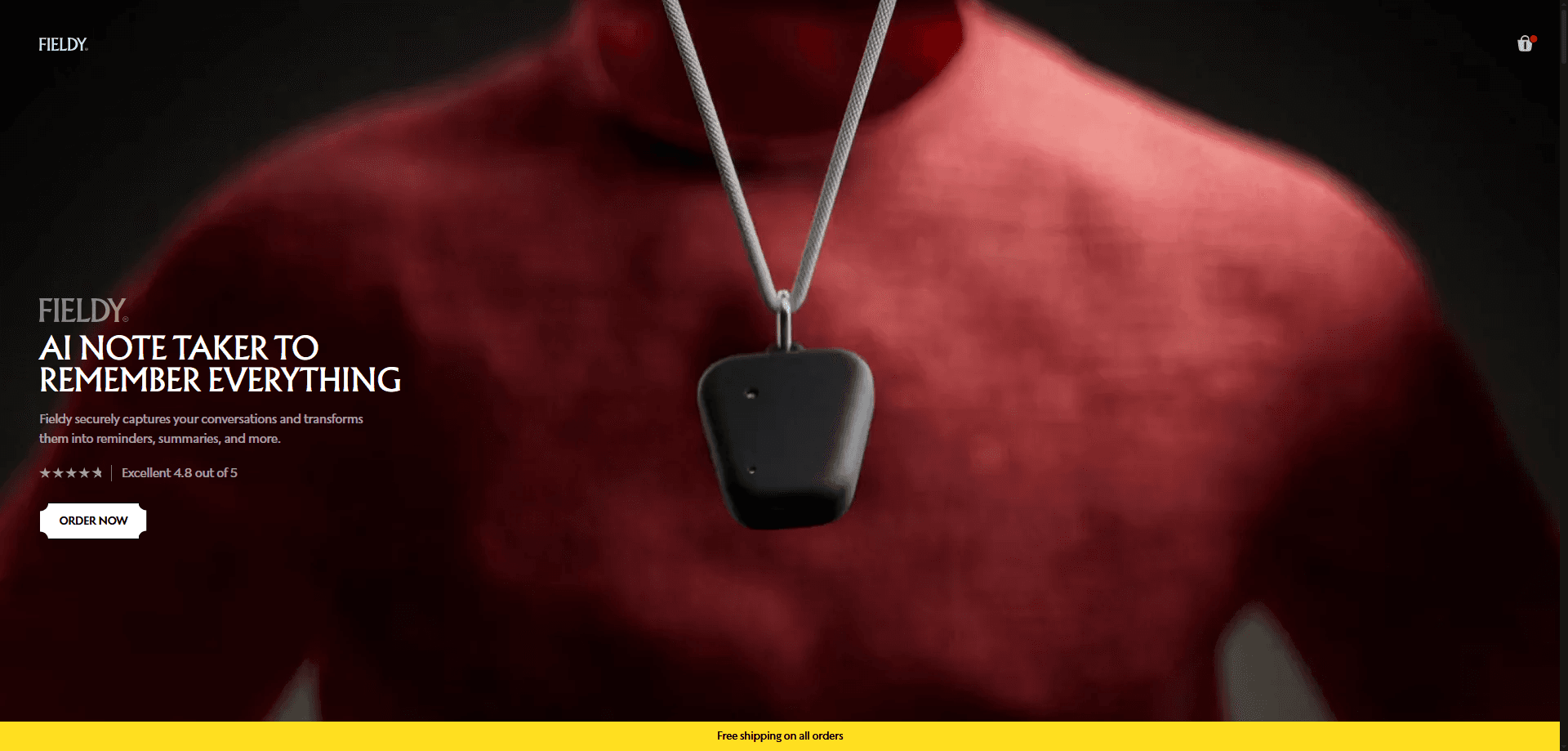
Fieldy is a small clip-on AI voice recorder that captures conversations as they happen, and a set of companion apps that make sense of the audio afterward. The hardware records. The AI note taker app on your phone handles the transcription and summary, plus searchable notes. Fieldy 3, the current model, can be worn as a wrist strap or a pendant, so you don't have to remember to bring a separate recorder to every meeting.
As an AI meeting recorder, the pitch is simple: stop splitting your attention between listening and typing. Fieldy transcribes in real time, then hands you a summary and a list of action items once the call ends. Every transcript stays searchable, and you can chat with your notes to pull out a detail you forgot. For anyone who takes notes for a living, the appeal is speed rather than raw transcription alone.
There are limits worth knowing before you buy. Fieldy needs a Bluetooth connection to your phone, and your phone needs internet for the AI processing, so it is not a standalone offline recorder. You also get 150 free transcription minutes each month, and heavier users pay for an Unlimited membership to lift that cap.
Getting Started
- Pair the Fieldy device with your phone over Bluetooth and clip it to your wrist, neck or place it on the table
- Press the button once or tap in the app to start capturing a conversation or meeting
- Let the AI transcribe and summarize, then open the transcript to review or search the key points
- Set reminders from the action items and sync everything to the desktop app for editing or sharing
Product Information
A quick look at Fieldy's pricing, supported platforms, and performance.
Best for
The users, tasks, and scenarios where this tool fits best.
Users
- Busy professionals
- Students and researchers
- People with ADHD or memory challenges
- Journalists and content creators
- Healthcare and legal staff
Tasks
- Live transcription
- Meeting summaries
- Action item capture
- Searchable history
- Chat with notes
Scenarios
- Back-to-back meetings
- In-person interviews
- Lectures and study sessions
- Multilingual workplaces
- Hands-free note taking
Key features
Real-Time Transcription
Fieldy turns speech into text as people talk, so a transcript is ready by the time a conversation ends. The company says accuracy runs above 95% in most environments, but background noise and unclear speakers pull that number down. It covers more than 100 languages, which helps teams that work across borders.
Automatic Summaries
After a recording stops, the AI writes a summary so you can skip straight to the points that matter. This is the part that saves time for people who rarely read full transcripts. You get the gist without scrolling through an hour of dialogue.
Tasks and Smart Reminders
Fieldy pulls action items out of a conversation and turns them into reminders, so a promised follow-up doesn't slip. Instead of writing to-dos yourself, you review a list the AI drafted. The value shows up when you handle several meetings a day and need the loose ends tracked.
Chat With Your Notes
You can ask questions about a transcript and get answers drawn from it, which is quicker than rereading. Ask what a client requested, or which deadline came up, and the AI points to the moment. It works best when the audio was clear to begin with.
Wearable, Two Ways
Fieldy 3 clips on as a wrist strap or a pendant, and the device weighs about 17 grams. The battery lasts up to seven days on a charge, and it charges over USB-C. That combination is what lets it stay with you rather than sit in a bag.
Cross-Device Sync and Export
What you record on the go shows up in the desktop app for Windows and macOS, which the company gives away as part of the account. You can search, edit and copy notes into Slack, Notion or another tool, or export a transcript directly. The mobile app covers iOS and Android.
Privacy Controls
Text is encrypted in transit and at rest, and the company says it does not store audio recordings or sell your data. A built-in light shows when the device is active, which matters when you record near other people. Fieldy states it is HIPAA compliant and offers a Business Associate Agreement for orders of 20 units or more.
Pros and cons
Pros
- Records and transcribes conversations hands-free, so you can stay present instead of taking notes
- More than 100 languages supported, useful for multilingual meetings and interviews
- AI summaries and action-item extraction cut the time spent reviewing long transcripts
- Seven-day battery and a 17-gram body make it easy to carry every day
- Desktop app for Windows and macOS costs nothing extra and syncs your notes across devices
Cons
- It needs a Bluetooth link to your phone and internet for the AI work, so it won't transcribe offline on its own
- The free tier caps you at 150 transcription minutes a month, and heavy users have to pay for Unlimited
- The hardware is a separate purchase on top of any subscription, so the entry cost is higher than a phone-only app
Frequently asked questions
Fieldy says it reaches above 95% accuracy in most settings. Background noise, overlapping speakers and unclear audio lower that, so quiet rooms give the best results.
Related content
Explore related tools, skills, and articles for Fieldy.
Fieldy Alternatives

Base Code
Base44 (Wix) · Coding · ProductivityBase Code is a shared cloud development environment from Base44. Teammates describe changes to an existing GitHub codebase in chat, preview them live and send them back as pull requests.

Knocket
Knocket (Tencent RTC team) · Productivity · Business · ChatbotKnocket is a free live chat and contact page tool that lets visitors message you from your website, app, or a shareable link, with every reply handled from Telegram or one inbox.

FloorGen
Vinit Kumar (FloorGen) · Productivity · China AIFloorGen is a browser-based floor plan maker that turns a sentence or a sketch into an editable 2D plan and a 3D walkthrough. Export to PDF, DXF or video, and draw without an account.